
You set the pace
Check every 30 seconds up to once a day. Smart backoff slows checks on quiet pages and speeds up on change.
Chrome Extension · Page monitoring

Point at any element on any open page, pick a rule, and walk away. PagePing watches it for you and sends a private desktop ping when a price, a restock, or a keyword changes.
Price dropped
¥48,900 ↓
Set it once
Click “Select area to watch” and pick any element — a price, a status, a button. Or watch the whole page in one tap.
Choose from 13+ rules: price drops, back in stock, a keyword appears, a number changes, even a purely visual change.
Set the interval and quiet hours, then get a desktop ping with a snapshot of exactly what changed.
13+ alert rules
You're in control
Check every 30 seconds up to once a day. Smart backoff slows checks on quiet pages and speeds up on change.
“Double-check before alerting” kills flicker. Quiet hours, snooze, and per-watcher cooldowns keep it calm.
An inbox of every past ping — each with a snapshot thumbnail of exactly what moved on the page.
A sparkline with min, max, and average so you know whether that “deal” is actually a deal.
Ignore whitespace, timestamps, countdowns, cookie banners, and ads so only real changes reach you.
Flight price, tickets, product stock, appointment slots, competitor price — one click to a ready watcher.
Inside PagePing
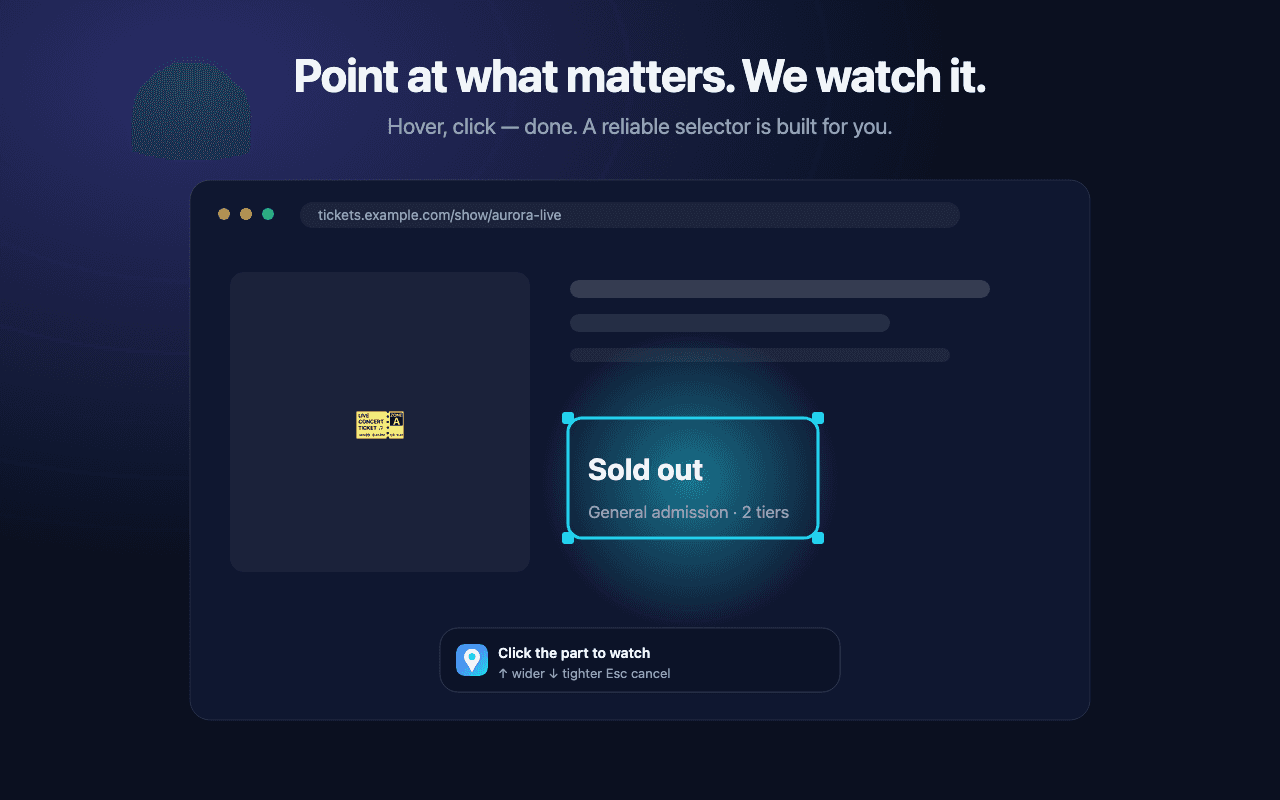
Pick the exact element to watch — a reliable selector is generated automatically, with fallbacks if the site changes its layout.
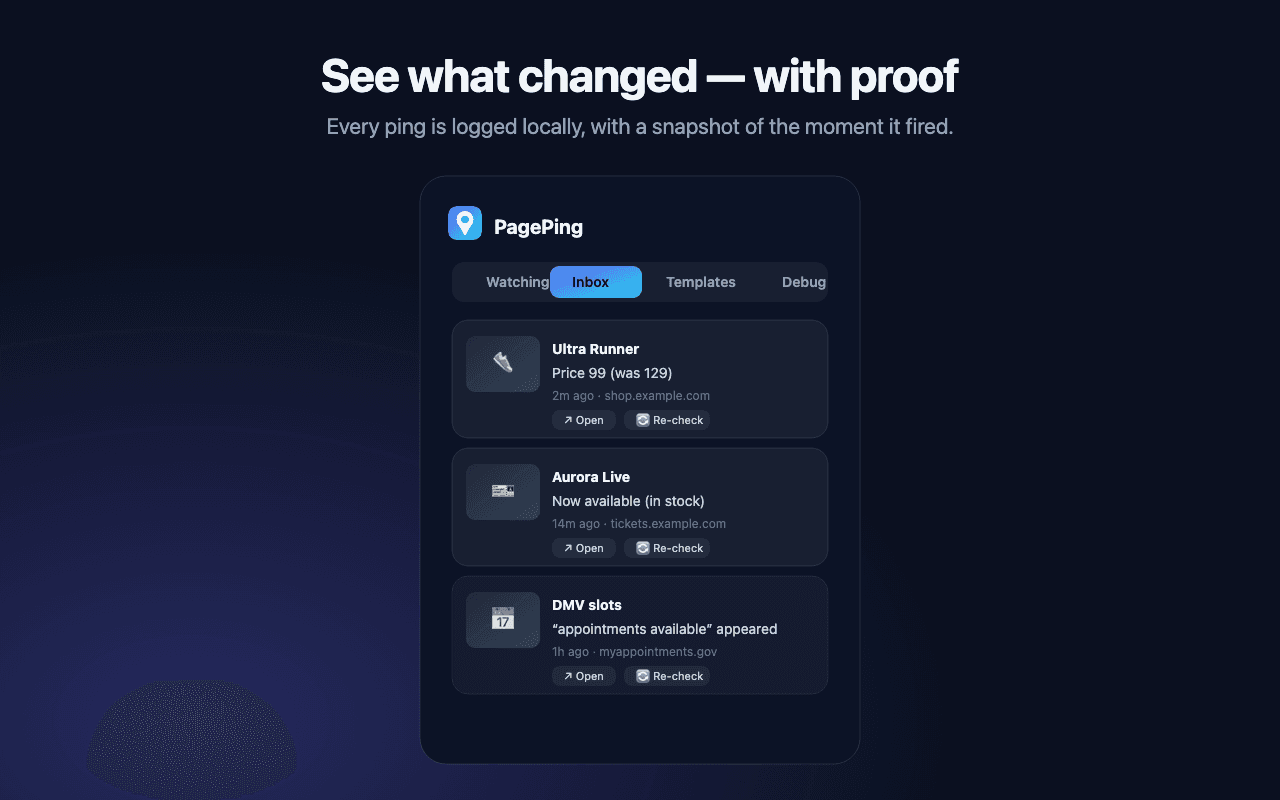
Each ping lands in an inbox with a thumbnail of what changed, plus Open and Snooze right on the notification.
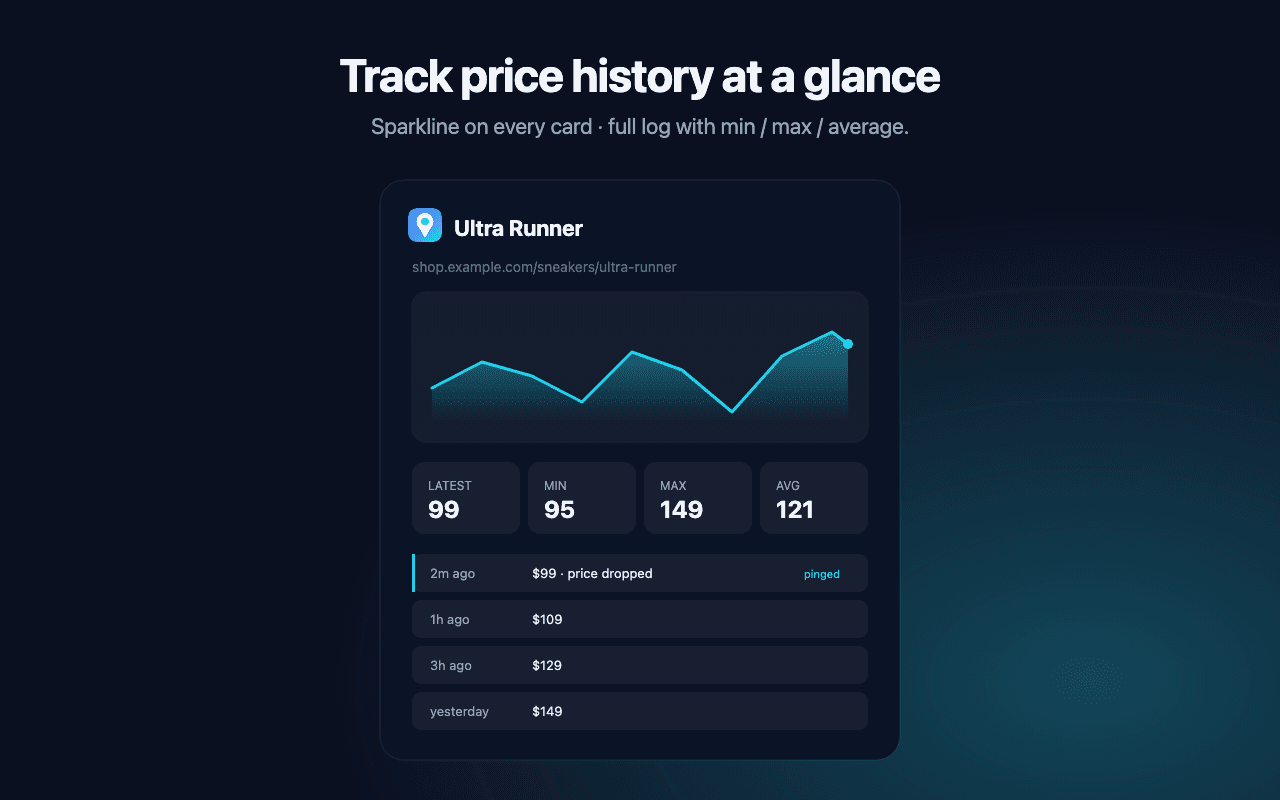
Watch a price or number over time with a sparkline — spot the real drop instead of refreshing all day.
No server. No AI. No accounts. No cloud sync. No analytics. Everything stays in your browser using local storage only — your data never leaves your device.
Read the privacy policy →