AI Tools
Best AI Image Generator in 2026: Midjourney V8 vs GPT Image 2 vs Flux 2 Pro Tested
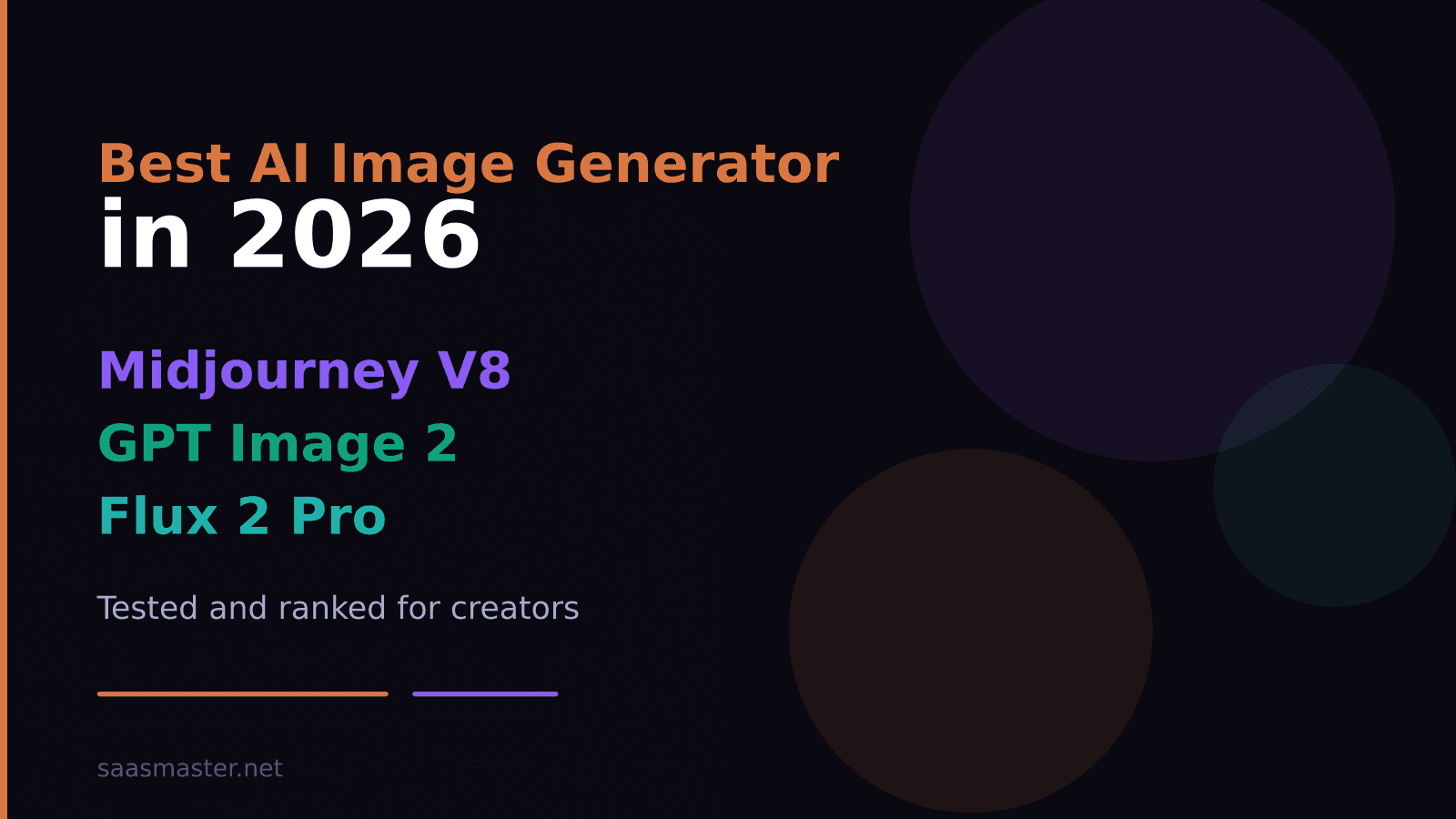
The best AI image generator in 2026 depends entirely on what you are making. Midjourney V8 produces the most visually distinctive, high-style output at native 2K resolution and is roughly 5x faster than V7. GPT Image 2 scores 9.6/10 overall on independent benchmarks and is the strongest tool for text within images and prompt fidelity. Flux 2 Pro leads on photorealism and ships with an open commercial license. Here is how each one performs across the tasks that actually matter for creators.
Key takeaways
- Midjourney V8 launched in March 2026 with a rewritten engine — 5x faster than V7 and native 2K output
- GPT Image 2 (inside ChatGPT) scores 9.6/10 overall and has the best text rendering of any model
- Flux 2 Pro leads on photorealism and offers the most flexible commercial licensing
- All three start at different price points: Midjourney at $10/mo, GPT Image 2 included in ChatGPT Plus ($20/mo), Flux 2 via API
- No single model wins every category — the right choice depends on your use case
What changed in 2026?
AI image generation moved fast this year. Midjourney released V8 in March 2026 with a completely rewritten inference engine that cut generation time from roughly 40 seconds per image to under 10, while bumping default output resolution to 2048 pixels on the long edge. GPT Image 2 replaced DALL-E 3 inside ChatGPT and made image editing genuinely useful — you can now paste in a photo, write instructions, and get accurate targeted edits rather than a full regeneration. Flux 2 Pro from Black Forest Labs matured into the go-to open-weight photorealism model with real commercial licensing clarity.
Stable Diffusion still exists and the community is active, but for working creators in 2026 the practical field narrows to these three.
Who wins on visual style?
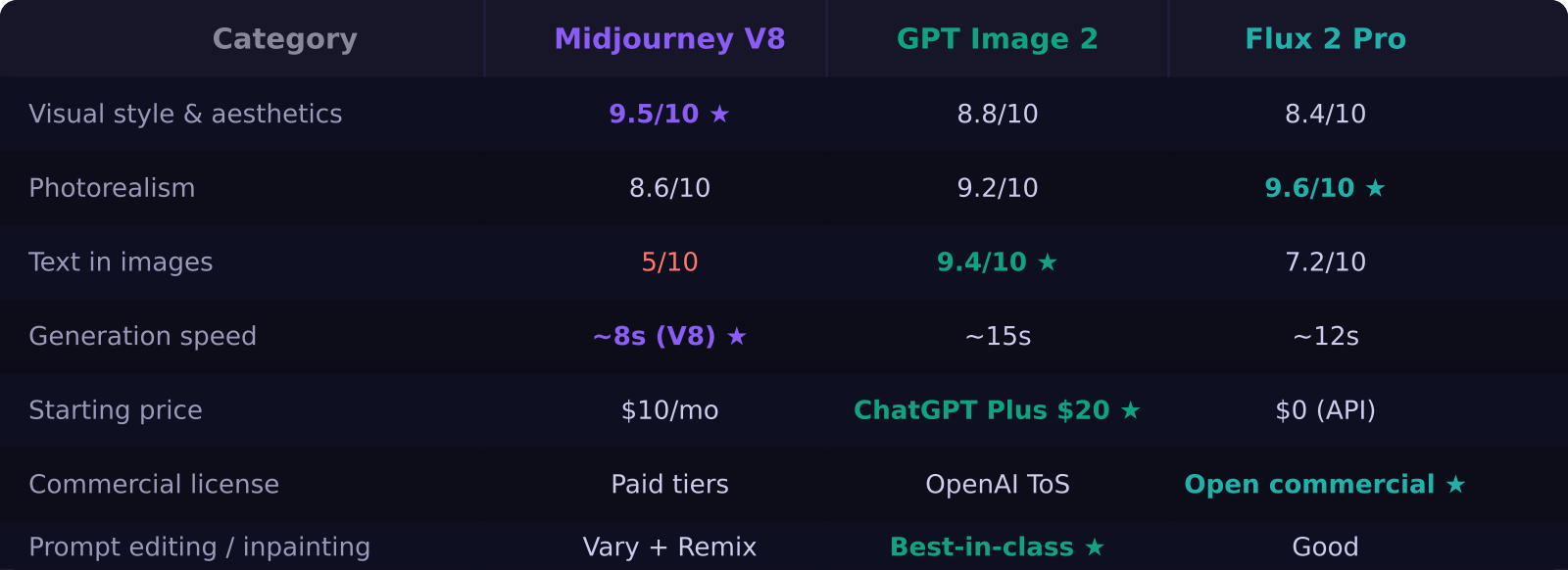
Midjourney V8 still produces the most visually striking images. The model has a distinctive sensibility — cinematic lighting, strong compositional instincts, and an editorial quality that requires little to no post-processing. If you are making hero images for a landing page, a YouTube thumbnail, or a brand visual that needs to look premium, Midjourney is the fastest path from prompt to polished output.
V8's speed matters too. At under 10 seconds per image versus V7's 40 seconds, iteration loops that used to take 20 minutes now take 5. That changes how you use the tool — you can explore more concepts, run more variations, and find the right image without losing your creative momentum.
Which model handles text best?
GPT Image 2 is the only model I trust to render text accurately inside an image. Midjourney still struggles with letter-level accuracy on anything beyond simple words. Flux 2 Pro improved noticeably but still makes character-level errors on complex text.
GPT Image 2 gets typography right — consistent fonts, correct spelling, reasonable layout — because it was specifically trained to understand text placement in visual contexts. For any image where text is part of the design (thumbnails, event graphics, product mockups with labels), GPT Image 2 is the only tool that does not require cleanup in Photoshop.
How does Flux 2 Pro compare on photorealism?
Flux 2 Pro leads the field on photorealistic output. Skin textures, material surfaces, environmental lighting — it handles all of these better than Midjourney V8 and is competitive with or better than GPT Image 2 on raw photo-likeness. If you are generating product images, model shots, or realistic scenes rather than stylized artwork, Flux 2 Pro delivers.
The licensing situation is also the clearest of the three. Flux 2 Pro ships with open commercial licensing, meaning what you generate is yours to use commercially without parsing platform terms of service. For brand and agency work where licensing clarity matters, that matters.
What does each tool cost?
Midjourney starts at $10 per month for approximately 200 fast image generations. The $30 and $60 tiers add faster queues, unlimited relaxed generations, and commercial terms. GPT Image 2 is included in ChatGPT Plus at $20 per month — it is bundled with all the other Plus features, so you are not paying $20 purely for image generation. Flux 2 Pro is API-first; you pay per generation at roughly $0.05 per image through fal.ai or Replicate, making it cheapest for high-volume users and most accessible for developers.
Which should you use?
For visual design and branded content: Midjourney V8. The style quality is unmatched and V8's speed makes it practical for iterative workflows.
For everyday creator use and text-in-image needs: GPT Image 2. It is already inside ChatGPT Plus, handles text accurately, and the prompt editing is the best of any model.
For photorealism, product shots, or API-based workflows: Flux 2 Pro. Best realism, clearest commercial rights, pays per use.
If you already pay for ChatGPT Plus, you have GPT Image 2 at no added cost. That alone makes it the logical default for most creators. Add Midjourney at $10 if you need a higher aesthetic ceiling for brand visuals. Flux 2 Pro is the specialist tool for photorealism and code-driven image pipelines.
Frequently asked questions
Which AI image generator is best for YouTube thumbnails? Midjourney V8 is the best choice for thumbnails that need strong visual impact and style. GPT Image 2 is better if your thumbnail design includes text overlays, since it handles text rendering more accurately.
Is Flux 2 Pro free to use? Flux 2 Pro is not free but charges per image rather than a monthly subscription. Through providers like fal.ai or Replicate, you pay approximately $0.05 per image with no minimum commitment, making it the most cost-effective option for high-volume generation.
What happened to DALL-E 3 in 2026? OpenAI replaced DALL-E 3 with GPT Image 2, which is now the image generation engine inside ChatGPT. GPT Image 2 offers significantly better text rendering, improved prompt fidelity, and native image editing capabilities that DALL-E 3 did not have.
Was this article helpful?
SaaS Master
Creator behind SaaS Master — tutorials, walkthroughs, reviews, and explainers that help SaaS, AI, and WordPress products get understood and chosen. Writing here about the tools, trends, and tactics that actually move the needle. Work with me →
Want your product explained this clearly — in video?
Tutorials, walkthroughs, reviews, and shorts for SaaS, AI, and WordPress products.
Work With SaaS Master