WordPress
WordPress 7.0 AI Connectors: What Actually Changed and What Site Owners Should Do Now
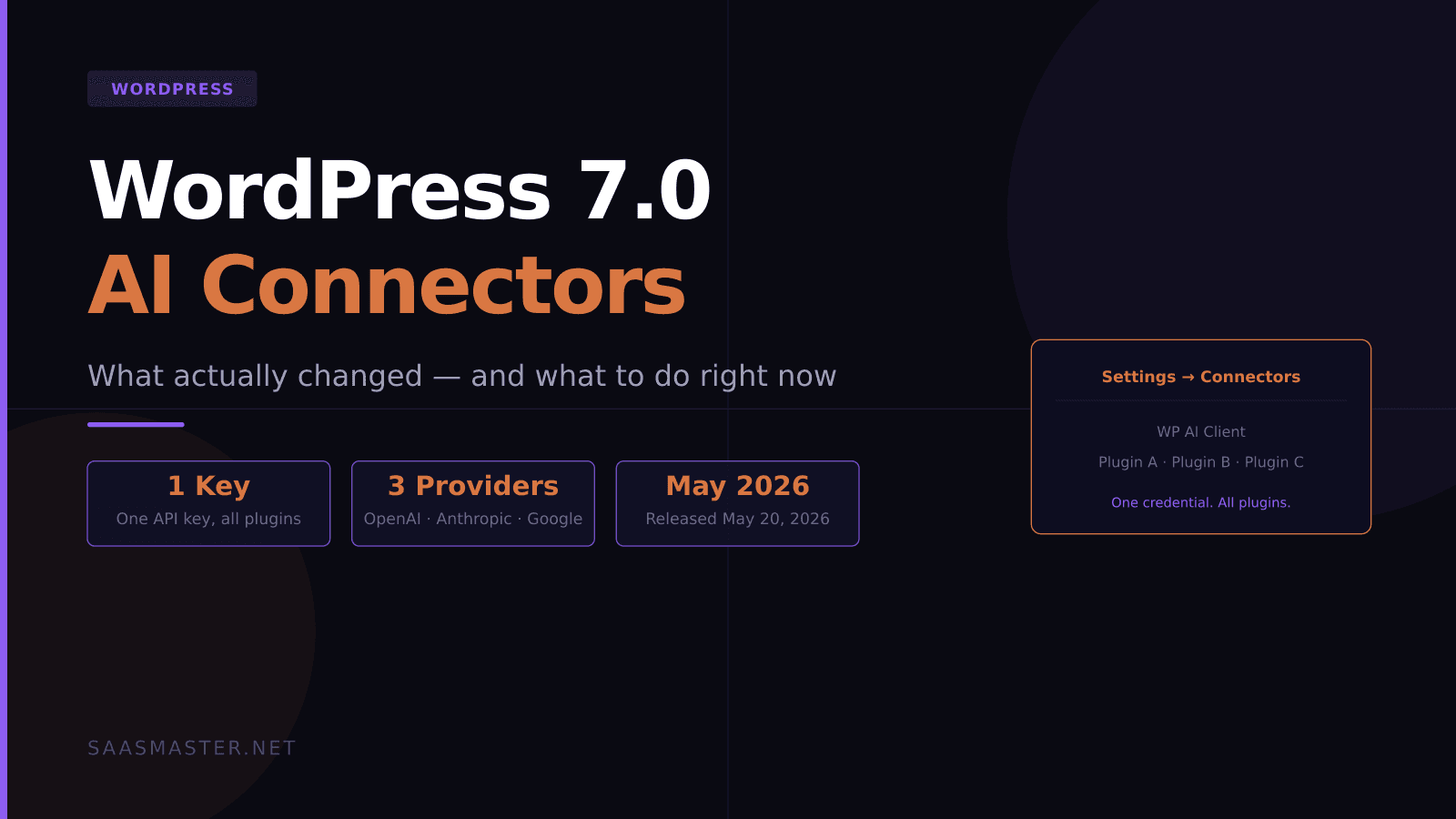
If you run a WordPress site and have ever copied an API key into three different plugin settings screens — once for the chatbot, once for the SEO tool, once for the content assistant — WordPress 7.0 just fixed that problem.
Released May 20, 2026, WordPress 7.0 ships the biggest infrastructure change for AI integration the platform has ever made. Not flashy new features. A foundation that every AI plugin can finally build on top of.
Key takeaways
- WordPress 7.0 ships the Connectors API, the AI Client, the Abilities API, and an MCP Adapter — a full AI infrastructure layer baked into core.
- One API key entered at Settings → Connectors is shared across every compatible plugin, ending per-plugin credential management.
- Three providers ship as optional plugins: OpenAI, Anthropic, and Google AI. Core itself ships zero providers to stay lean and copyright-clean.
- Plugin developers now write to a single PHP API (WP AI Client) instead of each implementing their own provider connections.
- WordPress 7.1, scheduled for August 2026, will add advanced connector filtering that was postponed from this release.
What problem does WordPress 7.0 actually solve?
Before 7.0, every AI plugin for WordPress handled provider connections independently. AI Engine — one of the most popular AI plugins — required its own OpenAI key. Your SEO plugin needed its own Anthropic key. A content generation tool needed its own Google AI setup. Each plugin managed credentials, rate limits, and error handling differently.
This fragmentation created two real problems. Security risk from credentials scattered across plugin settings pages, where any plugin vulnerability exposes keys to other services. And maintenance overhead for developers who reimplemented the same provider logic in every plugin they shipped.
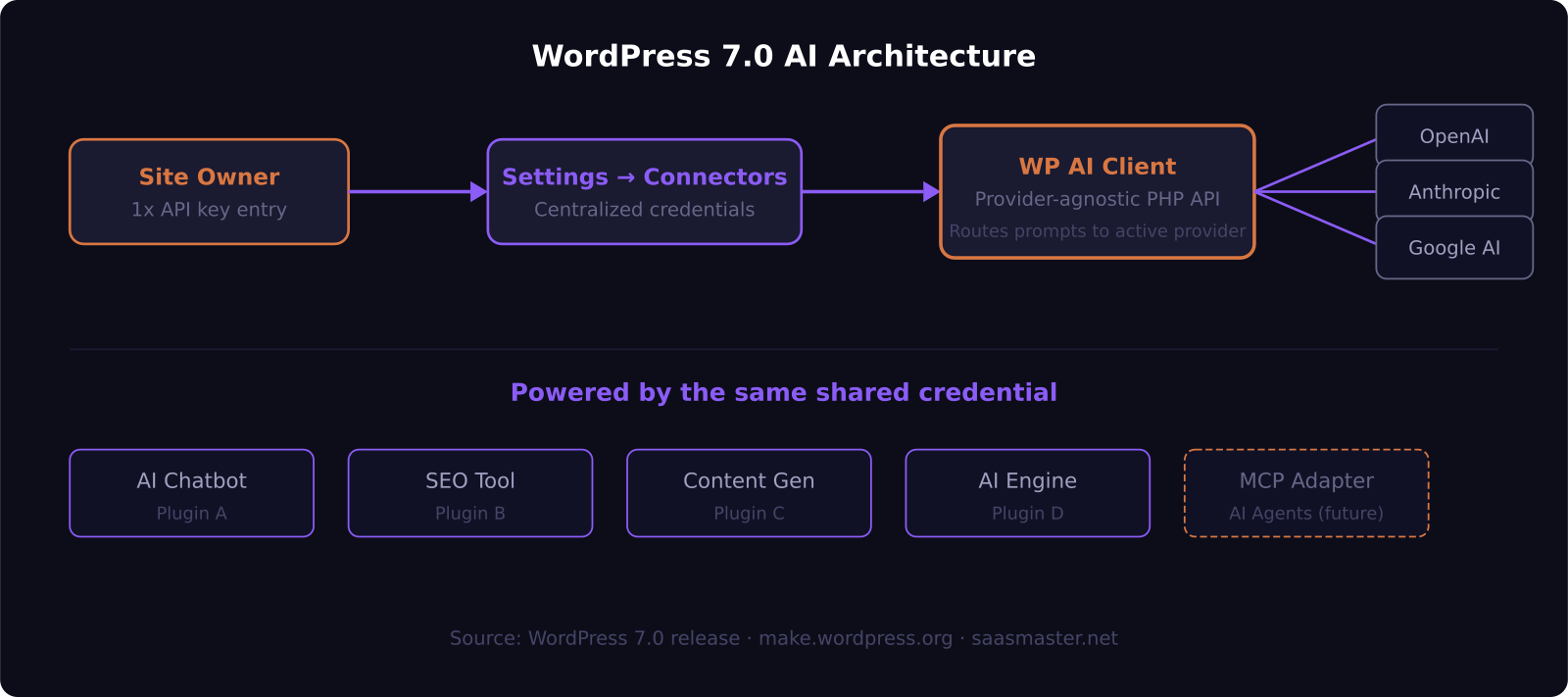
WordPress 7.0's Connectors API creates a centralized credential layer. You go to Settings → Connectors, enter your API key once, and every plugin that uses WP AI Client automatically has access.
How does the WP AI Client work?
The WP AI Client is the developer-facing piece. It is a provider-agnostic PHP API — plugin developers call a consistent WP AI function without knowing or caring which AI provider the site owner has configured.
A plugin asks: generate a meta description for this post. The WP AI Client routes that request to whatever provider is connected — OpenAI, Anthropic, Google — and returns the result in a standard format.
This is a genuinely important architectural shift. Plugin authors can stop writing provider-specific integration code and focus on building features. Site owners can switch providers — say, moving from OpenAI to Anthropic — without breaking any of their AI-powered plugins. And credentials live in one place, which reduces the attack surface considerably.
For any developer who has maintained a plugin with AI features and had to update provider integrations every time OpenAI changed an API endpoint, WP AI Client eliminates that category of work entirely.
Does WordPress 7.0 include AI features, or just infrastructure?
Mostly infrastructure, by design. The WordPress team made a deliberate choice: core ships zero AI providers by default. You install the OpenAI, Anthropic, or Google provider plugin separately, exactly like any WordPress plugin.
This keeps Core lean and avoids the licensing and cost debates that would arise if WordPress shipped direct API access to paid AI services in its base installation. It also keeps the ecosystem open — any provider can build a connector plugin, not just the three that ship first-party.
What Core does include is the Abilities API — a way to browse and interact with registered AI abilities from an admin screen called Abilities Explorer. Think of it as a dashboard showing all AI-powered actions available on your site across your installed plugins.
The MCP Adapter is the most forward-looking piece of the release. It gives WordPress a standardized interface for AI agents to read from and interact with your site. In practical terms, an AI agent using Model Context Protocol could browse your posts, create drafts, update content, or query your product catalog without a custom integration built specifically for your WordPress install.
Which AI provider should you connect?
The honest answer depends on what you are using AI for.
OpenAI (GPT-5.5 and variants) is the practical starting point for most site owners. Large user community, extensive plugin compatibility, and the widest documentation for early 7.0 integrations. GPT-5.5 Instant is cost-efficient for high-volume tasks like auto-generating meta descriptions, tagging posts, or summarizing content for newsletters.
Anthropic (Claude Sonnet 4.6 or Opus 4.8) is the better choice for longer-form editorial work. Claude's accuracy on nuanced writing tasks and its strong factual recall make it a good fit for content-heavy WordPress workflows — marketing blogs, knowledge bases, documentation sites. Claude Opus 4.8 is currently the top-ranked model on the Artificial Analysis Intelligence Index with a score of 61.4, though it is also the most expensive option.
Google AI (Gemini 3.5) is worth evaluating if you use other Google services and want a unified billing relationship. Gemini's 1 million token context window is also competitive for sites processing very long documents.
The good news: WordPress 7.0 makes switching easy. Connect whichever provider you already have an API key for. Change your mind in six months by updating Settings → Connectors — no plugin reconfiguration required.
What should site owners actually do right now?
First, update to WordPress 7.0 if you have not already. If you are on managed hosting through WP Engine, Kinsta, or Cloudways, your host has likely staged the update or can enable it from your dashboard.
Second, visit Settings → Connectors after updating. Install the provider plugin for your AI service of choice and enter your API key there — not in individual plugin settings panels.
Third, check that your existing AI plugins have released 7.0-compatible updates. Plugins built before 7.0 will continue to work, but they will not benefit from shared credentials until they update to use WP AI Client. Well-maintained plugins like AI Engine are tracking 7.0 closely and have already published compatibility updates.
Fourth, if you are a developer building plugins with AI features: build on WP AI Client from the start. Plugins that use the shared infrastructure will be more discoverable in the WordPress plugin directory, more compatible across hosting environments, and easier to maintain when provider APIs change.
Should you care about the MCP Adapter?
Most site owners can ignore it today. But it is worth knowing it exists.
Model Context Protocol is the open standard originated by Anthropic that lets AI agents connect to external services. It is already used by Claude, Cursor, Windsurf, and dozens of other tools. WordPress 7.0's MCP Adapter makes your site addressable by any MCP-compatible AI agent — meaning an agent can browse, read, and eventually write to your WordPress site through a standardized connection.
The direction is clear: WordPress is building the infrastructure to be operated by AI agents, not just assisted by AI features. For SaaS companies running marketing blogs, documentation sites, or product knowledge bases on WordPress, this is the architecture to build toward now — even if the agent-driven workflows you imagine are still 18 months away.
WordPress 7.0 describes itself as an infrastructure release, not a marketing milestone. That is accurate. And in software, infrastructure releases are often the most important ones.
Frequently asked questions
Do I need to pay for AI features in WordPress 7.0?
The AI infrastructure in WordPress 7.0 is free and open source, like WordPress itself. However, the AI providers — OpenAI, Anthropic, Google — charge for API usage based on how much you use their models. There is no additional fee from WordPress or Automattic for the Connectors API or WP AI Client.
Will my existing AI plugins break when I update to WordPress 7.0?
Existing plugins continue to work after the 7.0 update — backward compatibility is maintained. They simply will not share credentials through the new Connectors system until they release a 7.0-compatible update. You may still need to manage API keys in those plugins' own settings until their authors publish updates.
When is WordPress 7.1 and what does it add?
WordPress 7.1 is scheduled for August 2026. The planned focus is advanced connector filtering — functionality that was deliberately postponed from 7.0 to allow more time for stability work. This will give developers and site owners more granular control over which plugins can access which AI provider connections, an important governance feature for enterprise and agency deployments.
Was this article helpful?
SaaS Master
Creator behind SaaS Master — tutorials, walkthroughs, reviews, and explainers that help SaaS, AI, and WordPress products get understood and chosen. Writing here about the tools, trends, and tactics that actually move the needle. Work with me →
Want your product explained this clearly — in video?
Tutorials, walkthroughs, reviews, and shorts for SaaS, AI, and WordPress products.
Work With SaaS Master