AI Tools
Cursor vs GitHub Copilot vs Windsurf: Which AI Coding Tool Should SaaS Builders Use in 2026?
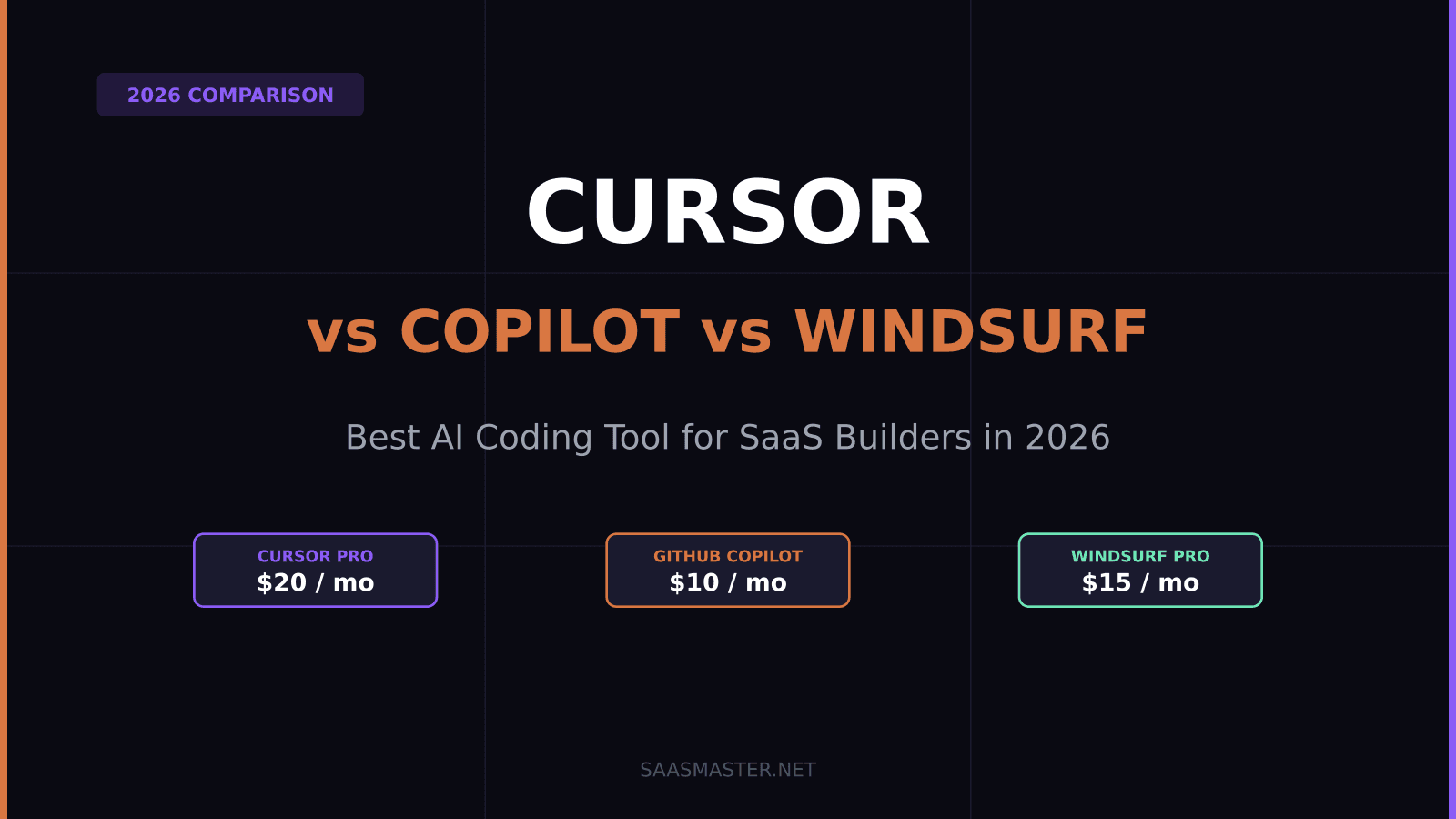
If you are building a SaaS product in 2026, one of three tools is probably open in a tab right now: Cursor, GitHub Copilot, or Windsurf. The question is no longer whether to use an AI coding assistant — it is which one actually makes you faster, and whether the extra monthly cost is worth what you get.
Short answer: Cursor wins for complex multi-file SaaS work, Copilot wins if you want to stay in your existing editor and keep spend low, and Windsurf is the dark horse that genuinely surprises on large-scale refactors.
Key takeaways
- Cursor Pro is $20/month and routes to GPT-5 and Claude models with codebase-aware multi-file editing
- GitHub Copilot is $10/month and works as a plugin inside VS Code, JetBrains, and most major IDEs
- Windsurf Pro is $15/month with the most generous free tier of the three and a strong autonomous agent called Cascade
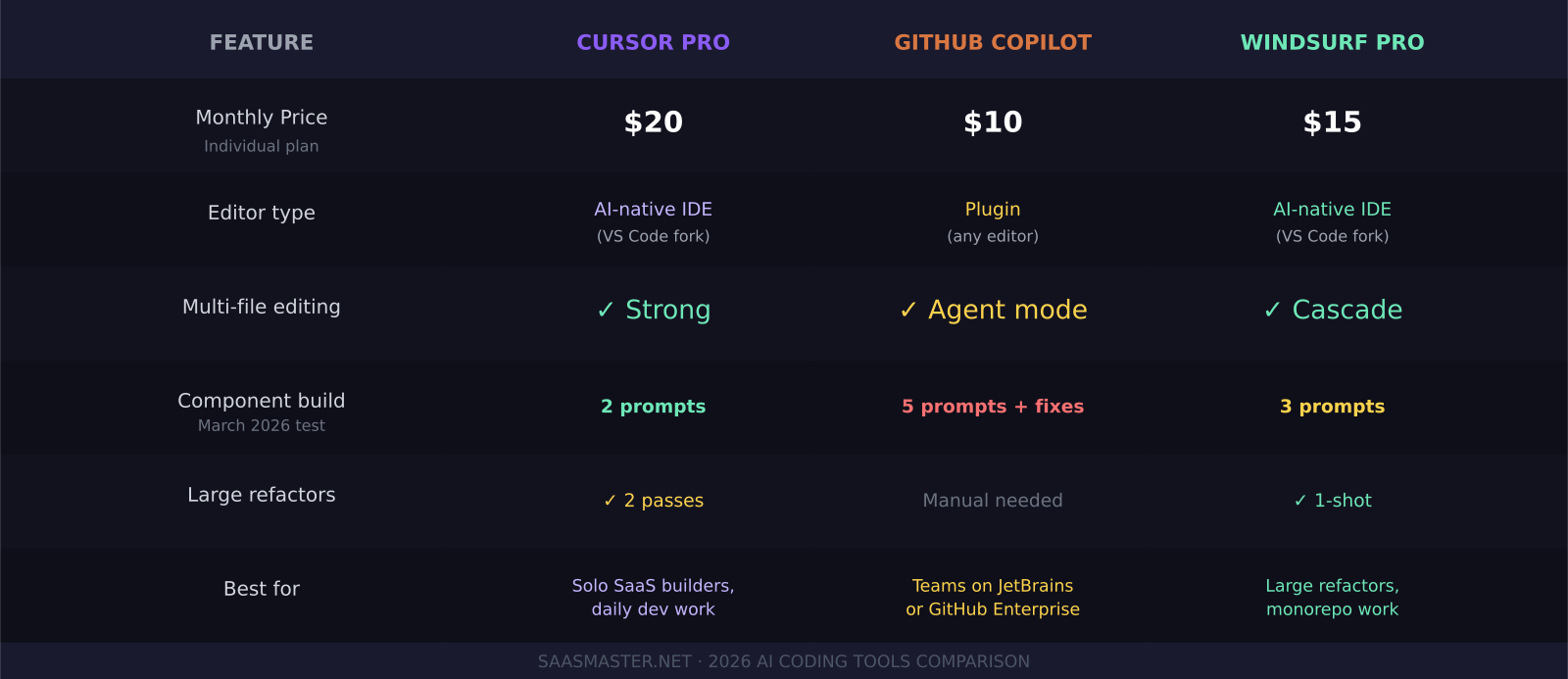
- In a March 2026 benchmark, Cursor completed a React component build in 2 prompts, Windsurf in 3, and Copilot in 5 with manual fixes
- Windsurf Cascade completed a 3,000-line Express.js migration in a single attempt with just 2 test failures out of 47
Are these tools really that different?
Yes, and the architecture is the key dividing line. GitHub Copilot is a plugin. It bolts onto your existing editor — VS Code, JetBrains, Neovim, or whatever you already have. You get smart completions, an inline chat panel, and agent sessions that can reason across your open files. If switching editors is a non-starter for your team, Copilot is the path of least friction.
Cursor and Windsurf are both VS Code forks rebuilt from the ground up with AI as a first-class primitive, not an afterthought. Both look familiar if you already use VS Code, but the AI model is woven into every layer of the editor — context retrieval, file indexing, command palette, and the terminal — instead of living in a sidebar. You can point either one at your entire codebase before every request, and that context depth changes the quality of responses on real projects in a way that Copilot's plugin model cannot replicate.
Which tool handles real SaaS work better?
In a standardized March 2026 test conducted by DevToolLab, three engineers were assigned identical tasks: first, build a responsive data table component with sorting and pagination, then migrate a 3,000-line Express.js codebase from CommonJS to ESM.
On the component build, Cursor finished in 2 rounds of prompting with clean, working output. Windsurf needed 3. Copilot required 5 rounds plus manual fixes to match the existing design system.
On the migration, Windsurf's Cascade agent completed the entire job in one attempt — 2 test failures out of 47, both caught and noted in the output. Cursor needed 2 passes and self-corrected both failures. Copilot required explicit file-by-file direction and still missed two dependencies that had to be resolved manually.
The pattern: Cursor wins on day-to-day component work where you are moving fast between features. Windsurf wins when you hand it a large autonomous task and want it to run.
How does pricing actually work in 2026?
GitHub Copilot switched to AI Credits billing on June 1, 2026. One AI Credit equals $0.01. Code completions stay flat-rate and are not metered. Agent sessions — multi-step reasoning tasks — draw from a monthly credit bucket. Individual plans are $10/month, Business $19/user/month, and Enterprise $39/user/month.
Cursor runs a credit-based system. The $20/month Pro plan includes a $20 monthly credit pool. Code completions in Auto mode are unlimited — Cursor routes those to cost-efficient models without depleting credits. When you manually select a frontier model like Claude Opus 4.8 or GPT-5, that draws from the pool. Pro+ at $60/month gives you a $60 pool, Ultra at $200/month gives $200. Teams plans run $40/user/month. As of May 2026, Cursor routes fast requests to GPT-5 at no extra cost.
Windsurf Pro is $15/month with a free tier that is more generous than Cursor's Hobby plan. The free tier includes Cascade agent actions — enough to do a real evaluation before committing money. That low-risk entry is one reason Windsurf has been picking up adoption from solo founders and small teams over the past six months.
Which is best for a solo founder versus a team?
For a solo founder building a SaaS without full-time engineers: Cursor Pro at $20/month. The codebase awareness means less time re-explaining your project structure every session, and the GPT-5 routing from May 2026 improves fast completion quality without extra cost.
For a team on GitHub Enterprise or JetBrains: GitHub Copilot Business or Enterprise. The administrative controls, policy enforcement, audit logs, and JetBrains support make it the only real option at scale. No migration cost, no editor switch required.
For teams doing heavy backend work — monorepos, legacy modernization, API migrations: Windsurf. Cascade's autonomous multi-file performance at $15/seat is genuinely hard to beat at that price.
Does coding skill still matter with AI assistants?
More than ever. These tools multiply a good builder's speed but they do not substitute for architectural thinking. Both Cursor and Windsurf will confidently generate bad code if your prompts are vague or your project has no clear structure. The teams getting the most value in 2026 write clear specs first, review AI output the same way they would review a junior developer's pull request, and use AI for implementation velocity — not product design decisions.
Many teams now combine tools: Cursor for daily SaaS development, Copilot for JetBrains-locked legacy projects. The tools do not conflict if configured for separate project directories.
Frequently asked questions
Is Cursor worth the extra $10 over GitHub Copilot?
For most SaaS builders, yes. Codebase-aware multi-file editing is not something Copilot can match as a plugin, and the credit-based system means casual use stays cheap. The exception is if your team is locked into JetBrains or if you need GitHub Enterprise admin features — in those cases, Copilot is the better fit regardless of cost.
Does Windsurf work inside other editors like JetBrains or Neovim?
No. Windsurf is a standalone editor (a VS Code fork) and does not run as a plugin inside other IDEs. If your team cannot leave JetBrains, GitHub Copilot is your only choice from this group. Windsurf's free tier is worth running in parallel on personal projects to evaluate before committing.
Can I run Cursor and Windsurf on the same machine?
Yes, but keep them pointed at separate project directories. Both tools write their own AI-context index and settings files inside the project root. Running them on the same directory causes conflicts. Many developers keep Cursor as their primary tool and Windsurf on a secondary project specifically to test Cascade's autonomous agent on larger refactors.
Was this article helpful?
SaaS Master
Creator behind SaaS Master — tutorials, walkthroughs, reviews, and explainers that help SaaS, AI, and WordPress products get understood and chosen. Writing here about the tools, trends, and tactics that actually move the needle. Work with me →
Want your product explained this clearly — in video?
Tutorials, walkthroughs, reviews, and shorts for SaaS, AI, and WordPress products.
Work With SaaS Master
