DaVinci Resolve 21: 7 New AI Tools, Photo Page, 100+ Updates
In short
DaVinci Resolve 21 shipped June 2026 with a Photo page, IntelliSearch, Speech Generator, and 100+ updates. Here's which features matter for product video work.
DaVinci Resolve 21 shipped in June 2026, almost a year after Blackmagic Design first teased the new Photo page at NAB 2026. The Photo page is the headline. The AI tools are the story. And the hundred-plus smaller updates are the part that will actually change how you cut a SaaS demo on a Tuesday afternoon.
Here is what is new, what is noise, and what is worth opening the app for.
In short
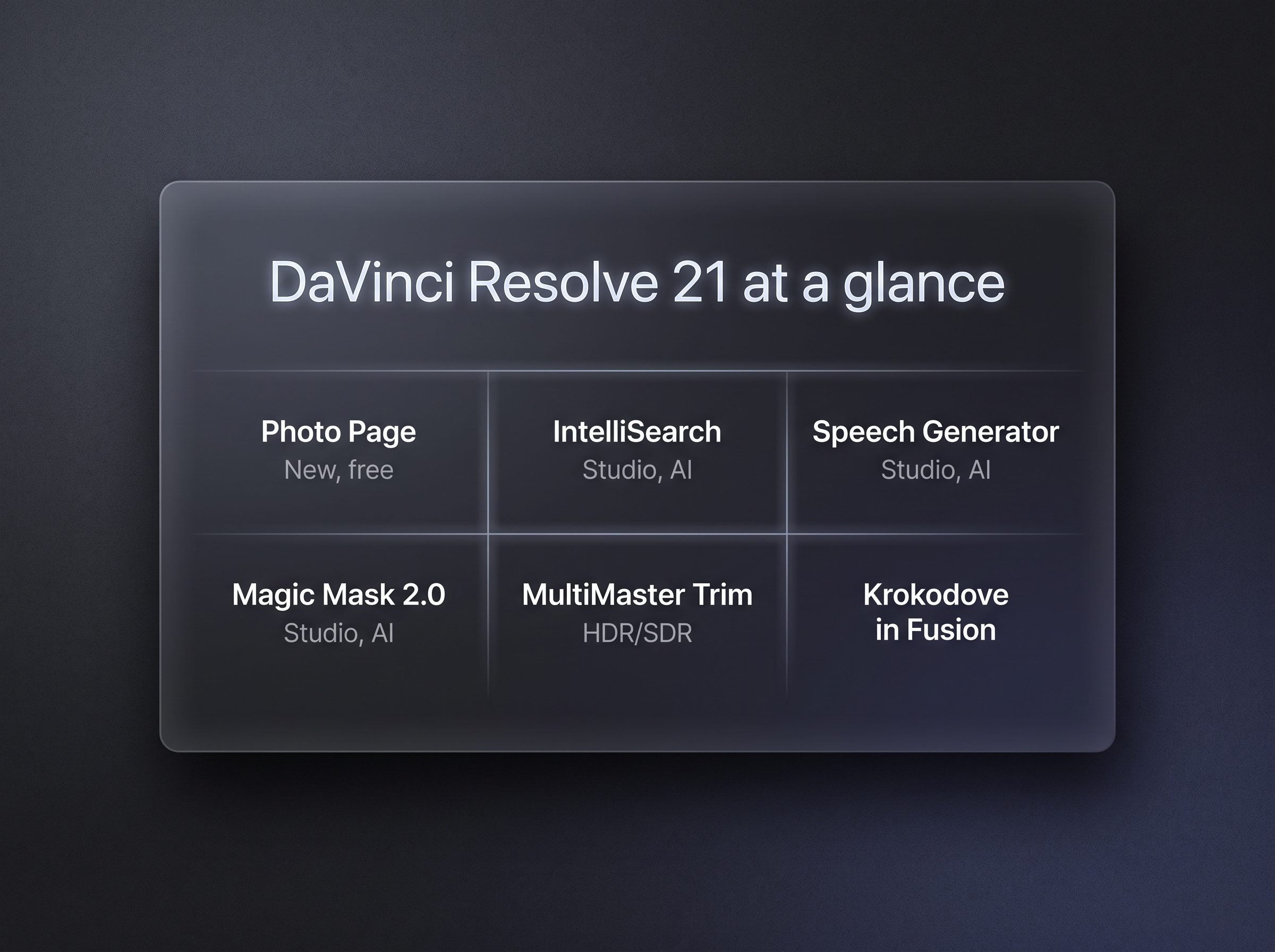
DaVinci Resolve 21 is a free major update to the free version, and a free update for existing Studio ($295 one-time) owners. The Photo page is a Lightroom-class photo editor inside Resolve. The AI additions are real and they are mostly Studio-only: IntelliSearch, Speech Generator, CineFocus, Face Age Transformer, Face Reshaper, Blemish Removal, and a few others. Fairlight gets folder tracks and a new standalone app called Fairlight Live. Magic Mask 2.0 now caches to disk, background render is finally real, and Krokodove is built into Fusion. Skip the 100+ bullet list, here is the practical short version.
The Photo page is the headline, but it is not the story
The Photo page is a real, fully featured photo editor that lives inside Resolve. It uses the same Color page tools you already know: primary corrections, curves, qualifiers, power windows, node-based grades. You can stack grades in series or parallel, share nodes across an entire album, and watch a LightBox preview update in real time as you adjust. RAW support covers Sony, Canon, Nikon, and Fujifilm. You can tether a supported Sony or Canon camera and grade as you shoot.
For Resolve's existing audience, this is a complete Lightroom alternative. The Blackmagic announcement and RedShark's coverage frame it as the biggest user-facing change in years, and they are not wrong.
For product video work, the Photo page is mostly a bonus. If you are already in Resolve cutting a SaaS demo, you can use it to grade a few marketing stills in the same session. That is genuinely convenient. It is not the reason most video editors will install the update.
The reason most video editors will install the update is the AI tools, and specifically two of them.
The two AI tools that change the editing loop
If you make product videos for SaaS, AI, or WordPress companies, the boring daily problem is not color or effects. It is finding the right clip and getting a clean voiceover. Two new tools in Resolve 21 attack those problems head-on.
IntelliSearch replaces the old Media Pool search. You type a phrase like "login screen demo" or "pricing page" and Resolve returns whole clips from your Media Pool that match. It can also search for individual faces and for spoken keywords inside dialogue. Results come back as full clips you can drop into the timeline, not timecodes you have to scrub. For anyone who has ever searched through 200 takes of a screen recording looking for the line where the product owner says "and then it just works," this is the single biggest time-saver in the release.
AI Speech Generator turns text into spoken voice. You can use one of Blackmagic's voice models, or train a custom voice from as little as a ten-second clip of your own audio. You can adjust speed, pitch, and inflection. For a SaaS demo that needs a placeholder voiceover before the real one is recorded, or for a tutorial that needs narration in two languages, this is the kind of tool that used to require a separate SaaS subscription. It is now inside the editor.
The rest of the AI additions are smaller but worth knowing:
- CineFocus: synthetic rack focus and bokeh, keyframeable, useful for adding depth to flat screen recordings.
- Face Age Transformer: age or de-age a tracked face. Useful for "before/after" cuts in marketing videos.
- Face Reshaper: adjust eyes, nose, mouth, eyebrows on moving subjects. Useful for screen captures of video calls where the framing is not quite right.
- Blemish Removal: skin retouching, strength adjustable. Not a product-video tool, but useful for talking-head clips.
- UltraSharpen: high-fidelity sharpening for slightly out-of-focus or upscaled footage.
- Motion Deblur: reduce motion blur on slow-motion and freeze frames.
- Slate ID: read clapperboard text and auto-populate clip metadata.
All of these are Studio features. The free version gets the Photo page and most of the non-AI updates, but if you want the AI tools you need to pay the $295 one-time Studio fee, or already own it from a previous version.
Fairlight finally gets its due
Audio has always been the neglected sibling of the Resolve workflow. Resolve 21 is the first release where it feels like an actual focus area.
The big move is Fairlight Live, a new standalone audio app aimed at sound mixers and sound designers. It is separate from Resolve itself, which means you can run it on a dedicated machine while the editor cuts video on another. Blackmagic also announced a Fairlight Live hardware mixer to go with it. For a one-person SaaS demo operation this is overkill, but for an agency doing multi-track voiceover and SFX work it is the kind of investment that pays off.
Inside Resolve itself, the audio page gets folder tracks. You can now group related tracks (voiceover, SFX, music) into a folder and collapse them, which makes complex sessions dramatically easier to navigate. There is also a new Animator modifier that connects Fusion to audio for automatic animation, which is a power-user feature for motion graphics.
The hundred-plus smaller updates that actually matter
The release notes list over 100 changes. Most of them are bug fixes and codec updates. A handful of them will change your daily workflow.
Background render is the one I would have bet money on a year ago. You can now start a render or a transcribe job and keep working on the timeline while it runs in the background. This was possible in earlier versions through the proxy workflow, but it always felt like a workaround. In 21 it is a first-class feature, and on a recent Mac or PC with an NVMe drive it is fast enough that you stop thinking about it.
Magic Mask 2.0 render-in-place is the other quiet win. Magic Mask has been the headline AI feature of Resolve for two versions now. The new render-in-place option caches your tracked mask as a traveling matte node, so once the mask is finished, you can keep grading and applying effects in real time without the AI running on every frame. For long screen-capture tutorials with one masked subject on a colored background, this is the difference between scrubbing smoothly and watching a slideshow.
Krokodove in Fusion brings over 70 motion-graphics and compositing tools into Resolve as a native integration. Krokodove was previously a paid third-party plugin, so this is a real save for anyone who uses Fusion for lower-thirds, transitions, or callout graphics. MultiMaster trim passes let you generate multiple HDR and SDR deliverables from a single timeline, which is a finishing feature that product video teams working on YouTube plus Apple Vision Pro plus web will appreciate.
Lottie and OGraf animation files now drag-and-drop directly into the timeline. The keyframe editor gets a major overhaul with ease animations, loop and pingpong modes, and four-point Bezier easing. The preferences dialog gets a search bar, which sounds like a small thing until you have spent ten minutes hunting for an obscure setting in a 200-row panel.
What this means for SaaS demo work
If you are cutting a 60-second product demo for a SaaS landing page, the practical changes in Resolve 21 are these:
- Use IntelliSearch to find the right screen recording from a long day of captures. Save the time you used to spend scrubbing.
- Use AI Speech Generator to lay down a placeholder voiceover, then re-record with the real one when the script is locked. Keep the original text version of the voiceover in the project notes so you can A/B test scripts without rebooking the talent.
- Use Magic Mask 2.0 to isolate a UI element for a callout, then render-in-place so the rest of the grade is fast.
- Use background render when you have a tight turnaround. The workflow that used to be "render, wait, fix, re-render, wait" is now "render, fix, re-render while fixing the next thing."
- Skip the Photo page for video work. It is excellent, but it is not why you updated.
If you are starting from scratch and deciding between Resolve and another NLE, this release does not change the calculus. Resolve is still free for the basics and $295 for the Studio features. The free version is enough for a 60-second screen recording with a voiceover. The Studio features start to make sense once you are doing real color grading, real audio work, or any kind of AI-assisted masking.
If you want this produced for you
A 60-second SaaS demo that actually converts is not just "run Resolve on a screen recording." It is the script, the pacing, the callouts, the music, and the color grade. If you would rather hand off the whole thing, see software demo videos and walkthroughs, or pricing for the full list. For how we test the tools we use, see how we test.
Common questions about DaVinci Resolve 21
Is DaVinci Resolve 21 free? Yes. The base Resolve 21 is a free download and includes most of the new features, including the Photo page, Krokodove in Fusion, and the background render workflow. The new AI tools and the collaboration features require the paid Studio edition, which is a one-time $295 license per the Blackmagic Design pricing page.
Do I need Studio for the new features? Only for the AI tools. The Photo page, Fairlight folder tracks, Magic Mask 2.0 render-in-place, Krokodove in Fusion, Lottie and OGraf support, MultiMaster trim passes, and the new keyframing work are all in the free version. If you already own Studio from a previous release, the 21.0 update is free.
What is the most useful new feature for product video work? IntelliSearch. The ability to type a phrase and get back whole clips that match saves the most time in a real editing session, especially for screen-capture-driven SaaS demos. AI Speech Generator is a close second if you need a placeholder voiceover.
Is DaVinci Resolve 21 worth the update from 20? Yes if you use AI features, work with stills, or cut long-form sessions that benefit from background render. The Magic Mask 2.0 render-in-place alone justifies the update for anyone who masks moving subjects.
Was this article helpful?
Jorge Aguilar
Founder & Creator, SaaS Master
Producing SaaS and AI product videos since 2019 — 800+ videos for 200+ brands, covering tutorials, demos, walkthroughs, and explainers. Writing here about the tools, trends, and tactics that actually move the needle. LinkedIn · About · Work with me
Need a product demo, walkthrough, or SaaS explainer?
Client-owned videos that make your product easy to understand — demos, walkthroughs, onboarding, and explainers.
Explore SaaS video productionRelated guides
More Product Demos & Video Marketing →
SaaS Product Video Brief Template for Marketing Teams
SaaS Product Video Brief Template for Marketing Teams

What Does SaaS Video Production Cost?