Video Marketing
Loom vs Descript vs Camtasia: Best Screen Recorder for SaaS Tutorial Creators in 2026
The software tutorial market has gotten very competitive in 2026, and so has the screen recording software powering it. If you are creating product walkthroughs, onboarding videos, or software reviews for a SaaS audience, the tool you use to record and edit directly affects how fast you can publish and how polished the result looks.
I have used all three of these tools — Loom, Descript, and Camtasia — across different projects. Each has a distinct philosophy, and the right choice depends entirely on what your workflow actually looks like, not what the marketing pages say.
Key takeaways
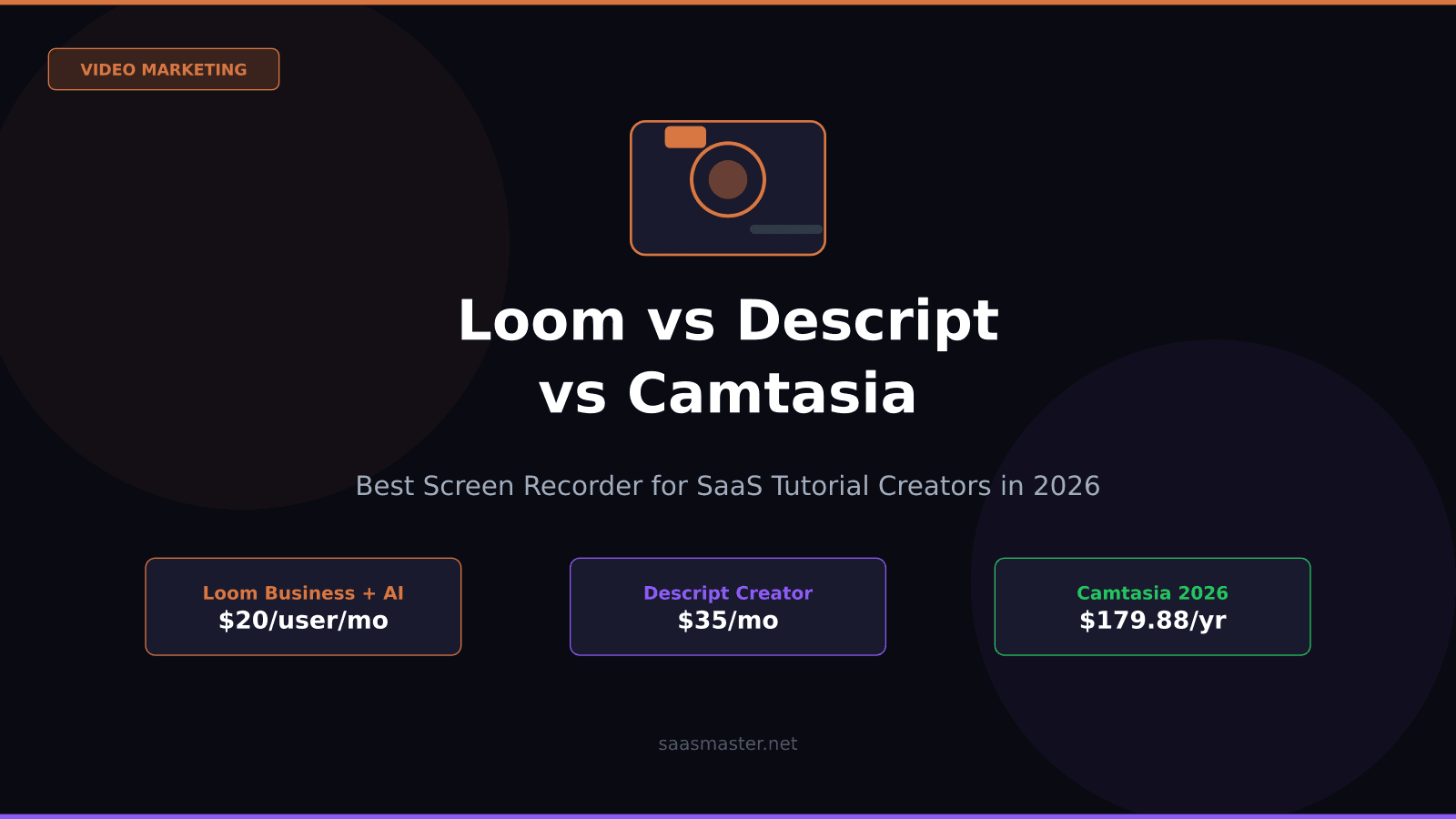
- Loom is the fastest tool for quick sharing, team async communication, and getting a video out the same day — start free, upgrade to Business + AI at $20/user/month for AI features.
- Descript is the best editing tool for tutorial creators who want to cut, clean, and repurpose efficiently — edit by deleting transcript text, clone your voice with Overdub, starting at $16/month.
- Camtasia is the right choice when production quality is the priority — polished annotations, professional callouts, smooth zoom effects — at $179.88/year with no free plan.
- Descript's media-minute pricing model changed in September 2025, adding metered AI credits on features previously described as unlimited.
- For most SaaS tutorial creators publishing consistently, Descript hits the best balance of editing efficiency and output quality.
What each tool is actually for
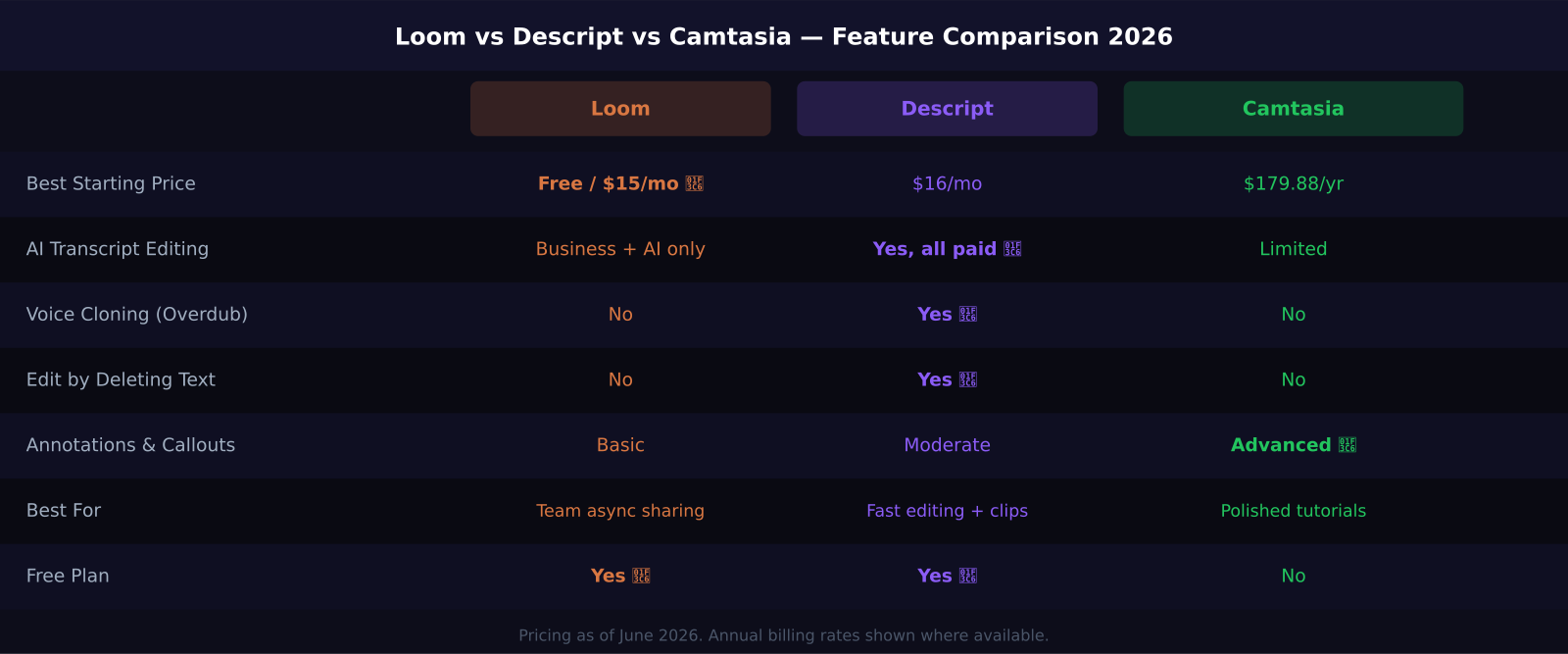
Loom is built around sharing speed. The core experience is: record, send link, done. There is no timeline editor, no complex project management, no multi-track audio. What Loom does brilliantly is get a recorded explanation from your screen to another person's browser in under 30 seconds. That is genuinely useful for SaaS teams doing async product walkthroughs, design reviews, or onboarding new users.
Descript is built around editing efficiency. The breakthrough idea is that you can edit video by editing the auto-generated transcript — delete a sentence from the transcript and the corresponding video clip disappears. That sounds simple, but it dramatically cuts editing time for tutorial videos where you inevitably say "uh," stumble through a feature, or need to re-record a section.
Camtasia is built around production polish. It is the legacy industry tool for creating software training videos that look like they were made by a professional. The annotation library — arrows, callouts, zoom effects, blur tools, click-highlight effects — is the most comprehensive of the three, and the timeline editor gives you frame-level precision.
Pricing in 2026: what you are actually paying for
Loom's free plan allows up to 25 videos with a 5-minute recording limit per video. The Business plan at $15/user/month (annual billing) removes those limits and adds 4K resolution and custom branding. For AI features — transcript editing, filler word removal, auto-chapters, and AI-generated summaries — you need the Business + AI plan at $20/user/month (annual) or $24/month.
One nuance worth knowing: Loom's AI features are only on the Business + AI tier. The standard Business plan does not include them. For a solo creator publishing regularly, you are probably paying $20/month.
Descript made a significant pricing change in September 2025, moving from a transcription-minute model to a "media minute" model, and introducing metered AI credits for features including Overdub voice cloning and Studio Sound noise removal. These were previously marketed as unlimited on paid plans. The Creator plan at $35/month (or $24 on annual billing) is where most tutorial creators end up. The Business plan at $65/month adds team collaboration and priority rendering.
Camtasia operates on a subscription model at $179.88/year (about $15/month) with a free 30-day trial. There is no ongoing free tier. For teams, pricing scales per seat. Camtasia's advantage is that the subscription includes all features — no AI credit pools, no feature tiers.
Which one actually speeds up tutorial production?
For raw editing speed, Descript wins. The transcript-based editing workflow means I can clean up a 10-minute walkthrough video in about 20 minutes: delete the stumbles from the transcript, use Studio Sound to clean up background noise, cut out dead air with the silence detection tool, then export. The result is not cinema-quality, but it is more than good enough for a software tutorial that teaches someone how to use a feature.
The place Descript slows you down is complex visual edits — adding detailed annotations, creating comparison sequences, building animated lower thirds. For that work, Camtasia is faster because it is designed for exactly those effects.
Loom does not really compete on editing. If you need to cut and polish, you are going to export from Loom and take it into another editor. That is not a problem if your use case is async communication or quick product demos, but it is a real limitation for finished tutorial content.
The creator's honest take
My workflow after a lot of experimentation: I use Loom for quick demos I send to clients during a project, Descript for tutorial videos I publish to YouTube or embed in documentation, and I use Camtasia when a client explicitly needs a video that looks like a produced piece of corporate training content.
If I could only choose one for SaaS tutorial creation, I would pick Descript. The editing efficiency gains compound when you are publishing consistently — cutting a 30-minute recording down to a tight 8-minute tutorial is much faster in Descript than any other tool I have used.
Frequently asked questions
Does Loom have AI video editing in 2026?
Yes, but only on the Business + AI plan at $20/user/month (annual). AI features include filler word removal, transcript-based editing, auto-generated chapter markers, titles, and summaries. The standard Business plan at $15/user/month does not include these AI features.
Can Descript clone my voice?
Yes. Descript's Overdub feature creates an AI voice model from at least 10 minutes of your recorded voice. You can then type corrections into the transcript and Overdub generates the audio in your voice — useful for fixing mistakes without re-recording. As of September 2025, Overdub uses metered AI credits rather than being unlimited, so heavy use adds cost above the base plan.
Is Camtasia worth the price for solo creators?
If you create polished tutorial content regularly and need advanced annotations, zoom effects, and professional callouts, Camtasia at $179.88/year ($15/month) is competitive with Descript Creator at $24/month (annual). The value depends on how much you use the visual effects library. If you mostly need efficient editing, Descript will save you more time for the same or lower cost.
Was this article helpful?
SaaS Master
Creator behind SaaS Master — tutorials, walkthroughs, reviews, and explainers that help SaaS, AI, and WordPress products get understood and chosen. Writing here about the tools, trends, and tactics that actually move the needle. Work with me →
Want your product explained this clearly — in video?
Tutorials, walkthroughs, reviews, and shorts for SaaS, AI, and WordPress products.
Work With SaaS Master