AI & SaaS
ZoomMate vs Otter.ai vs Fireflies.ai: Best AI Meeting Tool in 2026
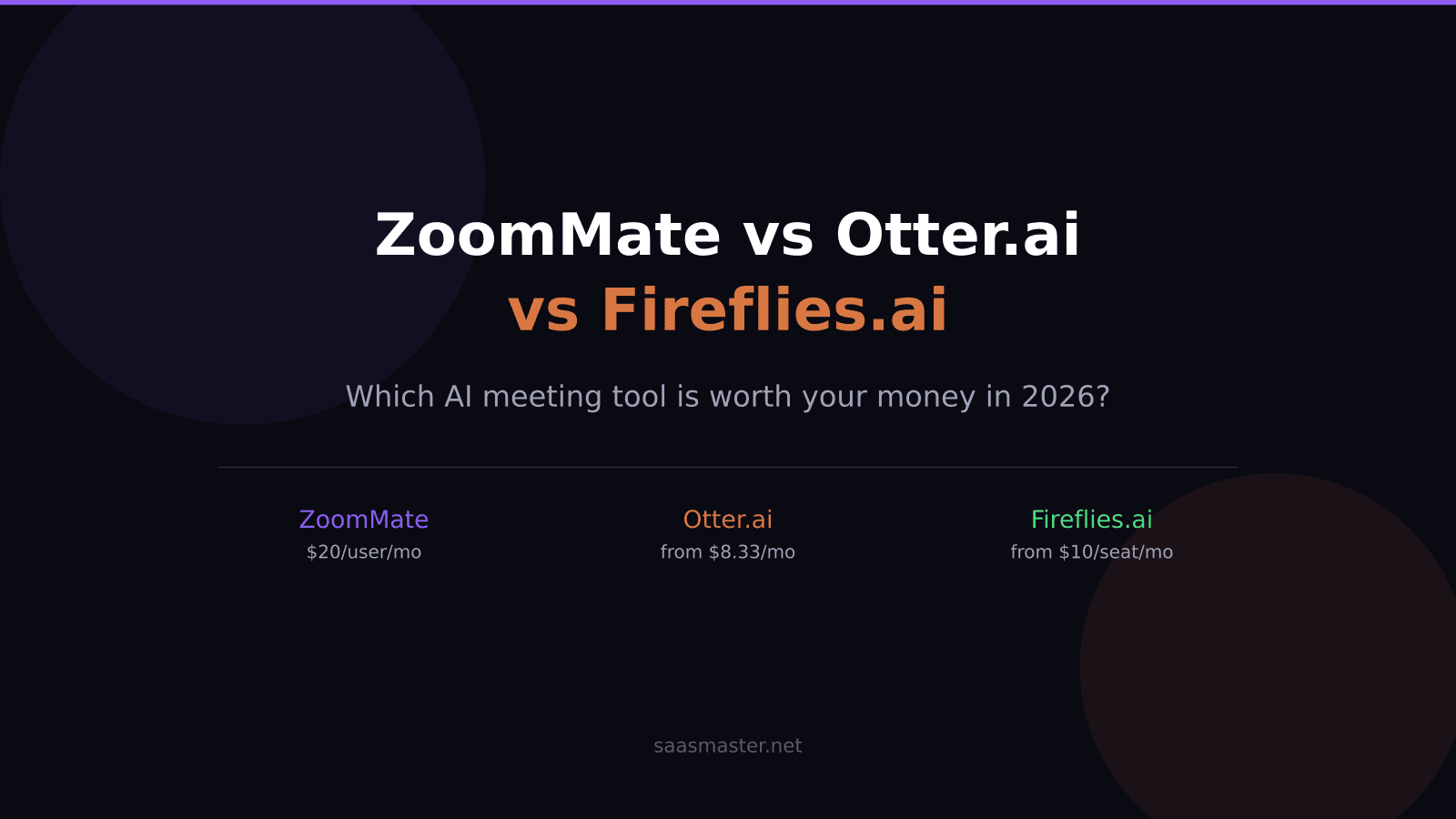
ZoomMate launched June 1, 2026 at $20 per user per month and positions itself as something fundamentally different from Otter.ai and Fireflies.ai — not a note-taker but an AI teammate that executes post-meeting actions in Salesforce, Jira, and Slack without anyone having to log what was decided. The question is whether that capability gap justifies paying twice or more what its competitors charge.
Key takeaways
- ZoomMate costs $20/user/month and automatically executes workflow actions in Salesforce, Jira, Slack, and ServiceNow after meetings.
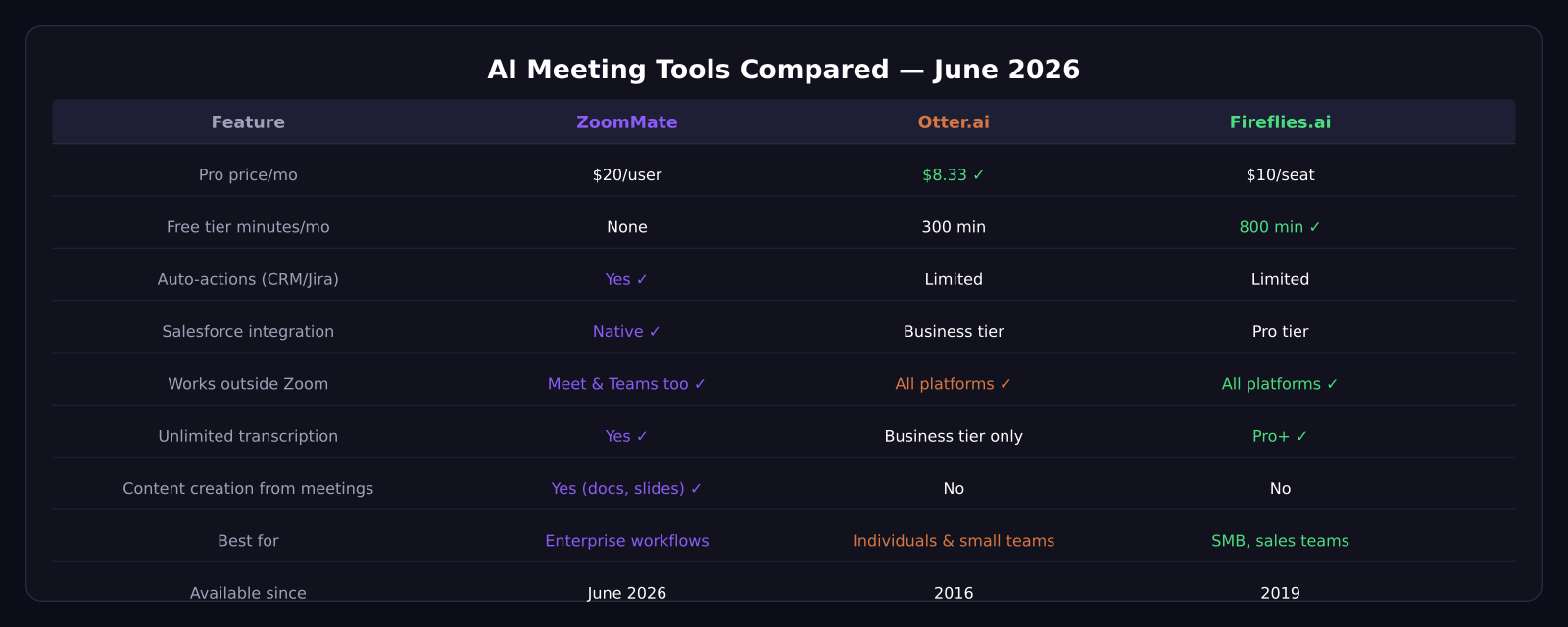
- Otter.ai Pro starts at $8.33/month with 1,200 minutes; Business is $19.99/user/month with CRM sync.
- Fireflies.ai Pro is $10/seat/month with unlimited transcription; Business is $19/seat/month.
- Fireflies offers the most generous free tier at 800 minutes versus Otter's 300 and ZoomMate's none.
- ZoomMate also pulls context from Google Meet and Microsoft Teams, not just Zoom meetings.
What ZoomMate actually does differently
Every AI meeting tool records and transcribes. The difference with ZoomMate is what happens after. When a meeting ends and someone says "can you create a follow-up task in Jira," ZoomMate does it. When a sales call includes a commitment to send a proposal, ZoomMate drafts it and updates the associated Salesforce deal record without waiting for a human to open another app.
The product integrates with Salesforce, Jira, Slack, ServiceNow, Workday, Google Workspace, and Microsoft 365. It also reads context from Google Meet and Microsoft Teams meetings, not just Zoom — which matters if your team operates across platforms.
For teams where post-meeting follow-up is a consistent bottleneck, that level of automation has obvious value. For individuals or small teams who mostly need transcripts and summaries, it is likely overkill at $20 per user per month.
Otter.ai: the affordable everyday recorder
Otter.ai is the easiest entry point in this comparison. The free plan offers 300 minutes per month, which covers casual use. Pro is $8.33 per month (billed annually) with up to 1,200 minutes of transcription. The Business tier at $19.99 per user per month adds CRM sync, unlimited meetings, and team collaboration features.
What Otter does well is simple, reliable transcription across all major video platforms — Zoom, Teams, Meet — with a clean interface that makes finding what someone said in a two-hour call fast. It also integrates with Notion and HubSpot at the Business level.
What it does not do is take action on your behalf. Otter surfaces information and gives you summaries. Turning those summaries into tasks or follow-up messages is still on you.
Fireflies.ai: best value for sales and small teams
Fireflies.ai is the strongest value play in the trio. The free tier gives you 800 minutes per month — significantly more than Otter — and the Pro plan at $10 per seat per month includes unlimited transcription, meeting search, and Salesforce integration without requiring an upgrade to a Business plan.
For sales teams, that matters. Being able to search across all recorded calls for specific topics, then log call notes automatically to Salesforce without paying $19+ per seat, is the reason Fireflies has a loyal SMB user base. It also supports over 40 integrations including HubSpot, Notion, Slack, and Zapier.
The AI credit system at the Business tier ($19/seat/month) introduces some limits on how many AI-powered features you can use per month, which is worth reading carefully before committing a large team.
Which is smarter: meeting intelligence comparison
All three tools do real-time transcription, speaker identification, and action item detection. Where they diverge is on what "smart" means in practice.
ZoomMate goes furthest with agentic intelligence — it does not just detect that someone said "send the contract" but connects that to a DocuSign template, identifies the right contact, and initiates the workflow. That requires ZoomMate having access to your CRM data and other connected systems, which means a more complex setup and more trust in the tool.
Fireflies and Otter detect action items and can push them to project management tools via integration, but the execution is still triggered manually by a human clicking a button in the summary.
My take on who should pick what
If you are a solo creator, consultant, or small team and you need meeting transcripts plus basic summaries, Fireflies.ai Pro at $10 per month is the call. Unlimited transcription and Salesforce sync without a large monthly commitment is hard to beat.
If your team is already deep in Otter and you mostly want transcripts searchable by keyword, the $8.33 Pro plan is perfectly adequate and there is no reason to switch.
If you run a sales or operations team where post-meeting action items regularly fall through the cracks — and the cost of that is meaningful — ZoomMate's $20 per user per month is likely cost-justified within the first month. The time it saves on manual CRM updates alone can add up to several hours per week per rep.
Frequently asked questions
Does ZoomMate work if your team does not primarily use Zoom?
Yes. ZoomMate pulls context from Google Meet and Microsoft Teams meetings in addition to Zoom. The workflow automation features work regardless of which platform the meeting happened on.
Is Fireflies.ai really unlimited at the Pro tier?
The Pro plan at $10/seat/month includes unlimited transcription and storage. AI-powered summary credits and some advanced features are capped and expand at the Business tier. For straight transcription and basic AI summaries, Pro covers most teams completely.
Can these tools replace a human assistant for meeting follow-up?
ZoomMate comes the closest. It can create tasks, update CRM records, and draft documents from meeting context automatically. Otter.ai and Fireflies.ai still require a human to review the summary and take the resulting actions manually.
Was this article helpful?
SaaS Master
Creator behind SaaS Master — tutorials, walkthroughs, reviews, and explainers that help SaaS, AI, and WordPress products get understood and chosen. Writing here about the tools, trends, and tactics that actually move the needle. Work with me →
Want your product explained this clearly — in video?
Tutorials, walkthroughs, reviews, and shorts for SaaS, AI, and WordPress products.
Work With SaaS Master