AI Tools
Claude Sonnet 5 Computer Use Guide: Browser Automation for SaaS Teams in 2026
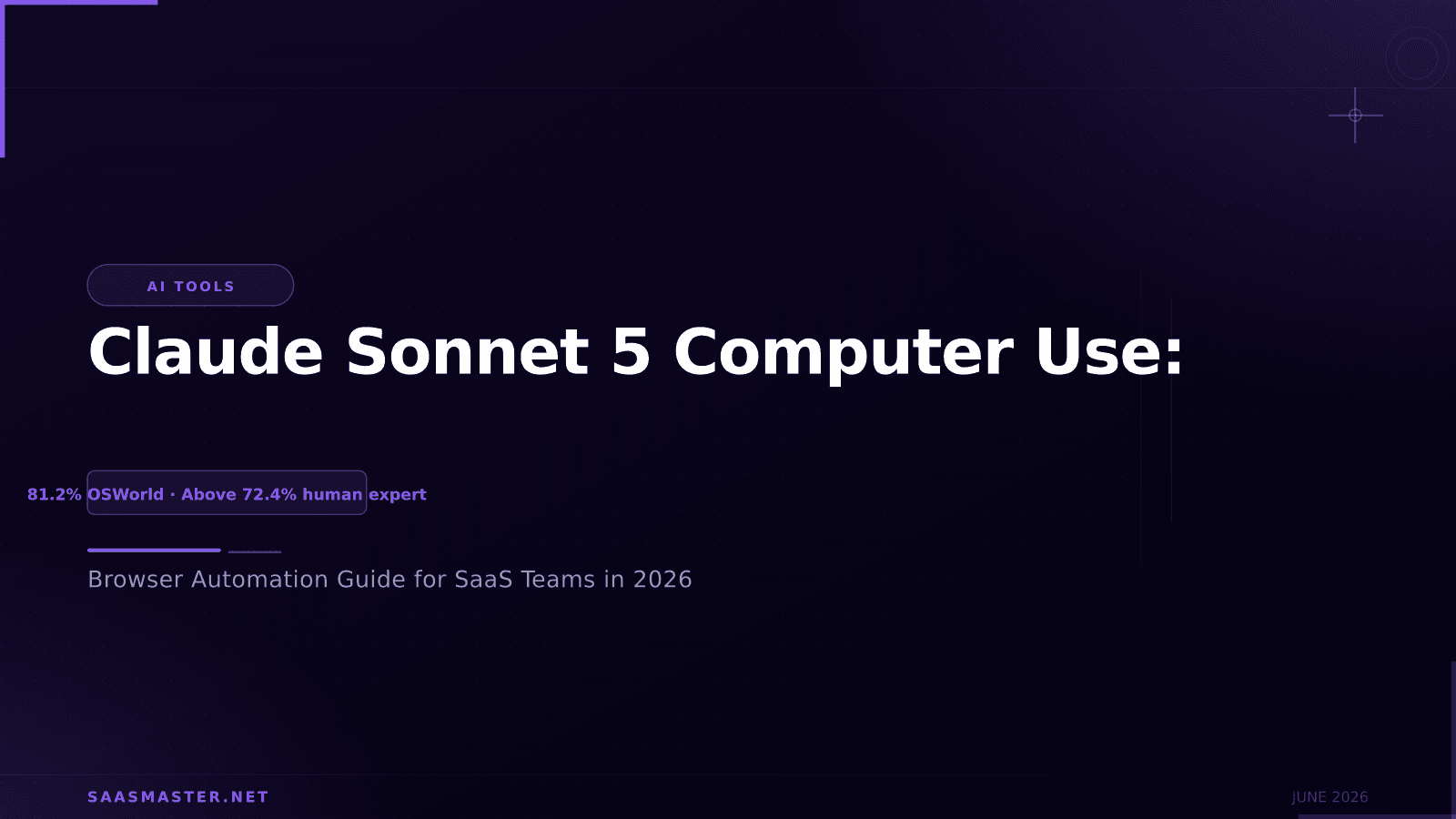
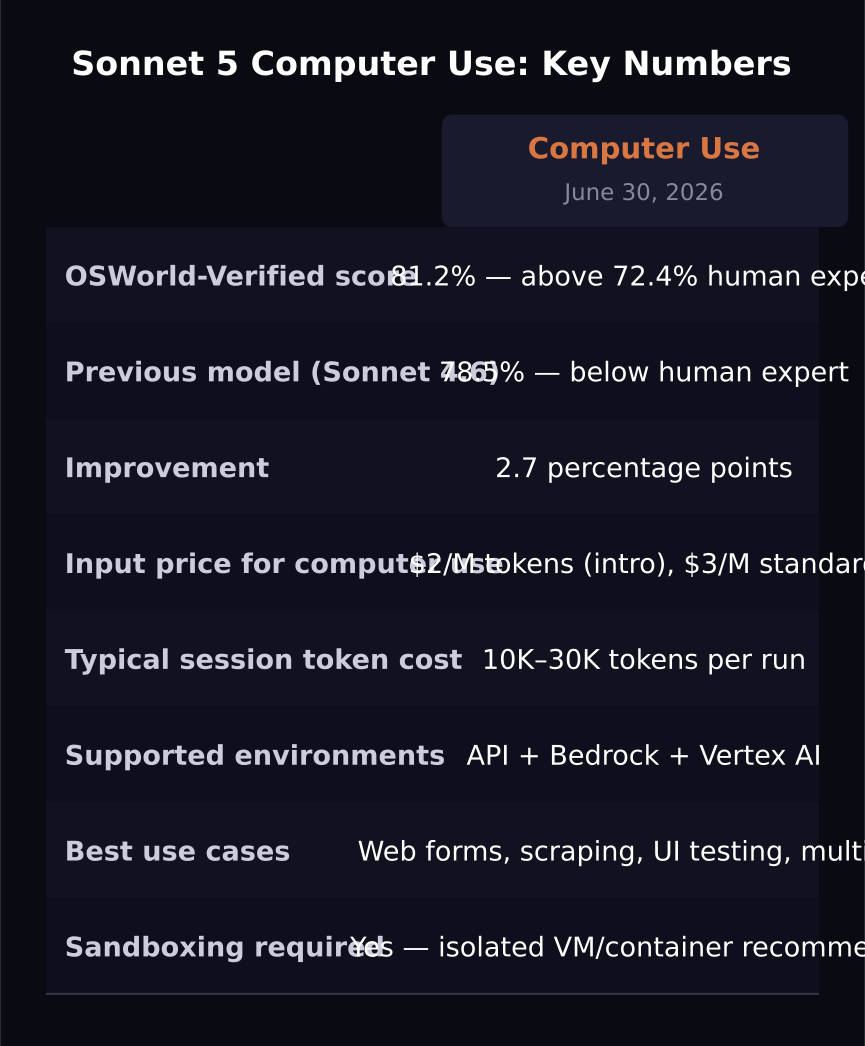
Claude Sonnet 5 scores 81.2% on OSWorld-Verified, above the human expert baseline of 72.4%, making it the most practical model for browser and desktop automation workflows available at mid-tier pricing in 2026. Computer use with Sonnet 5 means giving the model access to a real or virtual screen, letting it click, type, navigate, and complete tasks autonomously. Here is how to use it effectively for SaaS workflows.
Key takeaways
- Sonnet 5 scores 81.2% on OSWorld-Verified for computer use tasks, above the 72.4% human expert baseline.
- Computer use requires screen access via the Claude API's computer use tool, available on Team, Max, and Enterprise plans.
- Sonnet 5 is the most cost-effective computer use model at $2 intro pricing versus Opus 4.8 at $5.
- Best use cases include web scraping, form automation, UI testing, multi-app workflows, and browser-based data entry.
- Computer use sessions consume significant tokens due to screenshot processing. Budget and session design matter.
What computer use actually means
Claude computer use via the API means the model receives screenshots of a screen and can issue actions: click at coordinates, type text, press keyboard shortcuts, scroll, and take new screenshots to observe results. The model plans a sequence of actions to complete a task described in natural language, executes them, observes the result, and continues until the task is done.
Sonnet 5's 81.2% on OSWorld-Verified means it completes about 81 out of every 100 standardized desktop tasks without requiring human intervention. That is not perfect, but it is better than the average human expert and significantly more reliable than running the same workflows with Sonnet 4.6.
Practical SaaS use cases
Data entry automation is the most immediate value. Forms that require copying data from one system to another, filling out web interfaces, or navigating legacy browser-based tools that lack APIs are all candidates for computer use automation.
Web scraping with page interaction is a natural fit. Unlike simple HTTP scrapers, computer use can handle JavaScript-rendered pages, login forms, pagination driven by clicks, and sites that actively block bot traffic by checking for human-like interaction patterns.
UI testing and screenshot validation are another strong category. Sonnet 5 can navigate through a SaaS product's UI, take screenshots at each step, and verify that elements appear correctly, reducing manual QA for visual regression.
Multi-application workflows that require copying information between apps, updating records in a CRM by reading from an email, or orchestrating tasks across tools that do not have API integrations all benefit from computer use.
Token budget design
Computer use is token-intensive because each screenshot is processed as an image. A typical screenshot at 1280x800 with moderate compression uses 500 to 1,500 tokens. An agent session that takes 20 actions with screenshots between each step uses 10,000 to 30,000 tokens just on the vision input, before counting text.
At Sonnet 5's $2 intro input pricing, a 30-screenshot session costs $0.02 to $0.06 per run in input tokens. At standard $3 pricing after August, $0.03 to $0.09. For high-frequency automation this adds up: 1,000 runs per day at average session cost is $20 to $90 per day in input tokens alone.
Design sessions to minimize unnecessary screenshots. Use targeted observations instead of constant full-screen captures. Define clear stopping conditions so the agent does not loop.
Error handling and reliability
The 18.8% failure rate implied by Sonnet 5's 81.2% OSWorld score means roughly 1 in 5 complex tasks will fail or require human review. Design your computer use workflows with fallback handling: detect failure states, log what the agent attempted, and route failed sessions to a human queue rather than retrying indefinitely.
Retry logic should be limited. An agent that retries a failed computer use task without understanding why it failed often makes the same mistake. Better to fail fast and log than to loop on errors.
Frequently asked questions
Do I need a virtual machine to use Claude's computer use?
For production use, yes. Anthropic recommends running computer use sessions inside isolated containers or virtual machines to prevent accidental actions on real systems. The agent can take any action visible on screen, including deleting files, submitting forms, and clicking buttons, so sandboxing is important.
How does Sonnet 5's computer use compare to Opus 4.8?
Sonnet 5 and Opus 4.8 both support computer use. Sonnet 5's 81.2% on OSWorld is above the human expert baseline and represents an improvement from Sonnet 4.6. At 60% lower cost than Opus 4.8, Sonnet 5 is the cost-optimal choice for most computer use workflows. Opus retains an edge on the hardest, most complex multi-step computer tasks.
What browser environments work best with computer use?
Standard Chromium-based browsers in a known resolution work most reliably. Avoid setups with custom DPI scaling, non-standard themes, or unusual browser extensions that change the visual layout of pages. Consistent, clean browser environments reduce failure rates.
Was this article helpful?
SaaS Master
Creator behind SaaS Master — tutorials, walkthroughs, reviews, and explainers that help SaaS, AI, and WordPress products get understood and chosen. Writing here about the tools, trends, and tactics that actually move the needle. Work with me →
Want your product explained this clearly — in video?
Tutorials, walkthroughs, reviews, and shorts for SaaS, AI, and WordPress products.
Work With SaaS Master