AI Tools
Cursor vs GitHub Copilot vs Windsurf: Which AI Coding Tool Wins in 2026?
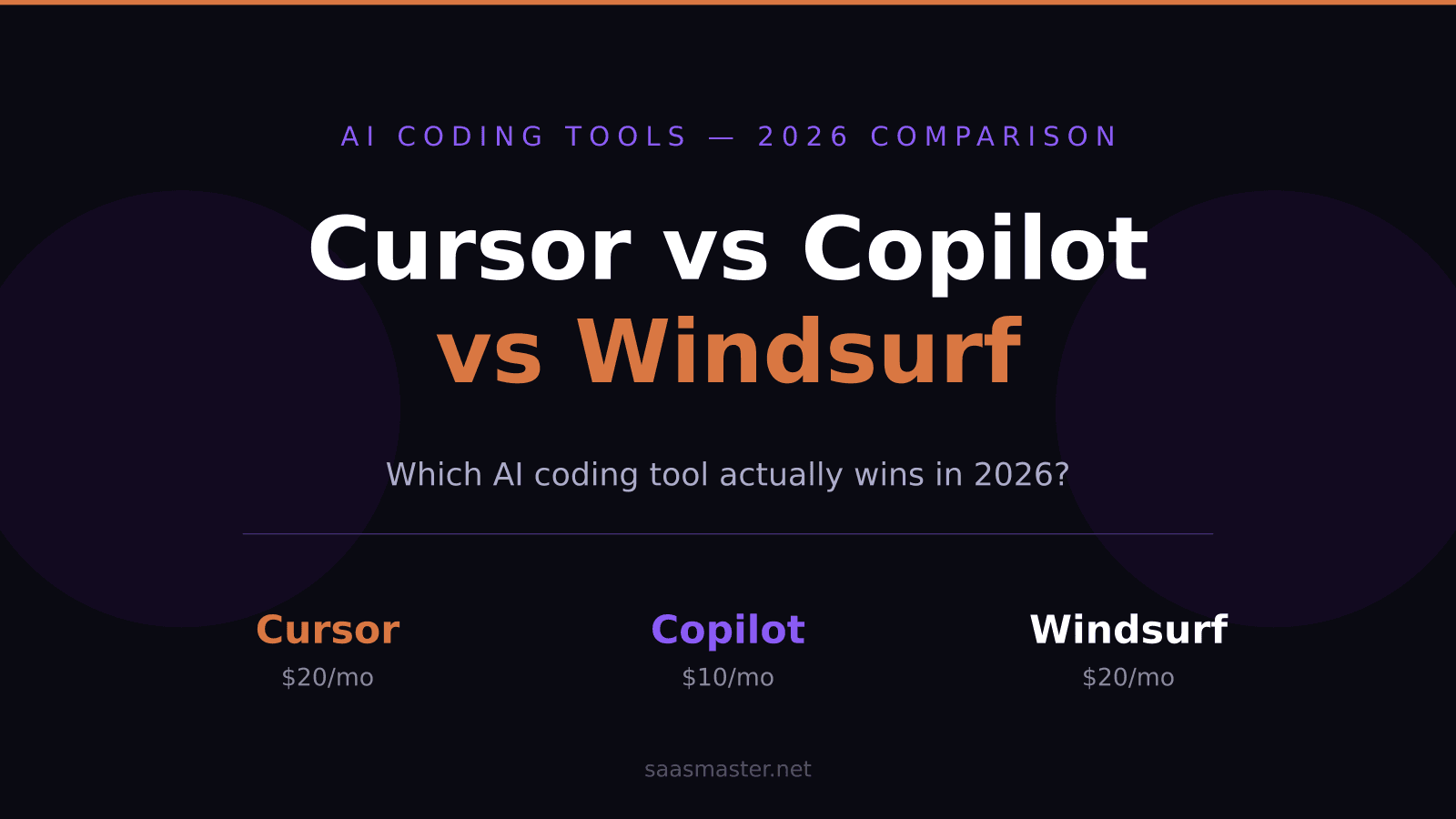
If you write code with AI help in 2026, three names come up constantly: Cursor, GitHub Copilot, and Windsurf. They have all matured significantly this year, and picking the wrong one now costs real time and money.
The short answer: Cursor is the best all-around tool for most developers. GitHub Copilot is the pick if your team lives inside GitHub or JetBrains. Windsurf wins on agentic tasks at a slightly lower commitment.
Key takeaways
- Cursor Pro costs $20/month and includes agent mode, MCP support, and cloud agents for background tasks
- GitHub Copilot starts at $10/month and now has agent mode in both VS Code and JetBrains as of March 2026
- Windsurf raised its Pro price to $20/month in May 2026 but its Cascade engine remains the deepest agentic experience
- All three tools support the Model Context Protocol (MCP) to varying degrees
- For solo developers, the choice usually comes down to Cursor versus Windsurf — Copilot wins in team and enterprise settings
What these three tools actually are
Cursor is a VS Code fork rebuilt around AI. It ships its own editor environment with Composer for multi-file edits, Cloud Agents that work in the background on GitHub issues, and a $20 monthly credit pool for premium model requests. You get access to Anthropic, OpenAI, and Google models directly from the editor.
GitHub Copilot is an extension that layers AI on top of whatever editor you already use. That is its biggest advantage: it runs inside VS Code, JetBrains, Xcode, Neovim, and Eclipse. If your team has a JetBrains shop, Copilot is still the only tier-one option. A big milestone in March 2026 was Copilot agent mode going generally available for JetBrains, closing the gap with competitors.
Windsurf was built by Codeium and ships Cascade, an agentic flow engine that reads files, runs terminal commands, watches output, and iterates on its own until a task is done. It does not just suggest code — it actively works through a problem. The Pro plan moved from $15 to $20 per month in May 2026, but existing subscribers were grandfathered in.
How does pricing actually break down in 2026?
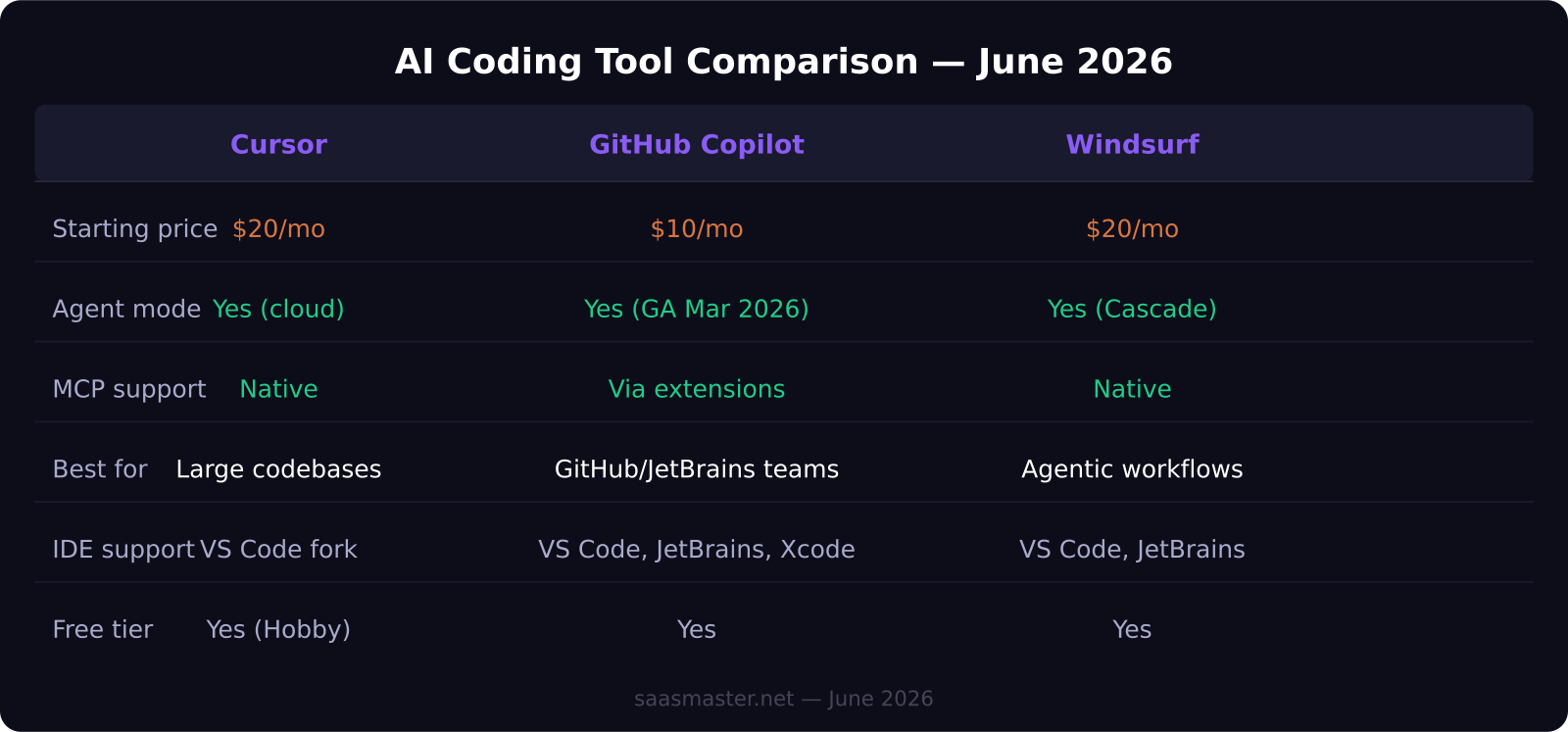
Cursor: free (Hobby tier), $20/month Pro, $60/month Pro+, $200/month Ultra. Teams pay $40 per seat per month.
GitHub Copilot: free tier, $10/month Pro, $39/month Pro+, $100/month Max. Business is $19 per user per month. Note that as of June 2026, all plans switched from Premium Request Units to AI Credits based on token usage.
Windsurf: free tier, $20/month Pro (raised from $15 in May 2026), $200/month Max. The new Max tier mirrors Cursor's Ultra in targeting power users who want unlimited agentic sessions.
Which tool has the better agent mode?
All three have capable agent modes, but they feel different in practice.
Cursor's agent mode runs parallel subagents for multiple tasks simultaneously. The Cloud Agents feature lets you hand off a GitHub issue and let Cursor work on it while you do something else. This is genuinely useful for background refactors and test generation.
Copilot's agent mode became generally available in March 2026 and works by having the AI independently pick relevant files, run terminal commands, and watch test output. The Jira integration that launched the same month is one area where Copilot pulls ahead — tighter project management loop than any competitor.
Cascade inside Windsurf takes the most autonomous approach. It observes output, re-prompts itself when things break, and tries to complete a goal rather than just respond to a request. For teams doing greenfield feature work, this behavior feels closest to having an AI developer on staff.
How is MCP support different across the three?
MCP (Model Context Protocol) lets AI tools connect to external systems — GitHub, Figma, Linear, Slack, databases — as native context sources.
Cursor has the most polished native MCP implementation. You configure it once and all models in Cursor can call any MCP server. This makes multi-tool workflows significantly smoother.
Windsurf also supports MCP natively and pairs it well with Cascade's agentic flow. Having an agent that can read your Linear tickets and your codebase simultaneously and then execute on both is a meaningful workflow improvement.
Copilot reaches MCP through extensions rather than natively, which means setup is less standardized. For pure coding tasks this rarely matters, but for complex multi-tool workflows it is a real gap.
Who should use each tool?
Use Cursor if
You work in large, complex codebases and want the most capable in-editor AI available. The parallel subagent feature and Cloud Agents make it the strongest choice for full-time developers. The $20 Pro plan is widely considered the best per-dollar value in this category.
Use GitHub Copilot if
Your team uses JetBrains IDEs, works heavily in GitHub, or needs enterprise compliance features. Copilot is the only major AI coding tool that works natively across every major IDE. If you need code review agents, GitHub's March 2026 agentic review feature is genuinely useful.
Use Windsurf if
You want the most autonomous agentic experience and do a lot of feature-level tasks rather than line-by-line editing. The Cascade engine takes more initiative than Cursor or Copilot, which is valuable when you want to describe a goal and step back.
Frequently asked questions
Can I use more than one AI coding tool at the same time?
Yes, and many developers do. A common setup is using Copilot for quick inline completions across IDEs while using Cursor or Windsurf for bigger agentic tasks. There is no conflict between them.
Is the free tier on any of these actually useful?
Copilot's free tier gives you completions and limited chat, which is genuinely useful for light use. Cursor's Hobby tier and Windsurf's free tier both have usage limits that you will hit quickly if you code daily. For anyone coding more than a few hours a day, a paid plan is worth it.
Did Windsurf's price increase in 2026?
Yes. Windsurf raised its Pro plan from $15 to $20 per month in May 2026. Existing subscribers were grandfathered at the old price. The $20 price now matches Cursor Pro, making the choice between the two more about workflow than cost.
Was this article helpful?
SaaS Master
Creator behind SaaS Master — tutorials, walkthroughs, reviews, and explainers that help SaaS, AI, and WordPress products get understood and chosen. Writing here about the tools, trends, and tactics that actually move the needle. Work with me →
Want your product explained this clearly — in video?
Tutorials, walkthroughs, reviews, and shorts for SaaS, AI, and WordPress products.
Work With SaaS Master