AI & SaaS
What Is MCP (Model Context Protocol) and Why Every AI User Should Know About It in 2026
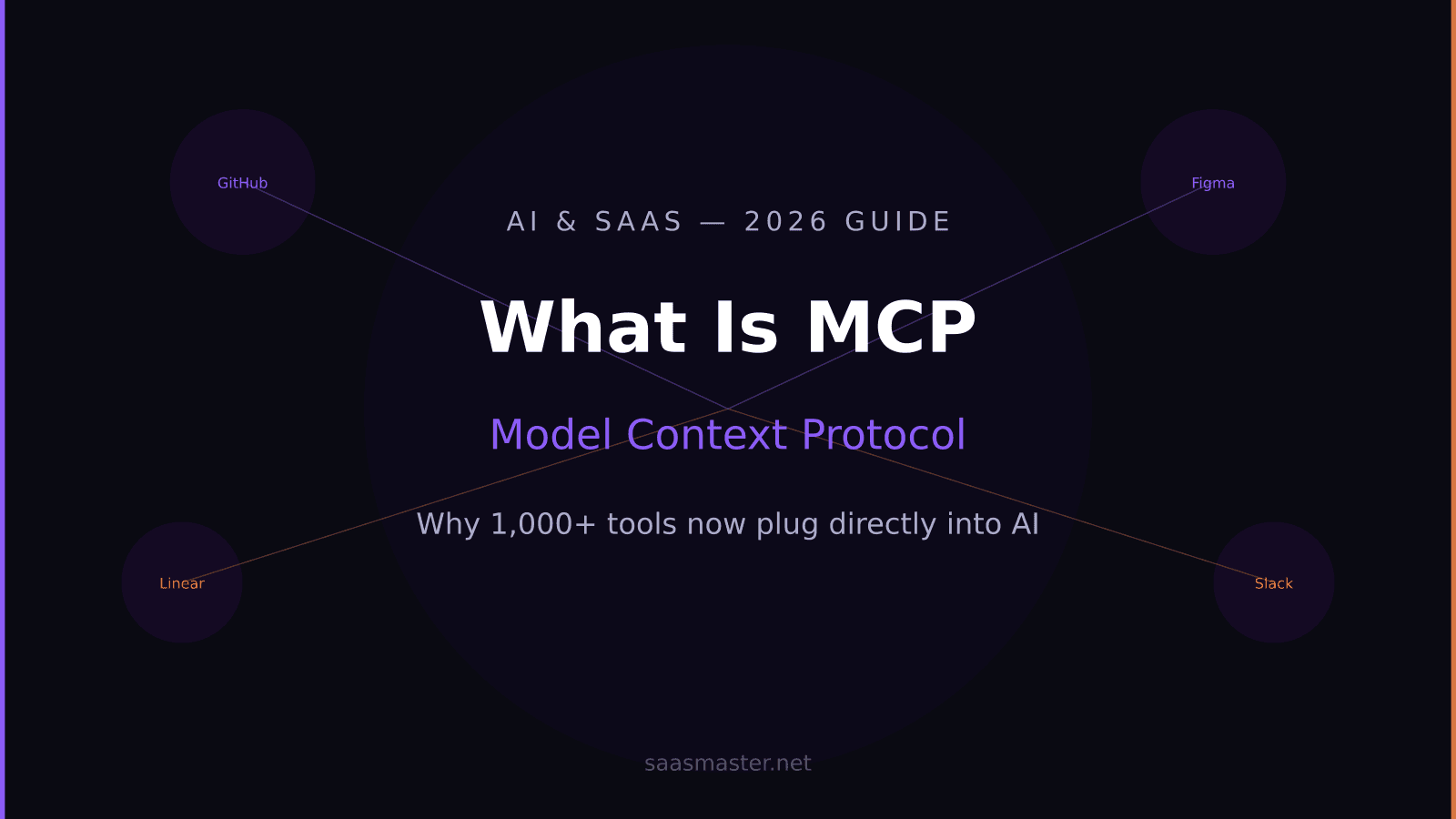
Model Context Protocol, or MCP, is the reason your AI assistant can now read your GitHub issues, update your Notion pages, and query your database — all without you copying and pasting anything. It went from a niche developer concept to the foundational layer of AI tool integration in about eighteen months.
If you use AI tools seriously in 2026 — Claude, Cursor, Windsurf, VS Code with Copilot, or any number of others — understanding MCP is no longer optional. It changes what these tools can do and how you set them up.
Key takeaways
- MCP (Model Context Protocol) is an open standard that lets AI tools connect to external apps like GitHub, Figma, Linear, and Slack as native context sources
- Over 1,000 MCP servers exist as of mid-2026, covering enterprise tools, databases, and cloud platforms
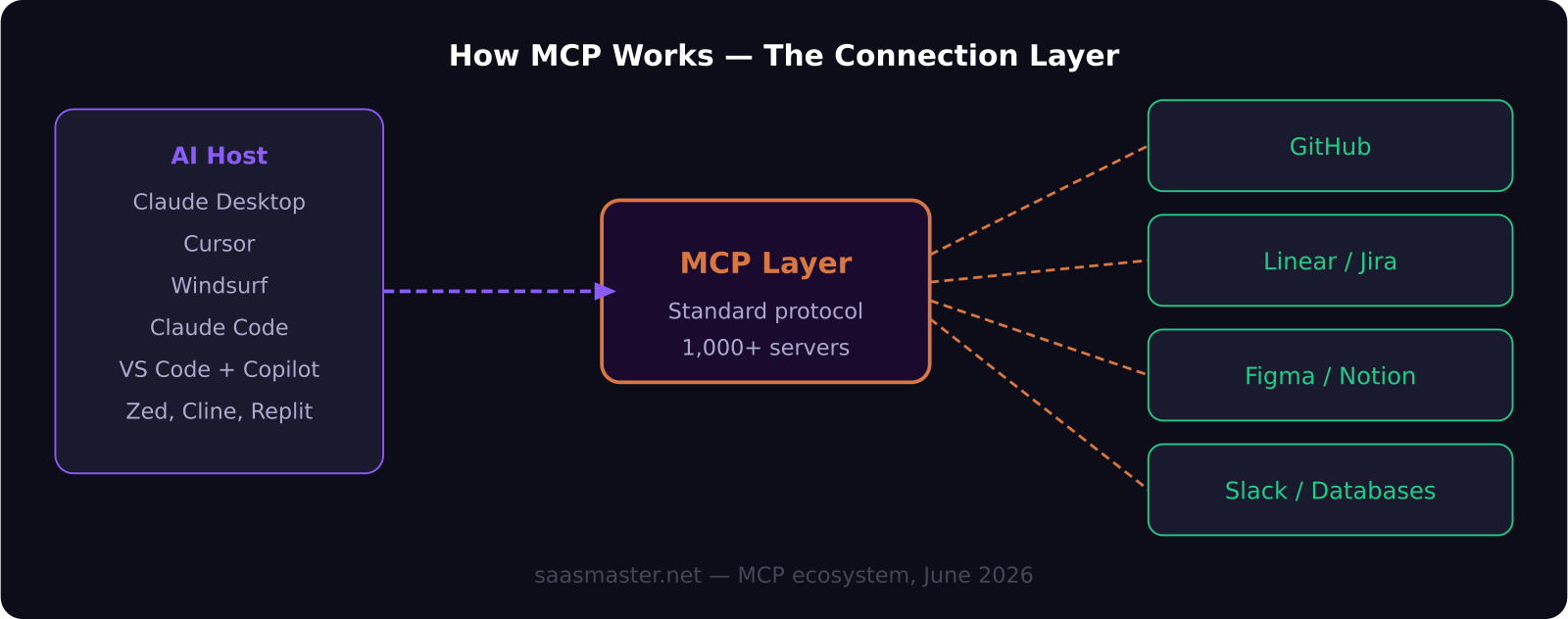
- Cursor, Claude Desktop, Windsurf, Claude Code, Cline, and Zed all support MCP natively
- You do not need to be a developer to use MCP — most popular servers install in a few steps from within your AI tool
- MCP is replacing copy-paste workflows: instead of copying from GitHub and pasting into Claude, the AI reads GitHub directly
Where MCP came from
Anthropic introduced the Model Context Protocol as an open standard in late 2024. The idea was straightforward: AI models are useful but isolated. Getting them to actually work with the tools developers and businesses use — repositories, project managers, design files, databases — requires a common way for AI hosts to talk to those systems.
Before MCP, integrations were one-off. Each tool connected to each service in its own proprietary way. Cursor had its own GitHub integration, Claude had its own connector format, and nothing was interoperable. MCP created a standard — one server protocol that any AI host could implement once and use across any MCP-compatible tool.
By June 2026, MCP has crossed 1,000 publicly available servers. Cloud platforms like AWS, HashiCorp Terraform, and Google Cloud have released official MCP servers. Developer tools including Playwright, Selenium, and Puppeteer have MCP wrappers. SaaS companies from Linear to Notion have native MCP support.
How MCP actually works (without the jargon)
Think of MCP as a universal plug standard for AI tools. Before MCP, every device had its own proprietary charger. MCP is the USB-C moment for AI integrations.
Here is what happens in practice: you install an MCP server for GitHub into your Claude Desktop app or Cursor editor. That server sits between your AI and GitHub's API. When you ask the AI to review the open pull requests on a repository, it calls the MCP server, which fetches that data from GitHub and returns it as context. The AI responds as if it had been reading GitHub all along — because, through MCP, it has.
You are not pasting links, not copying text, not switching tabs. The AI has a live read on your tools.
Which AI tools support MCP in 2026?
Cursor has the most polished native MCP implementation in a coding environment. You configure MCP servers through Cursor's settings, and all models available in Cursor can call any server you have set up. The GitHub, Figma, and Linear MCP servers are among the most commonly used in Cursor.
Claude Desktop is Anthropic's reference implementation. It was the first AI client to ship full MCP support and remains the most straightforward way to get started. If you use Claude.ai in the browser, you do not have MCP — you need the Claude desktop application.
Windsurf supports MCP natively and pairs it with Cascade's agentic engine. Having an agent that can read your Linear tickets and your codebase simultaneously and act on both is one of the most practically useful MCP workflows available.
VS Code with GitHub Copilot supports MCP through extensions rather than natively, meaning setup is less standardized, but major servers like GitHub and Azure work.
Other tools with full MCP support include Cline, Zed, Continue.dev, and Replit.
What are the most useful MCP servers right now?
The GitHub MCP server is the most widely used. It lets your AI read repositories, issues, pull requests, and commits directly. For developers, this eliminates an enormous amount of copy-paste workflow.
The Figma MCP server lets AI tools read design files, component properties, and styles directly. Cursor users pair this with their codebase to have the AI implement designs without manually describing what the design looks like.
The Linear and Jira MCP servers let your AI read sprint tasks, update ticket status, and create issues from within your coding environment. Combined with agent mode in Cursor or Windsurf, this means an AI can read a Linear ticket, write the code to address it, and update the ticket status — all as a single agentic workflow.
Database MCP servers (Postgres, SQLite, Supabase) let AI tools query your data directly. Instead of exporting a CSV and pasting it into a chat window, you describe what you want and the AI queries it live.
The Playwright MCP server lets AI agents control a browser. This is how browser automation workflows get wired into AI coding environments without writing Selenium scripts from scratch.
How do I get started with MCP?
The fastest path is through the Claude desktop app or Cursor, both of which have MCP server discovery built in.
In Claude Desktop, go to Settings and look for the MCP section. From there you can browse and install servers directly. The GitHub, Notion, and Google Drive servers install in a few clicks and require authenticating with the relevant account.
In Cursor, MCP is configured through the settings JSON. There are community-maintained lists of MCP server configurations on GitHub that you can copy directly into your Cursor config.
If you are not a developer, starting with one or two servers that connect to tools you already use daily is the right approach. GitHub plus Notion, or Linear plus Figma, are common starting points that immediately demonstrate how much smoother the workflow becomes.
Frequently asked questions
Do I need to know how to code to use MCP?
For most popular MCP servers, no. Claude Desktop has a point-and-click interface for installing servers and authenticating with apps. Cursor requires editing a JSON configuration file, which is straightforward to copy from documentation. More advanced setups — building custom MCP servers or chaining complex workflows — do benefit from programming knowledge.
Is MCP only for developers?
MCP started in the developer world but has expanded quickly. Notion, Google Drive, and Slack MCP servers are useful for non-developers who want their AI to read documents, update notes, or search messages without leaving the AI interface. The tooling is becoming more accessible throughout 2026.
Can one AI tool use multiple MCP servers at the same time?
Yes. In Cursor and Claude Desktop, you can install as many MCP servers as you want, and the AI can call multiple servers in a single conversation. A single prompt might read a GitHub issue, check a Linear ticket, query a database, and update a Notion page as part of completing a task.
Was this article helpful?
SaaS Master
Creator behind SaaS Master — tutorials, walkthroughs, reviews, and explainers that help SaaS, AI, and WordPress products get understood and chosen. Writing here about the tools, trends, and tactics that actually move the needle. Work with me →
Want your product explained this clearly — in video?
Tutorials, walkthroughs, reviews, and shorts for SaaS, AI, and WordPress products.
Work With SaaS Master