AI Tools
Cursor vs Windsurf vs GitHub Copilot: Which AI Code Editor Is Worth It in 2026?
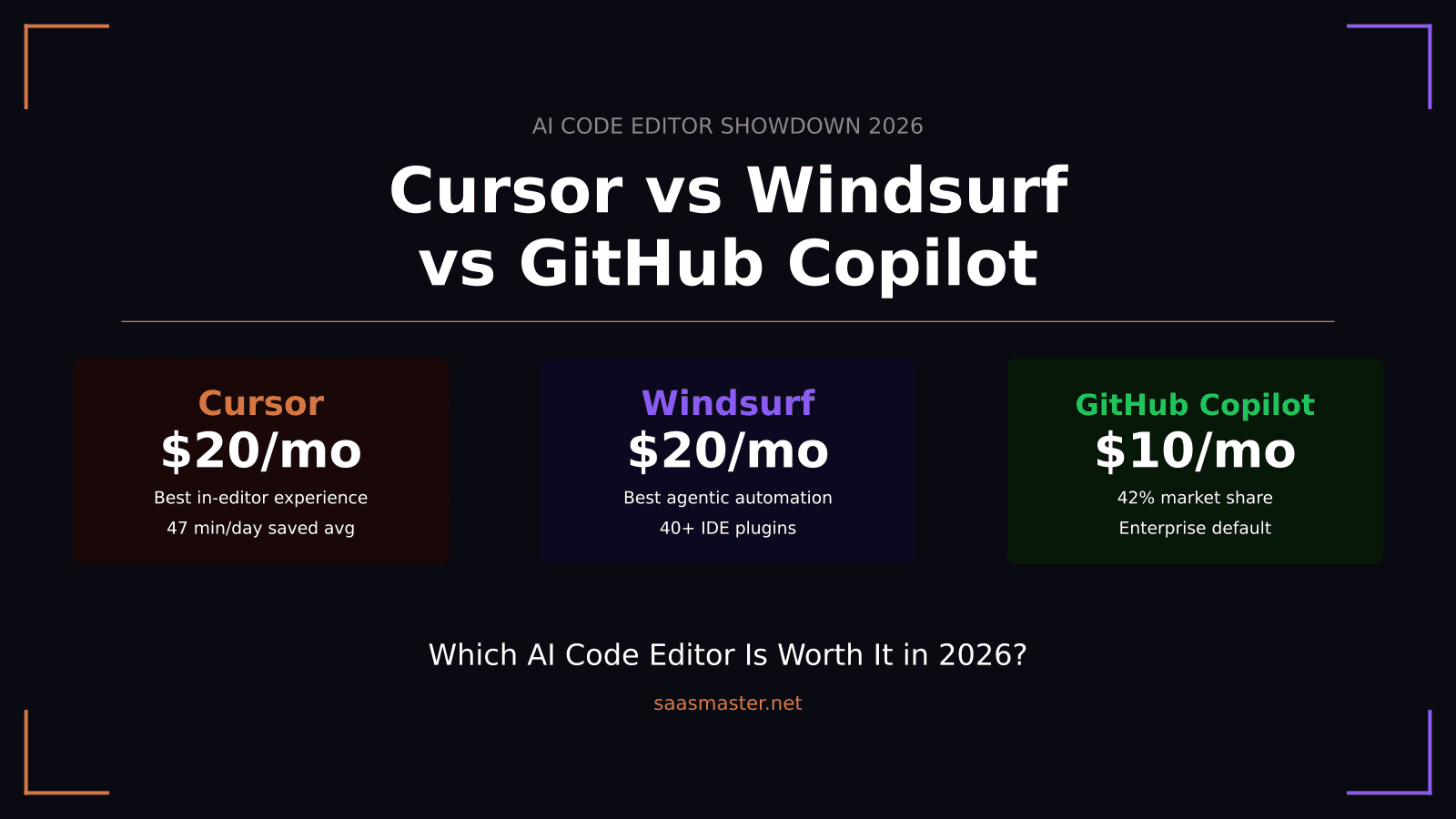
If you are choosing an AI code editor in 2026, here is the short answer: Cursor for developers who want the best multi-file editing experience and maximum model flexibility, Windsurf for teams that need autonomous test-run-iterate loops and support for JetBrains or Xcode, and GitHub Copilot for enterprises rolling out AI development tools across a large organization without switching editors. The price differences are real — Copilot starts at $10 per month versus $20 for the other two — but the capability gap between categories is equally real.
Key takeaways: - Cursor and Windsurf both cost $20 per month Pro; GitHub Copilot starts at $10/month Individual and $19/month Business - Cursor saves developers an average of 47 minutes per day through its Composer-1 model and multi-file editing - Windsurf's Cascade agent runs your test suite, reads failures, and iterates until tests pass — no prompting required for each step - GitHub Copilot holds 42% market share and works across VS Code, JetBrains, Xcode, Neovim, Visual Studio, and Eclipse - For individual developers: try free tiers of Cursor and Windsurf; for org-wide rollout, Copilot wins on compliance and coverage
What is each tool actually built for?
Cursor and Windsurf are VS Code forks that rebuild the entire editing experience around AI. When you open either one, AI is not a plugin or a sidebar — it is the editor. GitHub Copilot is architecturally different: it is an AI assistant that plugs into your existing editor without requiring you to change your development environment.
That architecture choice matters more than most benchmark comparisons. Cursor and Windsurf can autonomously make multi-file edits, plan tasks across your codebase, run terminal commands, and iterate on test results without manual framing at each step. Copilot provides inline completions and chat-based assistance — it has matured considerably with Microsoft's 2026 developer tooling push, but it still operates closer to a smart autocomplete with a capable chat layer than a true agentic system.
Understanding this distinction upfront saves real frustration. If you want to tell an AI "build me this feature" and have it handle multi-file changes, terminal commands, and test verification without hand-holding, Cursor or Windsurf are the right category. If you want contextual AI suggestions while you code in your existing IDE without switching tools, Copilot fits that workflow better.
How does Cursor compare to Windsurf?
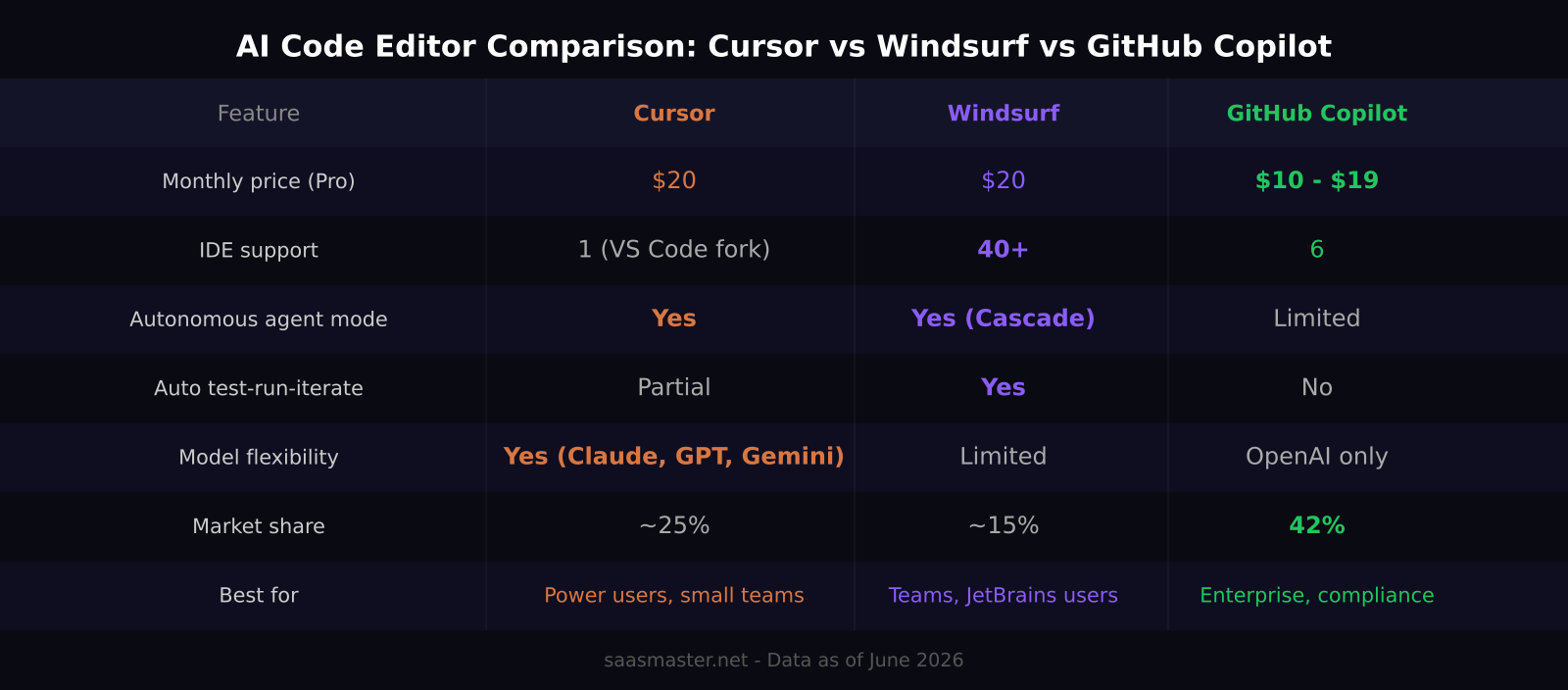
Cursor and Windsurf have converged on the same $20 per month price point, but they make meaningfully different tradeoffs in how they deliver AI value.
Cursor's strongest differentiator is its Composer-1 model, specifically tuned for low-latency multi-file editing and integrated tightly with Cursor's diff system. Complex refactors that would take several prompting cycles in other tools feel fast and responsive in Cursor. Critically, Cursor offers genuine model flexibility: you can run Claude Opus 4.8, GPT-5.5, or Gemini 3 Pro as the backend and switch per session or task type. For developers who have model preferences based on the work — Opus for reasoning-heavy refactors, GPT-5.5 for terminal tasks — this matters in practice. Average daily time savings reported by Cursor users sits around 47 minutes, based on their internal usage data from late 2025.
Windsurf counters with Cascade, its agentic execution system. Cascade plans your task, opens terminal windows, runs your test suite, reads the failure output, and iterates on the code until the tests pass — all without being prompted for each step. For building features end-to-end in a single session, that level of autonomy is genuinely useful and differentiates Windsurf clearly from Cursor on agent depth. Windsurf also ships SWE-1.5, a proprietary coding model from Cognition that runs 13x faster than Claude Sonnet, making quick one-off edits feel noticeably responsive.
The most concrete advantage Windsurf holds is IDE coverage. While Cursor locks you into its own VS Code fork, Windsurf offers plugins for more than 40 editors including JetBrains IDEs, Vim, NeoVim, and Xcode. If any team member works in JetBrains IntelliJ or PyCharm, or develops iOS apps in Xcode, Windsurf is the only choice between the two.
Where does GitHub Copilot fit in 2026?
GitHub Copilot is the enterprise default for reasons that compound at organizational scale. It has 4.7 million paid subscribers, 20 million total users, 42% market share across the AI coding assistant category, and 90% adoption among Fortune 100 companies. It works inside VS Code, JetBrains, Xcode, Neovim, Visual Studio, and Eclipse — the broadest editor coverage of any AI coding tool.
At $10 per month Individual and $19 per month Business, Copilot is also the most affordable entry point. That price advantage adds up quickly when you are rolling out AI tooling to 50 or 500 developers and the per-seat cost matters to your engineering budget.
The compliance story is Copilot's most important enterprise differentiator. SOC 2 certification, enterprise-grade IP indemnification for AI-generated code, audit logging, and policy enforcement layers are the things organizations need before deploying any AI to their development teams at scale. Cursor and Windsurf are improving here, but Copilot has the compliance documentation that procurement teams and legal departments require for sign-off.
The trade-off is agentic capability. Copilot's agent mode has improved significantly but still does not match Cursor or Windsurf for open-ended, multi-step, multi-file tasks. For organizations that want AI-assisted development at scale with minimum workflow disruption, Copilot is the right fit.
Which should you choose?
For solo developers or small teams: start with the free tiers of Cursor and Windsurf before paying for either. Cursor's free tier demonstrates how Composer-1 handles multi-file editing. Windsurf's free tier shows whether Cascade's autonomous loop fits your workflow. Test both against real tasks you do daily before committing.
If you need to pick one paid option: choose Cursor for in-editor speed and model flexibility, Windsurf if you need JetBrains or Xcode support or if Cascade's autonomous test loop matches how you work. Both are strong choices at the same price point.
For teams of 10 or more developers with compliance requirements or mixed editor environments: GitHub Copilot is the most defensible choice. The capability gap with Cursor and Windsurf is real, but the organizational cost of migrating everyone to a new editor and managing compliance documentation tips the decision toward Copilot for most enterprise use cases.
Frequently asked questions
Is Cursor better than Windsurf in 2026?
For most individual developers, Cursor has a slight edge in in-editor speed and model flexibility. Windsurf pulls ahead for teams that want fully autonomous test-run-iterate loops, or that need to support JetBrains users or iOS developers working in Xcode. Both are strong at the same price point — the right choice depends on your specific workflow.
Is GitHub Copilot worth paying for in 2026?
Yes, especially for teams and enterprises. At $19 per month per developer, it is the lowest-cost path to AI-assisted coding with enterprise compliance documentation, and it works inside the editors your team already uses. Even with the capability gap versus Cursor and Windsurf on agentic tasks, the per-developer productivity ROI is easy to justify.
Can I use Claude or GPT-5.5 inside Cursor?
Yes. Cursor lets you select your backend model from a list that includes Claude Opus 4.8, GPT-5.5, Gemini 3 Pro, and others. You can switch per session or set a default in settings. Windsurf's model selection is more limited, centering on its proprietary SWE-1.5 and a smaller list of frontier models.
Was this article helpful?
SaaS Master
Creator behind SaaS Master — tutorials, walkthroughs, reviews, and explainers that help SaaS, AI, and WordPress products get understood and chosen. Writing here about the tools, trends, and tactics that actually move the needle. Work with me →
Want your product explained this clearly — in video?
Tutorials, walkthroughs, reviews, and shorts for SaaS, AI, and WordPress products.
Work With SaaS Master