AI Tools
GitHub Copilot Is Now Its Own App — Here Is What Actually Changed for Developers
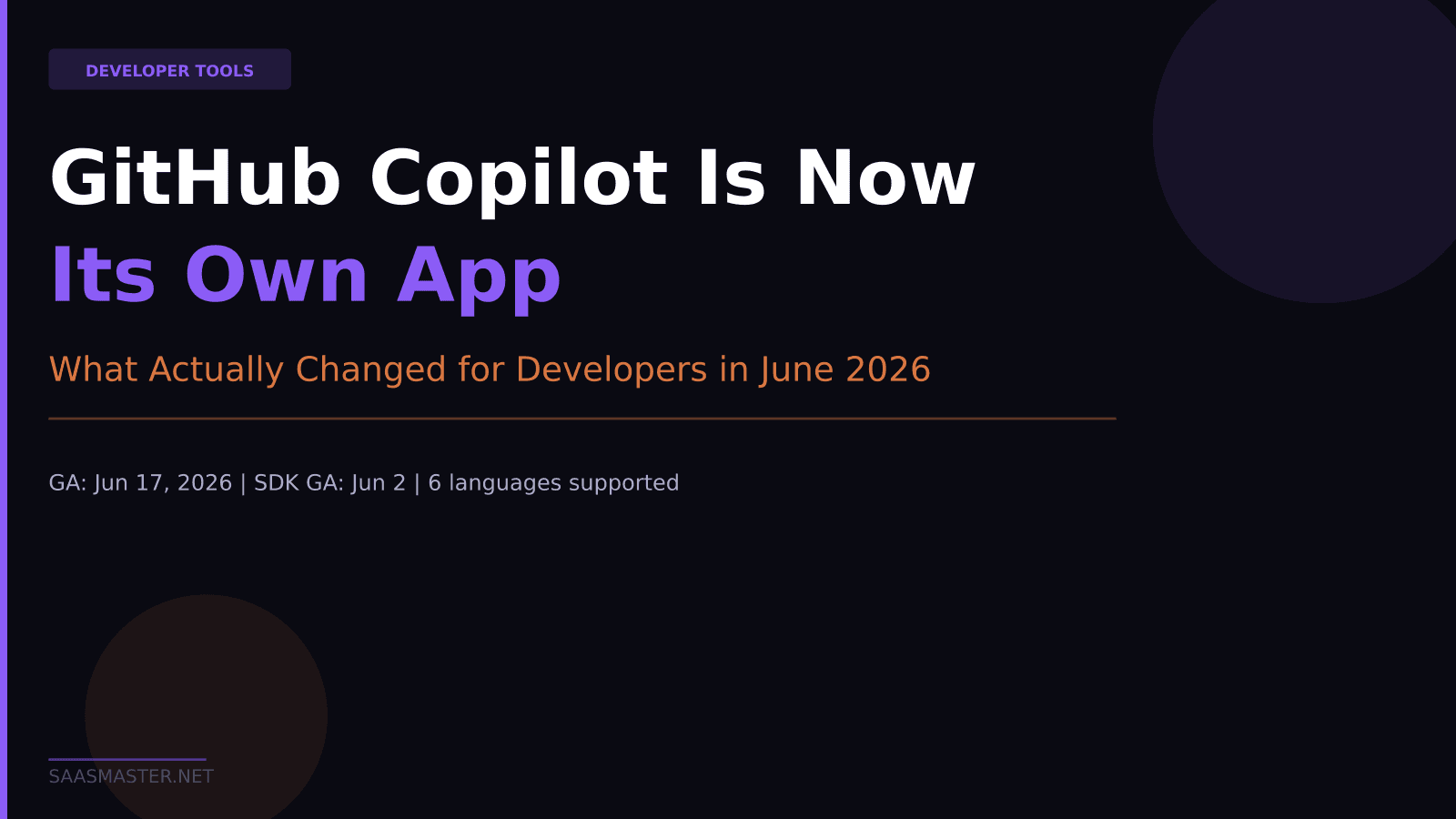
GitHub Copilot became its own standalone desktop application on June 17, 2026, available for Windows, macOS, and Linux. The same week, GitHub also shipped the Copilot SDK to general availability in six programming languages. Together these two releases represent the biggest change to how Copilot works since its original launch — moving it from an editor plugin into a full agent control plane for managing coding sessions across a team. Here is what actually changed and whether it matters for how you work.
Key takeaways: - The GitHub Copilot App went generally available on June 17, 2026 as a standalone workspace for launching and supervising AI agent sessions - Key new features include Canvases (shared human-agent work surfaces), Agent Merge (autonomous PR-through-merge), and My Work dashboard - The Copilot SDK reached GA on June 2, 2026 in Node.js/TypeScript, Python, Go, .NET, Rust, and Java with full MCP support - The SDK lets you embed the same agentic runtime that powers the Copilot App into your own tools, with bring-your-own-key support - All of this is available to existing Copilot subscribers including the free tier, with no additional purchase required
What the Copilot App actually is
The Copilot App is a standalone desktop workspace — think of it as a command center for AI coding sessions, separate from your editor. You use it to launch, supervise, review, and ship work that Copilot agents are running across your GitHub repositories. It connects to your GitHub account, sees your issues and pull requests, and lets you kick off agent sessions that run in isolated git worktrees — meaning each task gets its own clean branch without interfering with your main working tree.
The most accurate mental model: if your editor is where you write code, the Copilot App is where you manage the AI that writes code on your behalf.
The app went into technical preview at Build 2026 on June 2, 2026 and reached general availability on June 17, 2026. It runs on Windows, macOS, and Linux.
The new features worth knowing about
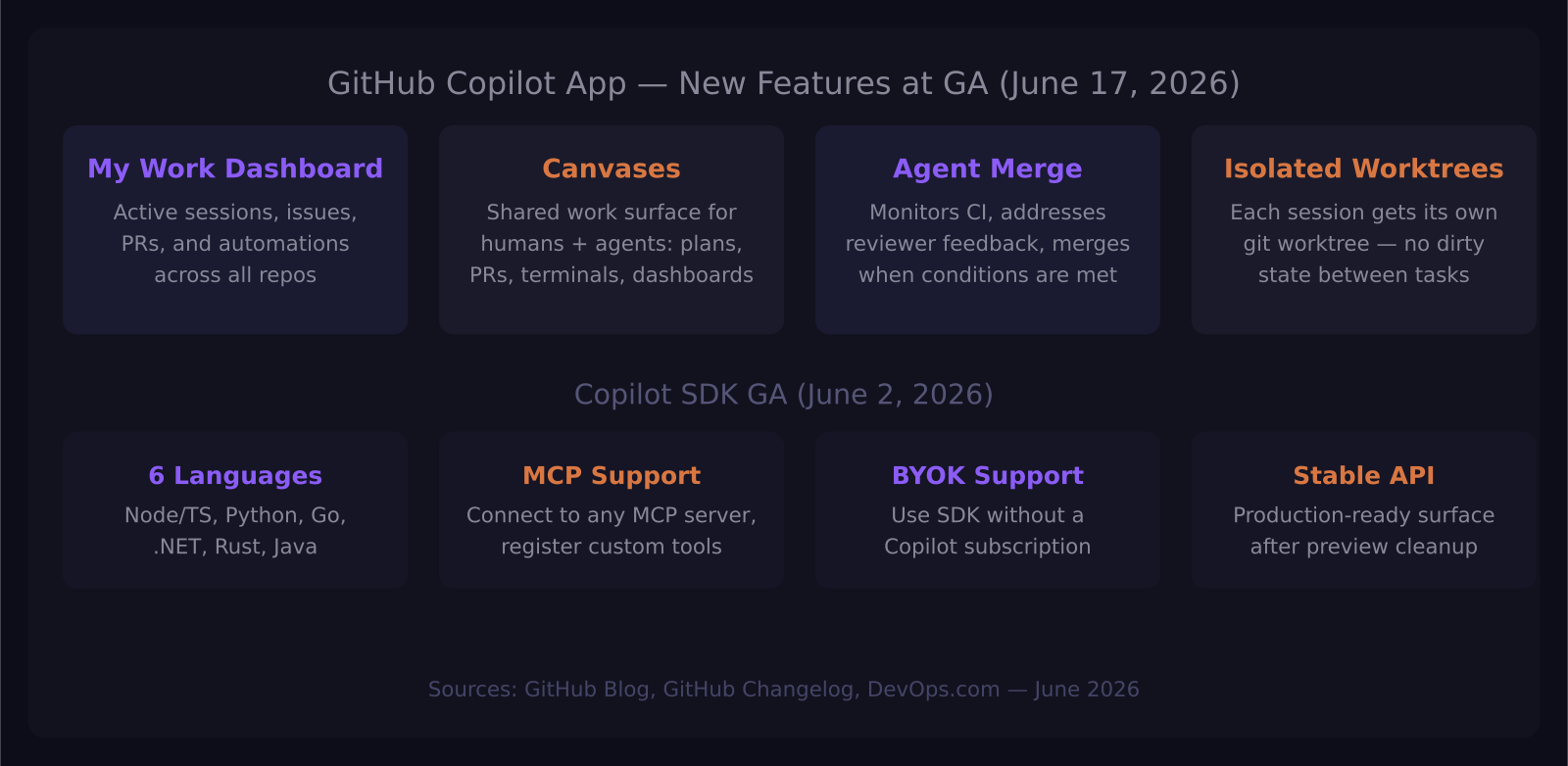
The My Work dashboard is the starting point. It shows a single view across all connected repositories: active agent sessions, open issues, pull requests awaiting review, and background automations in progress. If you are running Copilot across multiple projects or repositories, this is the first time you have had one place to see everything that is moving.
Canvases are the most interesting new concept. A canvas is a shared work surface between you and the Copilot agent working on a task. The agent updates the canvas as it works — displaying a plan, the current pull request, a browser session, terminal output, or deployment status. You can edit the plan, reorder steps, redirect the agent, or approve the direction at any point. The agent and you are working on the same surface, not in separate interfaces.
Agent Merge closes the loop on autonomous PR management. Once a Copilot agent opens a pull request, Agent Merge monitors CI status, tracks required reviewers, addresses failing checks, and responds to review feedback — all without you needing to babysit the process. You configure how far to let it go: drive CI back to green, address reviewer comments, or merge when all conditions are satisfied. This is the feature that finally makes "assign an issue to Copilot and forget about it" realistic rather than aspirational.
Isolated worktrees mean each agent session runs in its own git worktree, not in your main branch. Agents cannot accidentally modify your working state. When the task is done and the PR is merged, the worktree cleans up. For teams that have been nervous about giving AI agents direct repo access, this isolation model removes the main risk.
What the Copilot SDK GA means for builders
The Copilot SDK reached general availability on June 2, 2026 in Node.js/TypeScript, Python, Go, .NET, Rust, and Java. The SDK exposes the same agentic runtime that powers the Copilot App — planning, tool invocation, file edits, streaming responses, and multi-turn sessions — through a stable, production-ready API.
This is meaningful for teams building internal tooling. You can embed a Copilot agent into your own applications without building the orchestration layer yourself. GitHub gives examples like code analysis utilities, release notes generators, and agents embedded in support workflows. The SDK supports custom tools via Model Context Protocol, MCP server connections, and slash commands across all language implementations.
Bring-your-own-key support means you do not need a Copilot subscription to use the SDK — you can run it with your own OpenAI or Anthropic API key. For companies that already have enterprise AI contracts, this lowers the friction to building Copilot-powered internal tools.
The Rust SDK deserves a separate mention: it bundles the Copilot CLI binary by default, which makes it useful for teams building command-line tools that need to shell out to Copilot agents without managing binary installation separately.
Who should care about these changes?
Individual developers who use Copilot as an autocomplete layer in VS Code or JetBrains do not need to change anything. The extension still works exactly as before. The Copilot App is an additional tool, not a replacement.
The changes matter most for three groups. Engineering leads managing a team where multiple developers use Copilot will find the My Work dashboard genuinely useful for seeing what agents are doing across the team's repositories. The isolated worktree model also makes it safer to let agents run more autonomously without supervision at every step.
Developers running complex, multi-step projects — rebuilding a module, handling a migration, triaging a backlog of GitHub issues — will get real value from Agent Merge and Canvases. The ability to hand off a task completely and check back on it, rather than needing to shepherd every step, is a meaningful workflow change.
Teams building internal developer tools will find the SDK GA to be the biggest unlock. Embedding a full Copilot agent runtime in six languages, with MCP support and a stable API, makes a category of internal tooling possible that was not practical when the SDK was in preview.
What has not changed
The core Copilot extension still runs in VS Code, JetBrains, Xcode, Neovim, Visual Studio, and Eclipse. The per-seat pricing has not changed: $10 per month for Individual, $19 per user per month for Business. All of the new App and SDK features are available to existing Copilot subscribers at no additional cost. The free tier also gets access to the App, though with the same usage limits that apply to free-tier completions.
GitHub Copilot is still running on GPT-5.5 and Claude Sonnet 4.6 depending on the task — there is no manual model selection yet, which remains a limitation compared to Cursor's approach of letting you pick the underlying model explicitly.
Frequently asked questions
Do I need to install the Copilot App to keep using Copilot in VS Code?
No. The Copilot extension works independently of the App. The App is a separate workspace for managing agent sessions — you install it when you want to run longer autonomous tasks, supervise multiple sessions across repos, or use Agent Merge for PR management.
Can I use the Copilot SDK without a GitHub Copilot subscription?
Yes. The SDK supports bring-your-own-key, which lets you run it with your own OpenAI or Anthropic API key. You will not have access to GitHub's managed Copilot infrastructure, but the SDK itself and its tooling work without a Copilot account.
What programming languages does the Copilot SDK support at GA?
The SDK is generally available in Node.js/TypeScript, Python, Go, .NET, Rust, and Java. The Rust SDK also bundles the Copilot CLI binary by default for command-line tool development.
Was this article helpful?
SaaS Master
Creator behind SaaS Master — tutorials, walkthroughs, reviews, and explainers that help SaaS, AI, and WordPress products get understood and chosen. Writing here about the tools, trends, and tactics that actually move the needle. Work with me →
Want your product explained this clearly — in video?
Tutorials, walkthroughs, reviews, and shorts for SaaS, AI, and WordPress products.
Work With SaaS Master