WordPress
WordPress 7.0's AI Client: What SaaS and WordPress Developers Need to Know in 2026
In short
WordPress 7.0 ships a built-in AI Client API, so plugins can call any AI provider through one function. Here is what it means for SaaS and WordPress builders.
WordPress 7.0 quietly solved a problem that used to take a full day of plugin work: calling an AI model from inside WordPress. As of this release, any plugin can request text, images, speech, or video from an AI model with one function call, and WordPress handles picking the provider, the model, and the API key. No more shipping your own OpenAI wrapper.
I build and review a lot of WordPress product videos for AI and SaaS companies, and this is the first WordPress core change in years that changes what I tell clients to build. Here is what the AI Client actually does, why it matters if you sell software that touches WordPress, and where it still falls short.
Key takeaways
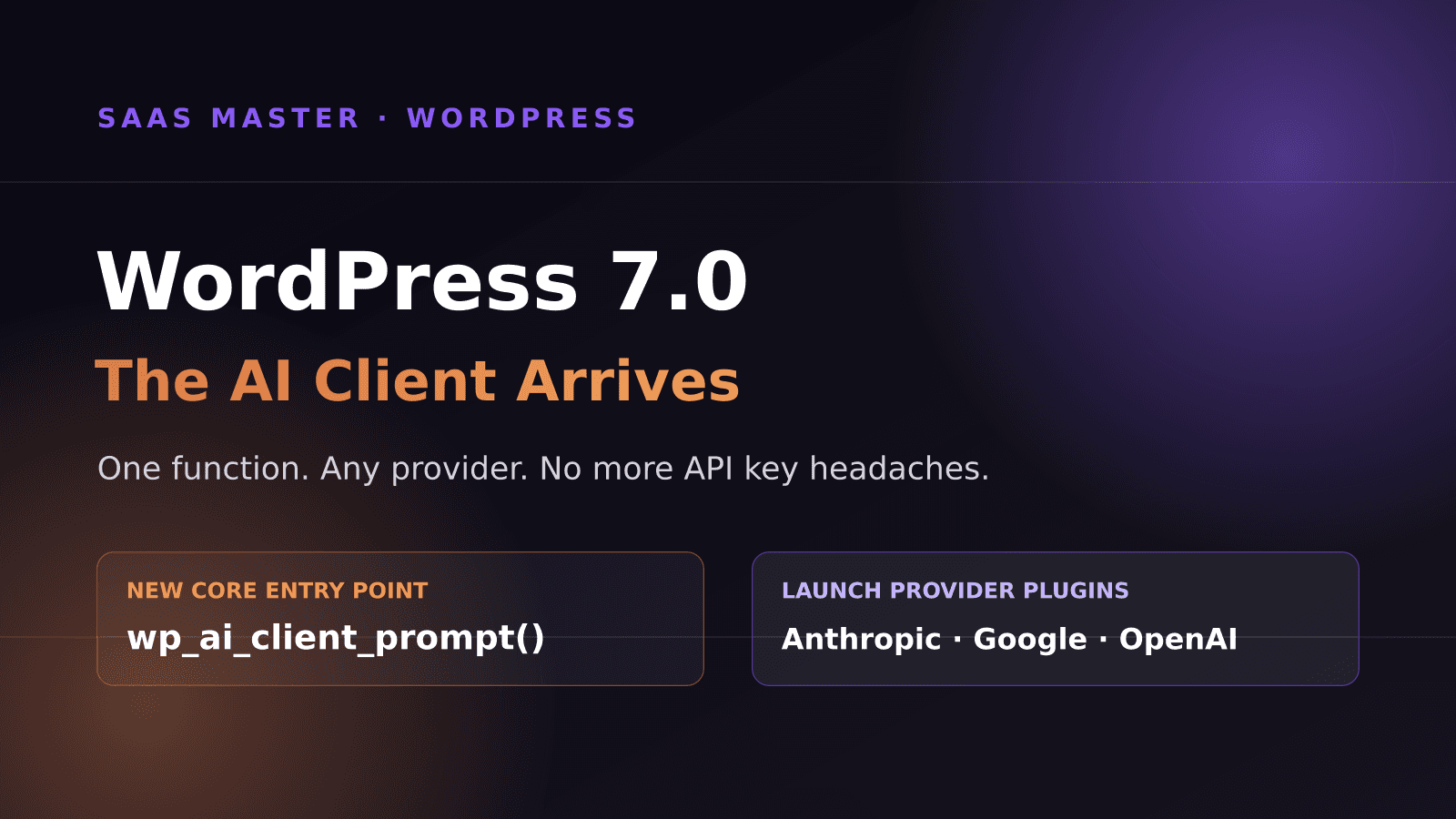
- WordPress 7.0 bundles a provider-agnostic AI Client API, built around one entry point, wp_ai_client_prompt(), that any plugin can call.
- Site owners configure their own API keys once, in Settings, Connectors. Plugin developers never touch or store credentials.
- Three official provider plugins exist at launch: AI Provider for Anthropic, AI Provider for Google, and AI Provider for OpenAI. Anyone can build more.
- The API supports text, image, speech, and video generation, plus structured JSON output and multi-turn conversation history.
- This is a PHP, server-side API. A parallel client-side JavaScript approach exists but is not part of core and is not recommended for distributed plugins yet.
What problem does the AI Client actually solve?
Before WordPress 7.0, every plugin that wanted to add an AI feature had to pick a provider, write its own HTTP client, handle its own API key storage, and build its own error handling. If a site owner wanted to switch from OpenAI to Claude, or use a company-mandated provider, that usually meant the plugin simply did not support it, full stop.
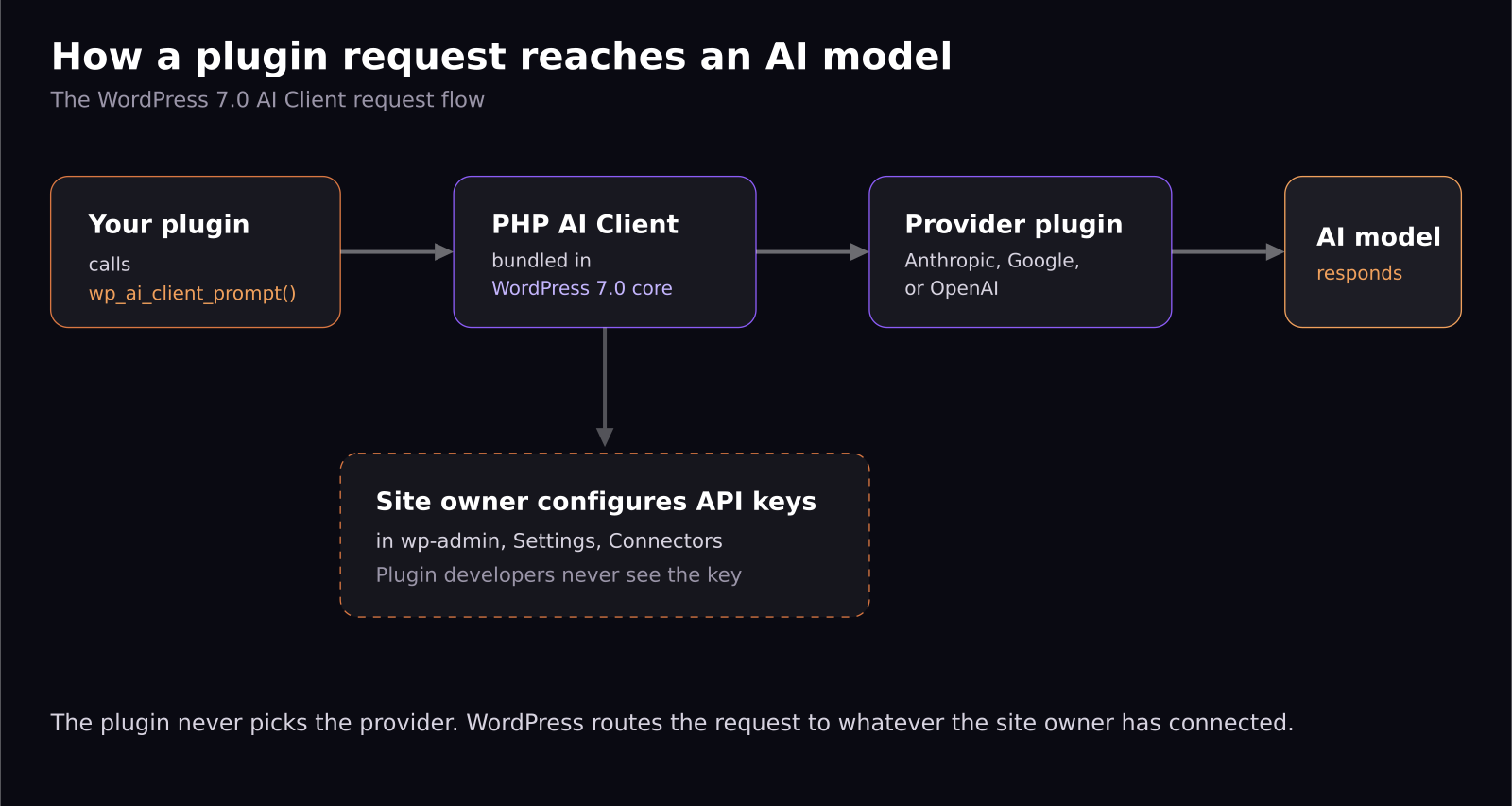
The AI Client flips that. A plugin now describes what it needs, a summary, an image, a JSON object matching a schema, and WordPress routes that request to whichever provider the site owner has actually configured. The plugin author never has to pick a side. If your plugin says it wants a model good at following instructions and the site has Claude configured, WordPress sends it to Claude. If the site only has Google configured, it goes to Gemini. Your plugin code does not change either way.
That is a genuinely different relationship between plugin developers and AI providers than almost every other content management system offers today, and it is worth understanding if you build software that plugs into WordPress, or if you are advising a client who does.
How does a plugin actually call this?
The whole API sits behind one function, called with a fluent builder pattern that will feel familiar if you have used a modern PHP SDK. A basic text request looks like this in real code:
wp_ai_client_prompt( 'Summarize the benefits of caching in WordPress.' ) then chained with using_temperature(0.7) then generate_text().
That single call can be extended to request structured JSON matching a schema you define, generate multiple response variations for A/B testing a headline or tagline, or request an image, speech clip, or video instead of text. For richer use cases, developers can call generate_text_result() instead of generate_text() to get back a full result object with token usage, provider metadata, and which specific model actually answered the prompt. That result object is directly REST API ready, meaning a plugin can expose an AI feature to its own JavaScript front end in a few lines.
Developers can also express a soft preference for specific models, using_model_preference() with a list like claude-sonnet-4-6, gemini-3.1-pro-preview, gpt-5.4, and WordPress will use the first one available on that site, falling back gracefully if none of them are configured. It is a preference, not a hard requirement, which is the right default for a plugin meant to run on thousands of different sites with different provider setups.
Who manages the API keys and the cost?
This is the part that should matter most to anyone running a SaaS product that ships a WordPress plugin. Credentials are handled entirely by WordPress's Connectors API, under Settings, Connectors in wp-admin. The site owner adds their own Anthropic, Google, or OpenAI key once, and every AI Client plugin on that site can use it, without ever seeing the raw key.
That means your plugin ships with zero AI cost baked into your pricing, unless you choose to offer your own hosted key as a premium convenience. It also means you are no longer the one holding customer API keys in your database, which is a real liability reduction if you have ever had to think through what happens to stored third-party credentials in a data breach.
The trade-off: your plugin only works as well as whatever the site owner has configured. If they have not set up any provider, your feature should degrade gracefully, not break. WordPress provides is_supported_for_text_generation() and equivalent checks for image, speech, and video, specifically so plugins can detect this ahead of time and hide AI-powered UI rather than show a broken button. Skipping that check is the single most common mistake I would expect to see in early plugin implementations.
What is missing, and what should you not build yet?
A JavaScript client-side API exists, called wp-ai-client, but it is explicitly called out as not part of core and still being evaluated for whether it is safe at scale. It requires a high-privilege capability check by default, because letting arbitrary client-side code send prompts to any configured provider is a real security surface. If you are building a distributed plugin, the WordPress core team's own recommendation is to build your own scoped REST endpoints for each AI feature, and call those from your JavaScript, rather than exposing the generic client-side prompt builder directly.
There is also, as of this writing, no built-in usage dashboard or spend cap for site owners. A community member raised exactly this concern on the original announcement post, and the WordPress AI team opened a tracking issue for it, but it is not shipped yet. If you are a SaaS company selling into WordPress, this is an opening: a plugin that gives site owners visibility into which of their installed plugins is burning through their AI budget is a real, currently-unmet need.
What should SaaS and WordPress companies do with this now?
If you already maintain a WordPress plugin with an AI feature, start planning the migration. You can likely delete your own HTTP client and credential storage entirely and replace it with wp_ai_client_prompt(), which shrinks your maintenance surface and immediately supports whatever provider your customer already trusts.
If you have been holding off on adding an AI feature because supporting multiple providers felt like too much plumbing, that excuse is gone. The plumbing is now core, stable, and provider-agnostic.
And if you make video content or documentation for a SaaS product that touches WordPress, like I do, this is worth a walkthrough of its own. Site owners are going to start asking what AI features their plugins support and how the model gets chosen, and a short explainer video answering that question in plain language is going to outperform written documentation for a while yet.
Frequently asked questions
Do I need WordPress 7.0 specifically to use the AI Client?
Yes, for the native version. If you need to support older WordPress versions, the original wordpress/php-ai-client Composer package still works, but you need a conditional autoloader to avoid class conflicts on sites running 7.0 or later, since core now loads its own copy.
Which AI providers does WordPress 7.0 support out of the box?
Three official first-party plugins ship alongside the release: AI Provider for Anthropic, AI Provider for Google, and AI Provider for OpenAI. Because the system is provider-agnostic, third-party developers can build and publish additional provider plugins for any other AI service.
Does the AI Client cost anything extra to use?
No, WordPress core does not charge for it. You pay only for the AI provider's own API usage, using whichever API key the site owner has configured in Settings, Connectors. There is currently no built-in spend cap, so site owners should monitor their provider's own usage dashboard until WordPress ships one natively.
Was this article helpful?
SaaS Master
Creator behind SaaS Master — tutorials, walkthroughs, reviews, and explainers that help SaaS, AI, and WordPress products get understood and chosen. Writing here about the tools, trends, and tactics that actually move the needle. Work with me →
Want your product explained this clearly — in video?
Tutorials, walkthroughs, reviews, and shorts for SaaS, AI, and WordPress products.
Work With SaaS Master