WordPress
WordPress 7.0 AI Is Here — What Actually Changed and How to Set It Up
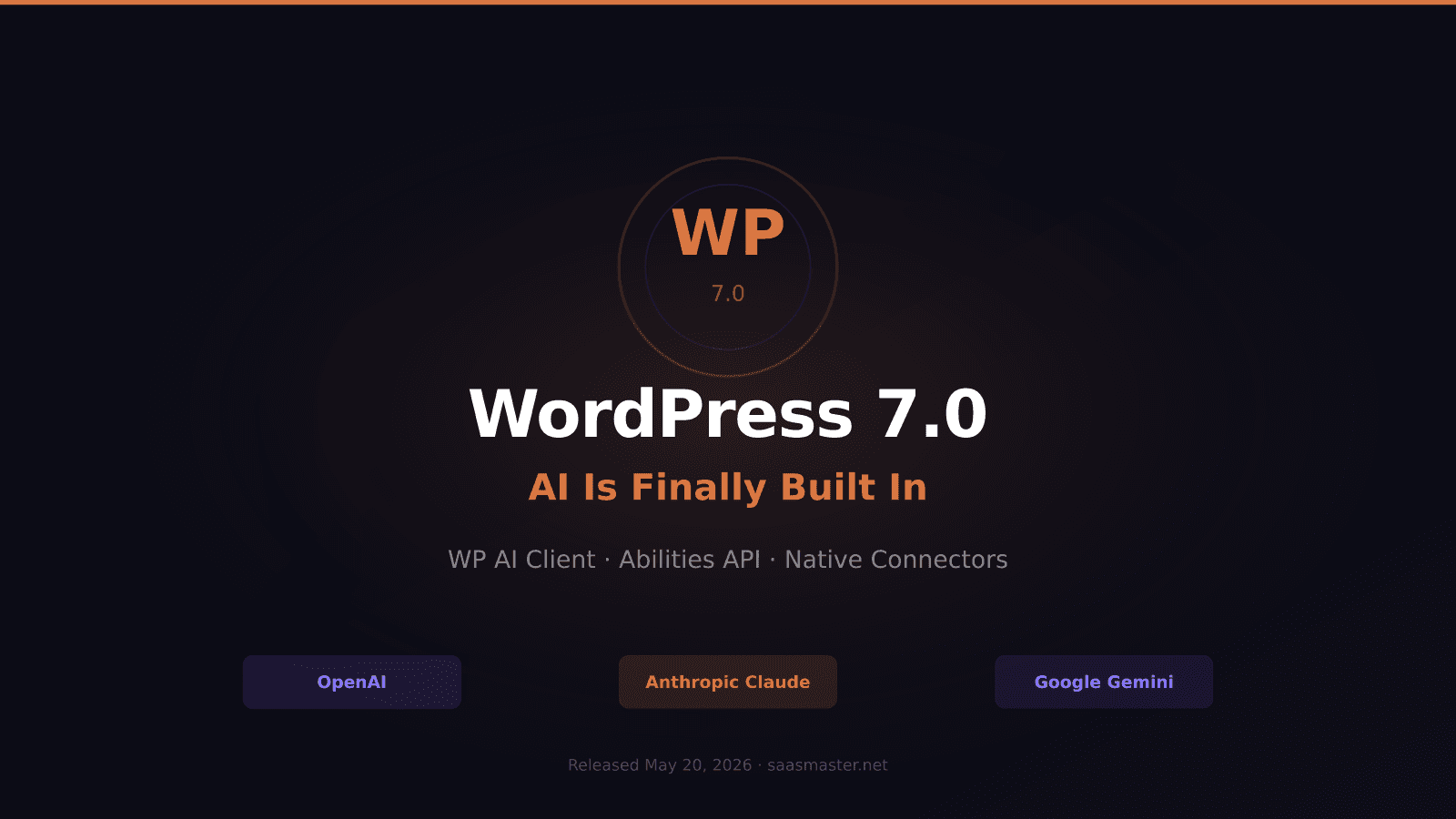
WordPress 7.0 shipped on May 20, 2026, and for the first time in the platform's history, AI is actually built in — not bolted on through third-party plugins, but baked into WordPress core as a first-class feature. The change is architectural, and if you have been using AI plugins to write content, generate images, or automate your editorial workflow, what just changed under the hood matters a lot.
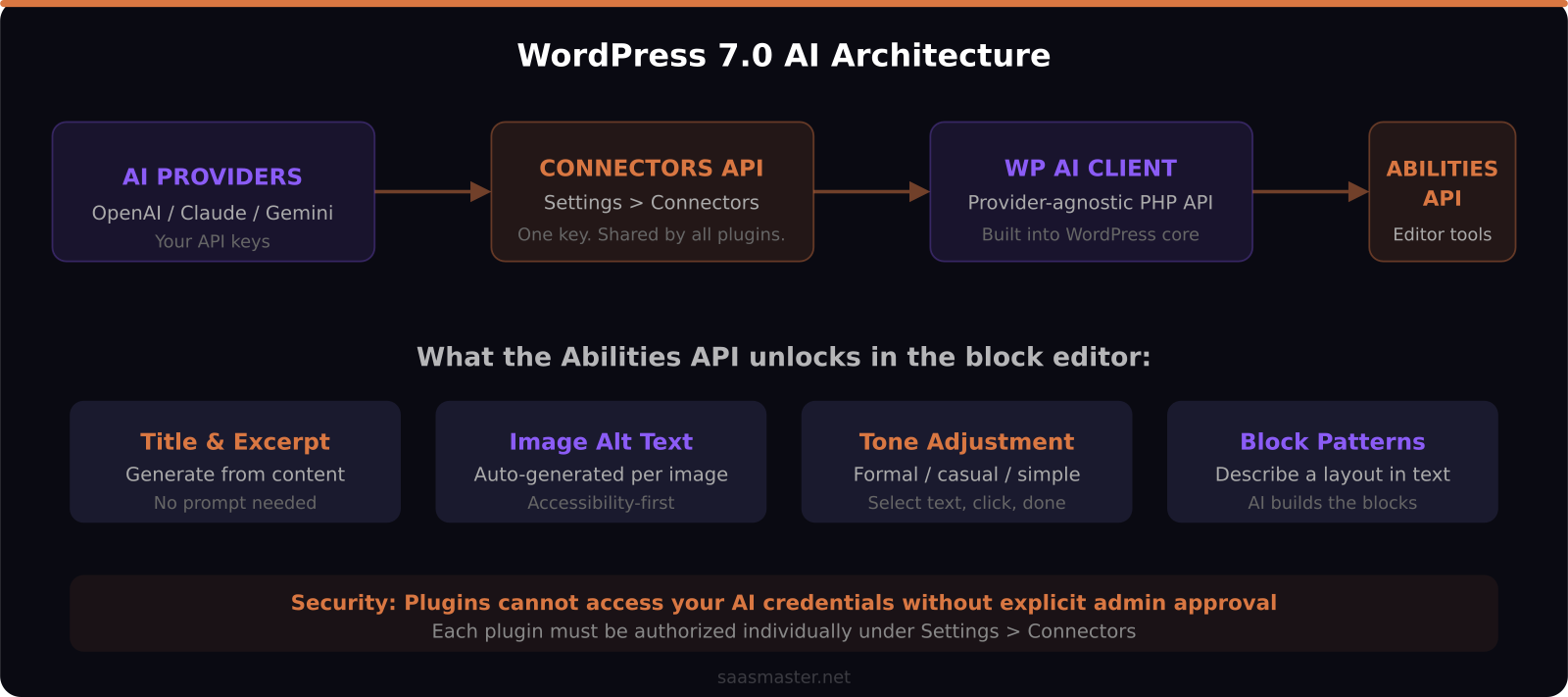
The short version: WordPress now has three AI features at its core — the WP AI Client, the Abilities API, and the Connectors API. You add your API key once under Settings > Connectors. Every plugin built on the WP AI Client picks it up automatically. You never configure API keys per plugin again.
Key takeaways: - WordPress 7.0 ships with native connectors for OpenAI (ChatGPT), Anthropic (Claude), and Google (Gemini) built into core - The WP AI Client is a provider-agnostic PHP API — your site works with any of the three without plugin rewrites - The Abilities API adds AI directly to the block editor: title generation, summaries, text tone, alt text, block patterns - Admin must explicitly approve each plugin before it can access your AI credentials - This is Phase 3 of the Gutenberg roadmap — collaborative editing and agentic WordPress are what comes next
What problem did WordPress 7.0 actually solve?
Before this release, every AI plugin shipped with its own integration layer. AI Engine had its own. Bertha AI had its own. A dozen others had theirs. If you used three AI plugins, you were managing three separate API key configurations, three different billing setups, and three different places to update settings when a provider changed their API.
The WP AI Client changes this entirely. It is a provider-agnostic PHP API that lives in WordPress core. Any plugin that talks to the WP AI Client gets to use whichever AI service you have connected under Settings > Connectors. Your configured provider is shared across the whole WordPress installation — with one key security caveat: each plugin still requires explicit admin authorization before it can use your credentials.
From a practical standpoint: add your OpenAI key once, and any plugin built on the WP AI Client starts working immediately. Decide to switch to Claude next month, and you swap the connector once — everything follows.
How to set up AI connectors in WordPress 7.0
The setup is genuinely straightforward. In your WordPress dashboard, navigate to Settings > Connectors. You will see three entries by default: OpenAI, Anthropic, and Google. Click the provider you want, enter your API key, and save.
No extra plugins are required for the initial setup. The connectors are built into WordPress 7.0 core.
Important security detail you need to understand: even after adding an API key, individual plugins cannot use it without explicit admin approval. When a plugin requests access to your AI connector, you will see a permission prompt. This is intentional. WordPress wants you to know exactly which plugins are touching your AI API usage and therefore your billing. An untrusted plugin cannot quietly run up your OpenAI bill in the background.
For anyone managing multiple WordPress installations, this also means you can standardize on a single AI provider across all your sites rather than configuring each plugin separately per install.
What can WordPress 7.0 actually do with AI right now?
The optional AI plugin (version 1.0.0, released May 2026) brings four features to the block editor that most content creators will notice immediately.
Title and excerpt generation works from inside the editor itself. Write your post, then use the AI to suggest a headline or generate a meta description. It reads the full content of your post rather than just working from whatever you type into a prompt.
Image alt text generation addresses one of the most tedious parts of accessible content production. When you add an image, WordPress can generate descriptive alt text based on what the image actually contains. For sites with large media libraries or frequent image uploads, this saves significant time.
Text tone adjustment lets you select a block of text and tell WordPress to make it more formal, more casual, simpler, or more persuasive. For editorial teams managing contributors with different writing styles, this is a meaningful consistency tool.
Block pattern generation is the most forward-looking feature. Describe the layout you want in plain language and WordPress generates a Gutenberg block pattern — a reusable page section — automatically. This replaces manual page-building for common repeatable layouts like testimonial grids, feature sections, or call-to-action banners.
What is the Abilities API, and do you need to care about it?
If you are a content creator or site owner rather than a developer, the Abilities API mostly works in the background and you will benefit from it without needing to configure anything. It is the official API that lets plugin developers expose AI features inside the WordPress editor.
For you, the practical effect is that any plugin built on the Abilities API integrates cleanly with your configured AI provider. The days of AI plugins competing for screen space with their own separate panels, settings pages, and interfaces should gradually fade as developers adopt this standard. One AI setup, one admin page, consistent behavior across tools.
Should you upgrade to WordPress 7.0 now?
If you are running a site where the update path is straightforward — you are on a managed WordPress host, or you have been keeping plugins current — yes, upgrade. The AI features are optional, and the React-rebuilt admin interface is noticeably faster for most editorial tasks even if you never touch the AI features.
If your site relies on older plugins that have not been updated recently, wait a few weeks and check compatibility. The admin rebuild is significant enough that plugins hooking deep into the admin interface may need updates before your workflow is stable.
For anyone running a content-heavy site where you spend real time on headlines, image descriptions, or tone editing, the 7.0 AI features are useful out of the box — especially if you are already paying for an OpenAI or Anthropic API key for other tools. The cost is effectively zero on top of what you are already spending.
Frequently asked questions
Does WordPress 7.0 come with free AI, or do I need my own API keys?
You need your own API keys from OpenAI, Anthropic, or Google. WordPress provides the integration layer and the interface but does not cover the AI costs. Most small blogs will stay under free tier limits easily; high-volume publishing operations should budget for API costs based on how frequently they use AI features.
Will older AI plugins still work in WordPress 7.0?
Most will, but behavior varies. Plugins that have updated to use the WP AI Client and Abilities API will work most cleanly — they integrate with your shared connector rather than asking for their own API key. Legacy plugins that ship their own API integration layers will still function as before. They just will not benefit from the unified credential setup.
What is Phase 3 of the Gutenberg roadmap, and what comes next?
WordPress 7.0 formalizes Phase 3, which focuses on collaboration — real-time co-editing, presence awareness, and eventually AI-assisted workflows where the editor can proactively suggest content changes or automate repetitive publishing tasks. The AI infrastructure in 7.0 is the foundation for what arrives in 7.1 and beyond.
Was this article helpful?
SaaS Master
Creator behind SaaS Master — tutorials, walkthroughs, reviews, and explainers that help SaaS, AI, and WordPress products get understood and chosen. Writing here about the tools, trends, and tactics that actually move the needle. Work with me →
Want your product explained this clearly — in video?
Tutorials, walkthroughs, reviews, and shorts for SaaS, AI, and WordPress products.
Work With SaaS Master