How to Build a SaaS Video Content System That Scales
In short
A practical framework for building a scalable SaaS video content system — the right video types, content triggers, pillar-and-atom workflow, and what to measure.
If you've ever published a handful of product videos and then watched output grind to a halt, the problem usually isn't resources or talent — it's the absence of a system. A video content system turns one-off production into a repeatable engine: the same effort produces more output, higher consistency, and compounding results over time.
Here's how to build one, starting from the decisions that matter most.
Key takeaways
- Map every video type to the funnel stage it serves before producing anything
- Define content triggers so videos get made when product moments happen, not only when someone asks
- Use a pillar-and-atom workflow: one long-form asset generates 6–10 shorter pieces
- Centralize your video library so assets are findable and reusable across teams
- Measure activation and retention impact, not just views
Why most SaaS teams don't have a video system — and pay for it
The pattern comes up constantly: a SaaS team produces a beautiful explainer for launch, maybe a demo or two, and then nothing for months. When the next feature ships, the cycle restarts — new brief, new producer, new creative direction.
This is expensive in two ways. First, the cost of starting from scratch every time. Second, the opportunity cost of having no content working in the background: no tutorial library reducing support load, no walkthrough series improving activation, no short-form clips driving discovery.
A system eliminates both problems. The goal isn't to make every video perfect — it's to make every video predictable.
Step 1: Map video types to funnel stages
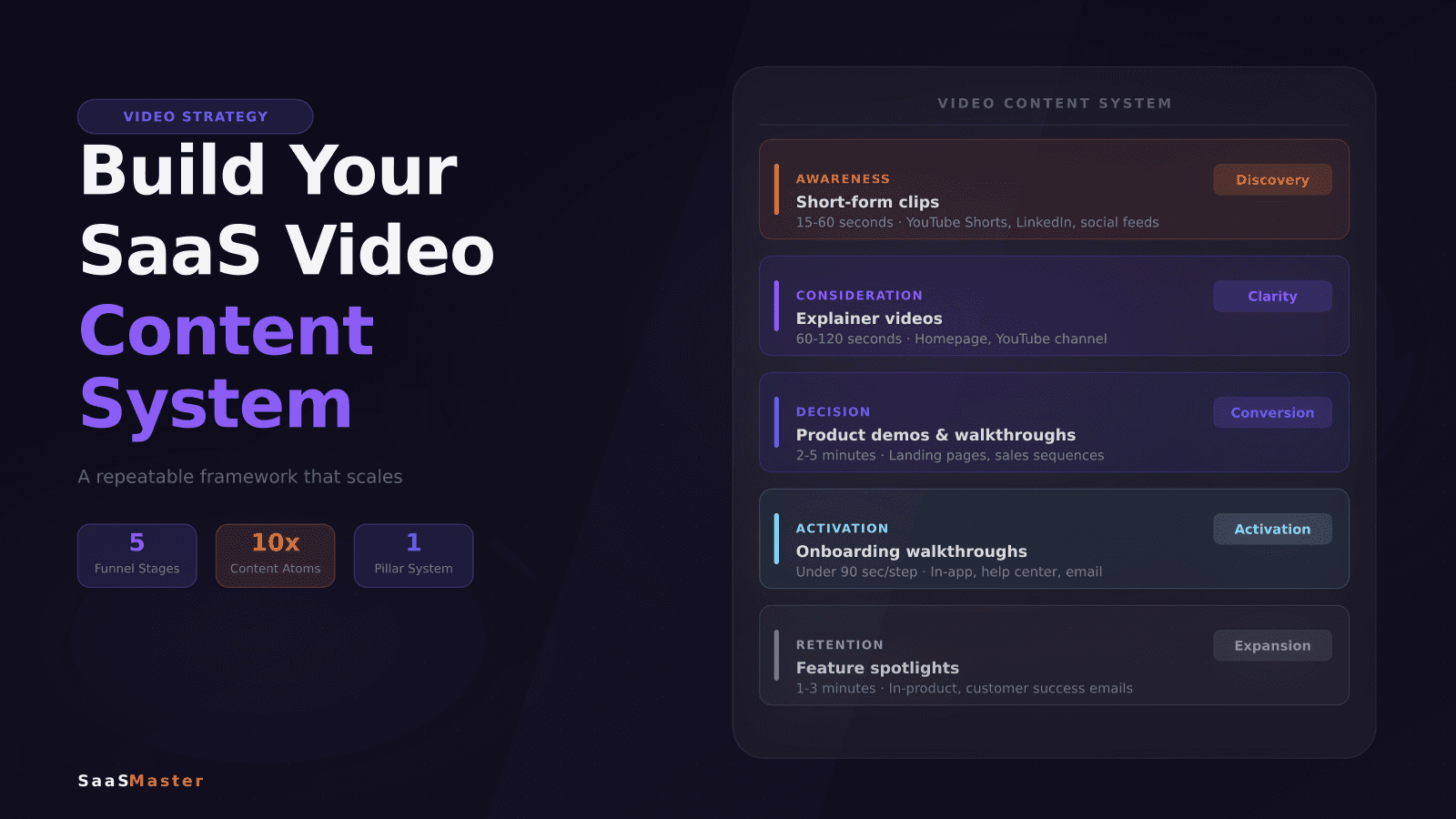
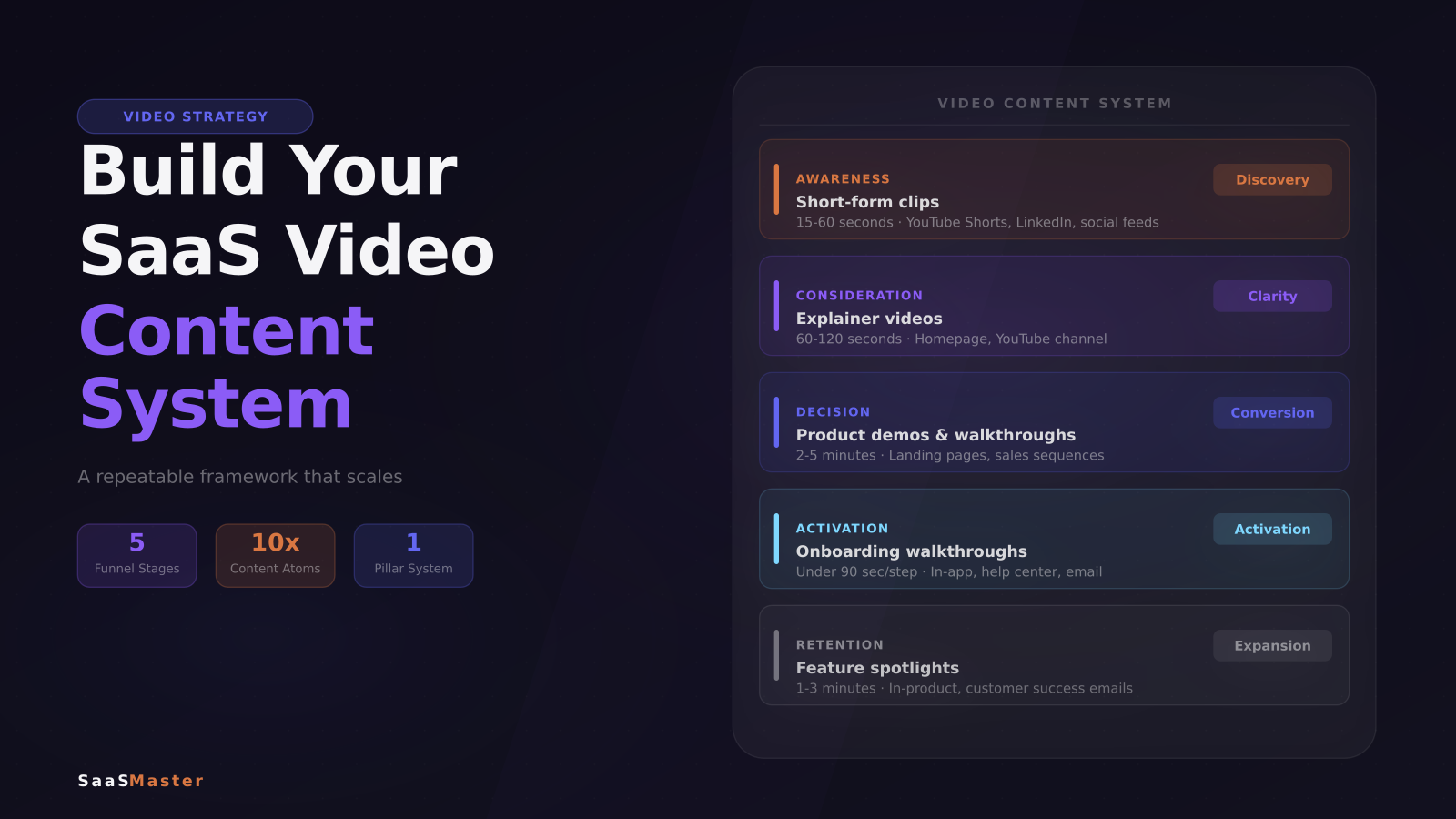
The foundation of any video content system is knowing which video type serves which stage of the customer journey. Before you produce anything, get explicit about this mapping.
Awareness — top of funnel: 15–60 second short-form clips that surface the problem your product solves. These live on YouTube Shorts, LinkedIn, and social feeds. The goal is discovery, not explanation.
Consideration: 60–120 second explainer videos that make your solution clear to someone who's heard of you but doesn't understand you yet. This is the classic "what is [Product]" format that belongs on your homepage and your YouTube channel.
Decision: 2–5 minute product demos and use-case walkthroughs that help a qualified buyer see themselves using the product. These live on landing pages, in sales sequences, and in proposals. For everything that goes into making these effective, How to Create a Product Demo Video That Converts is the right place to start.
Activation and onboarding: short, task-focused walkthroughs — under 90 seconds per step — that get new users to their first meaningful win before they churn. Short task-focused clips like "set up your first workflow" consistently outperform one exhaustive product tour. SaaS Onboarding Videos covers the onboarding video framework in depth.
Retention: feature spotlights and advanced workflow videos that help existing customers discover more value. These often live in the product itself, in the help center, or in customer success emails.
Once this map exists, every video production decision has a home. "Should we make a video about X?" becomes "what stage does this serve?" — and that question shapes the format, the length, and where it gets published.
Step 2: Build a content trigger system
Most SaaS video content is created reactively — after a launch, after a support spike, after someone asks. A trigger system makes production proactive.
Define the events that automatically initiate a video brief:
- Feature shipped: one onboarding walkthrough plus one short-form awareness clip
- New use case documented: one demo or explainer
- Support ticket category crossing a volume threshold: one tutorial that addresses the question directly
- Blog post published: one short-form summary clip for distribution
These triggers don't all require full production. Some can be lightweight screen recordings with voiceover. The point is that when a trigger fires, the team already knows what type of video is needed, who makes it, what its goal is, and where it lives when finished.
Step 3: Use a pillar-and-atom workflow
The highest-leverage move in a SaaS video content system is the pillar-and-atom structure.
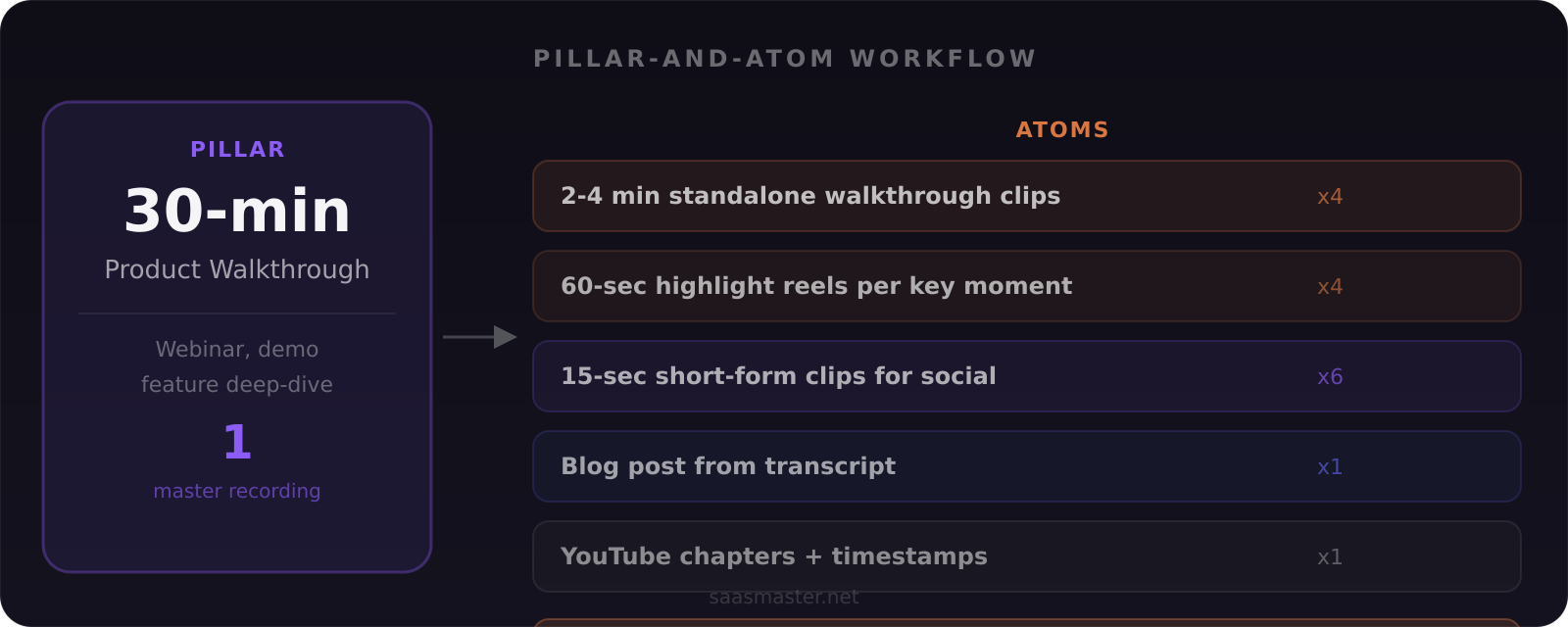
A pillar is a single long-form asset: a 20–40 minute comprehensive product walkthrough, a recorded webinar, or a full feature deep-dive. A single pillar generates multiple atoms — shorter, self-contained pieces derived from the original:
- 2–4 minute standalone walkthrough clips, one per major workflow step
- 60-second highlight reels for each key feature moment
- 15-second short-form clips for YouTube Shorts, LinkedIn, and Instagram (horizontal, vertical, square crops)
- A written blog post or help center article from the transcript
- Timestamped chapters and cards for the YouTube upload
One well-produced 30-minute walkthrough can generate 15–20 pieces of content across channels. That's the compounding effect a system creates — not from working harder, but from extracting more value from what you already made.
The Complete SaaS Video Marketing Strategy Guide covers how to connect these pieces across the full buyer journey into a coherent content strategy.
Step 4: Centralize your video library
A video content system only works if the content is findable. Most SaaS teams have videos scattered across Drive folders, Vimeo accounts, YouTube channels, Loom recordings, and Notion docs — with no consistent naming, no tagging, and no way to pull up the right clip when sales needs it fast.
The fix is a central library. It doesn't need to be sophisticated. A Notion database or a well-structured spreadsheet can do the job.
For each video asset, record the video type, the funnel stage it serves, the product area it covers, where it's published, and the date it was recorded. Add a thumbnail, a notes field for what needs updating when the UI changes, and a link to the source file.
This takes 5 minutes per video and saves hours of searching later. It also makes onboarding new team members significantly faster — someone new to the team can understand the full video library in an afternoon.
Step 5: Measure what moves the needle
Most video performance tracking stops at view counts. That's a vanity metric. For SaaS, the numbers that justify the investment are:
Activation rate: do users who watch onboarding walkthroughs activate at a higher rate than those who don't? Even a modest lift from a library of five walkthroughs compounds significantly at scale.
Support ticket deflection: which tutorials are customers finding via the help center, and which support categories are declining in volume as a result?
Pipeline impact: which demo videos appear in deals that close, and at what point in the sales cycle does the video get shared?
Time to first value: does video-assisted onboarding reduce the time it takes new users to complete their first meaningful action?
These metrics take some setup to track, but once you have baselines, they make the case for more video investment far more convincingly than view counts ever will.
If you're ready to scale output and need SaaS video production support to execute at that level, a functioning system — clear video types, defined triggers, a centralized library, and measurement in place — makes working with any external production partner significantly more efficient.
Frequently asked questions
How many videos does a SaaS company need to get started?
A functional minimum for most B2B SaaS products: one explainer, one product demo, three to five onboarding walkthroughs covering the most-used workflows, and a handful of short-form awareness clips. Build from that foundation based on which funnel stages and support topics show the most friction.
How often should a SaaS team publish video content?
Consistency beats volume. Two well-produced walkthroughs per month compounds faster over a year than ten rushed recordings that don't get watched. The goal of a system is to make two per month achievable without heroic effort each time.
Should SaaS teams build internal video production capability or outsource it?
Both models work, and many teams do both. Internal teams have faster turnaround and deeper product knowledge — useful for quick tutorials and reactive content. External partners bring production polish and absorb volume spikes — useful for high-stakes explainers, demos, and launch videos. The system you build should be designed to work with both.
Was this article helpful?
Jorge Aguilar
Founder & Creator, SaaS Master
Producing SaaS and AI product videos since 2019 — 800+ videos for 200+ brands, covering tutorials, demos, walkthroughs, and explainers. Writing here about the tools, trends, and tactics that actually move the needle. LinkedIn · About · Work with me
Need a product demo, walkthrough, or SaaS explainer?
Client-owned videos that make your product easy to understand — demos, walkthroughs, onboarding, and explainers.
Explore SaaS video productionRelated guides
More Product Demos & Video Marketing →
What a B2B SaaS Product Demo Should Show
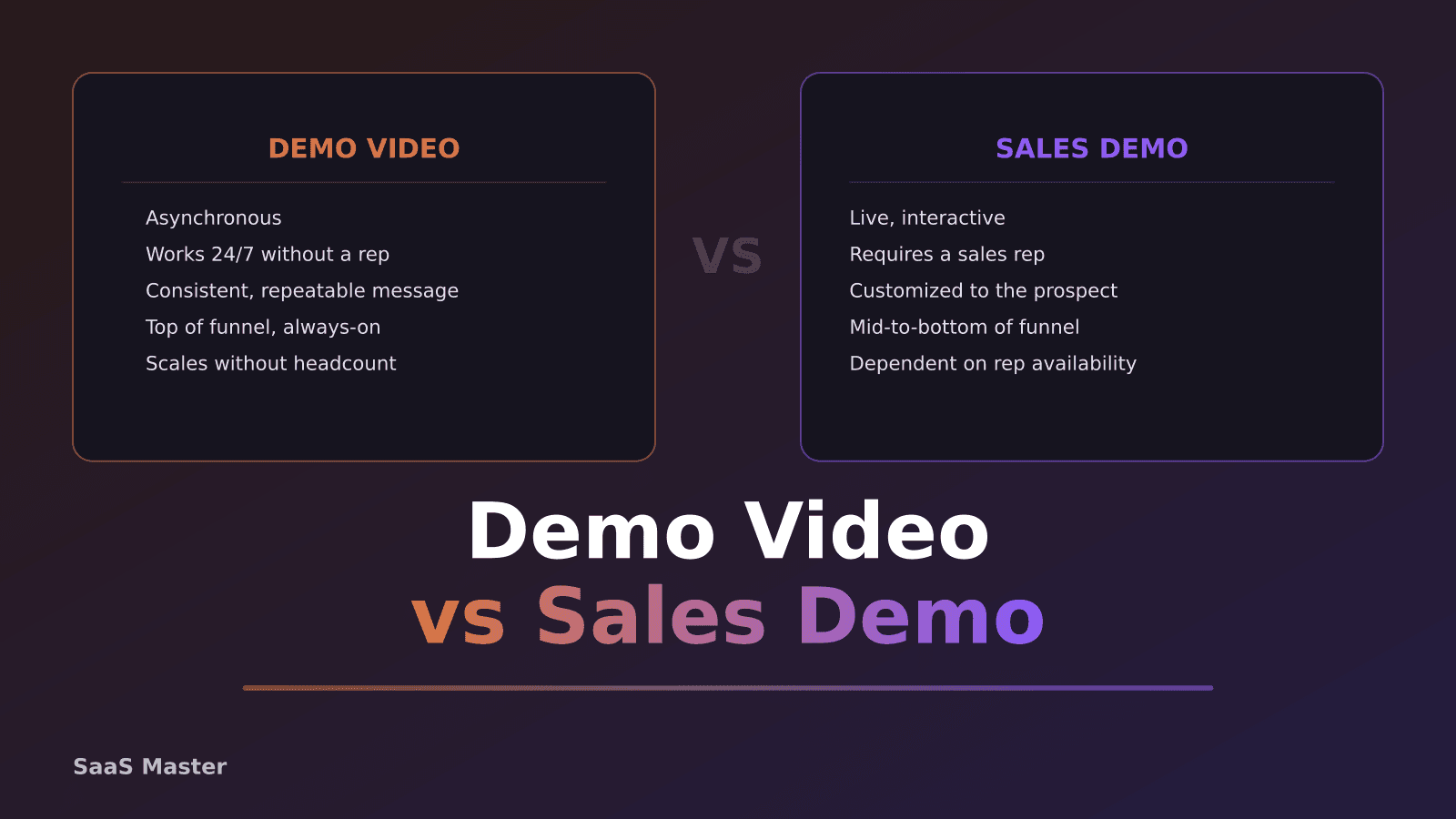
SaaS Demo Video vs Sales Demo: What Is the Difference?
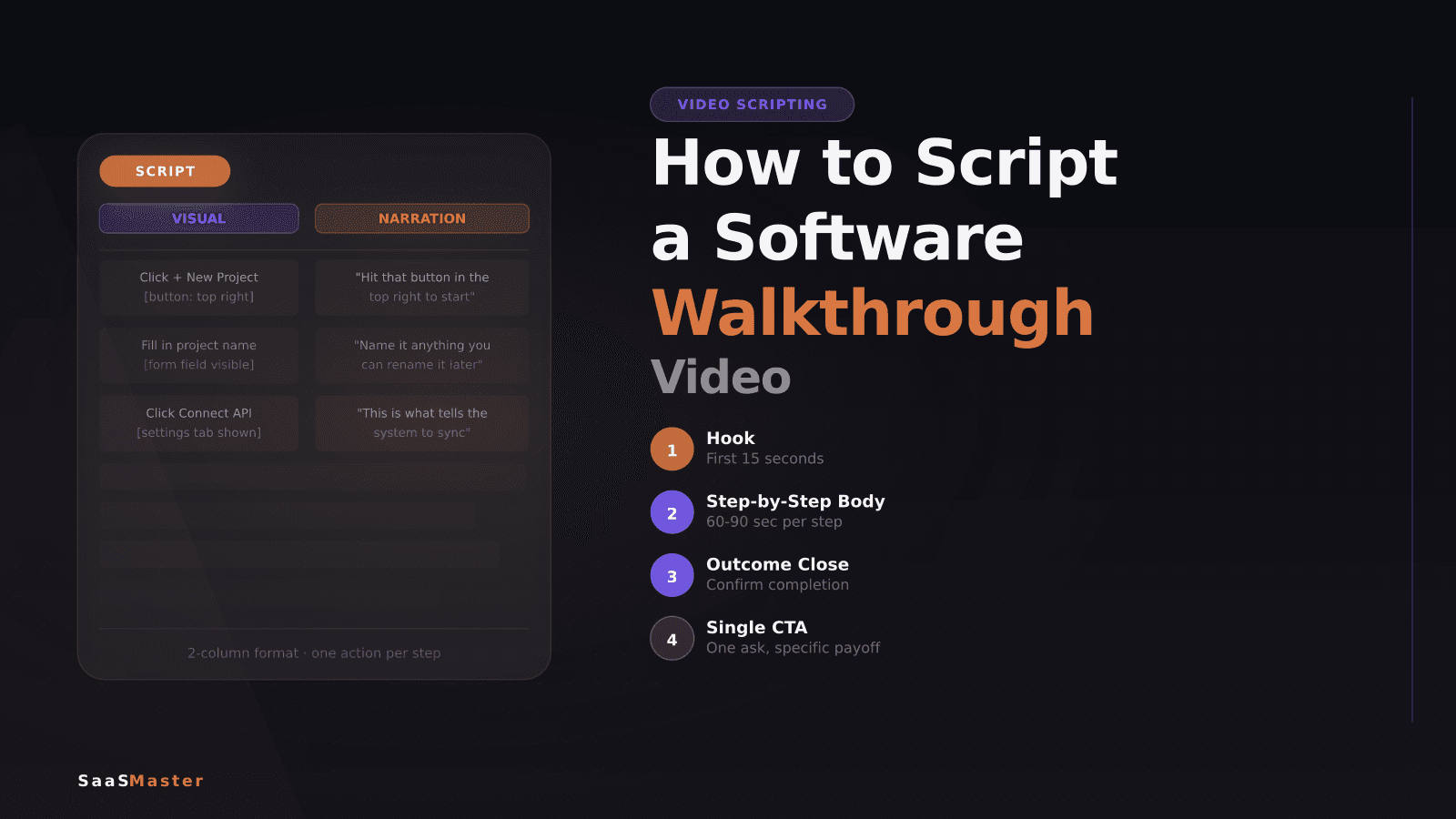
How to Script a Software Walkthrough Video (Step-by-Step)