How to Write a Software Walkthrough Video Script That Actually Gets Watched
In short
A 5-part scripting framework for software walkthrough videos that hold attention, explain clearly, and drive the viewer to act — for any SaaS or software product.
How to Write a Software Walkthrough Video Script That Actually Gets Watched
A software walkthrough script that works is not a feature list with timestamps. It's a story with a clear problem, a logical path through the solution, and a payoff the viewer can see. Most software tutorial videos fail not because the screen recording is bad but because the script was written backwards — starting from the feature instead of starting from the viewer's problem. This guide gives you a five-part framework you can use for any software walkthrough, whether you're demoing your own product or creating a tutorial for someone else's platform.
Key takeaways
- Start from the viewer's problem, never from the product's menu structure.
- One video, one workflow — never cover more than one complete task per walkthrough.
- Narrate intent ("now we set the trigger") not actions ("now I click this").
- Your hook must land in the first 20 seconds or viewers will leave before the value appears.
- End with a single specific next step — not a list of options.
Why most software walkthrough scripts fail in the first 30 seconds
The most common mistake is what I call the "feature-first opening." It goes like this: "Welcome back. Today we're going to look at the automation module. First, navigate to Settings, then to Integrations…" By the time the viewer hears "Settings," they've already decided whether this video is for them — and if you opened with a module name instead of a problem, most of them have already clicked away.
The viewer landed on your walkthrough because they have a specific pain point. They want to know within 20 seconds that this video will solve it. If your opening line doesn't name their problem or promise a clear outcome, you've lost them. Every walkthrough script I've ever rewritten starts with the same question: what does the viewer want to be able to do by the end of this video that they couldn't do at the start? That answer becomes your hook.
This principle sits at the core of how to explain complex software without losing buyers and applies just as directly to tutorial content.
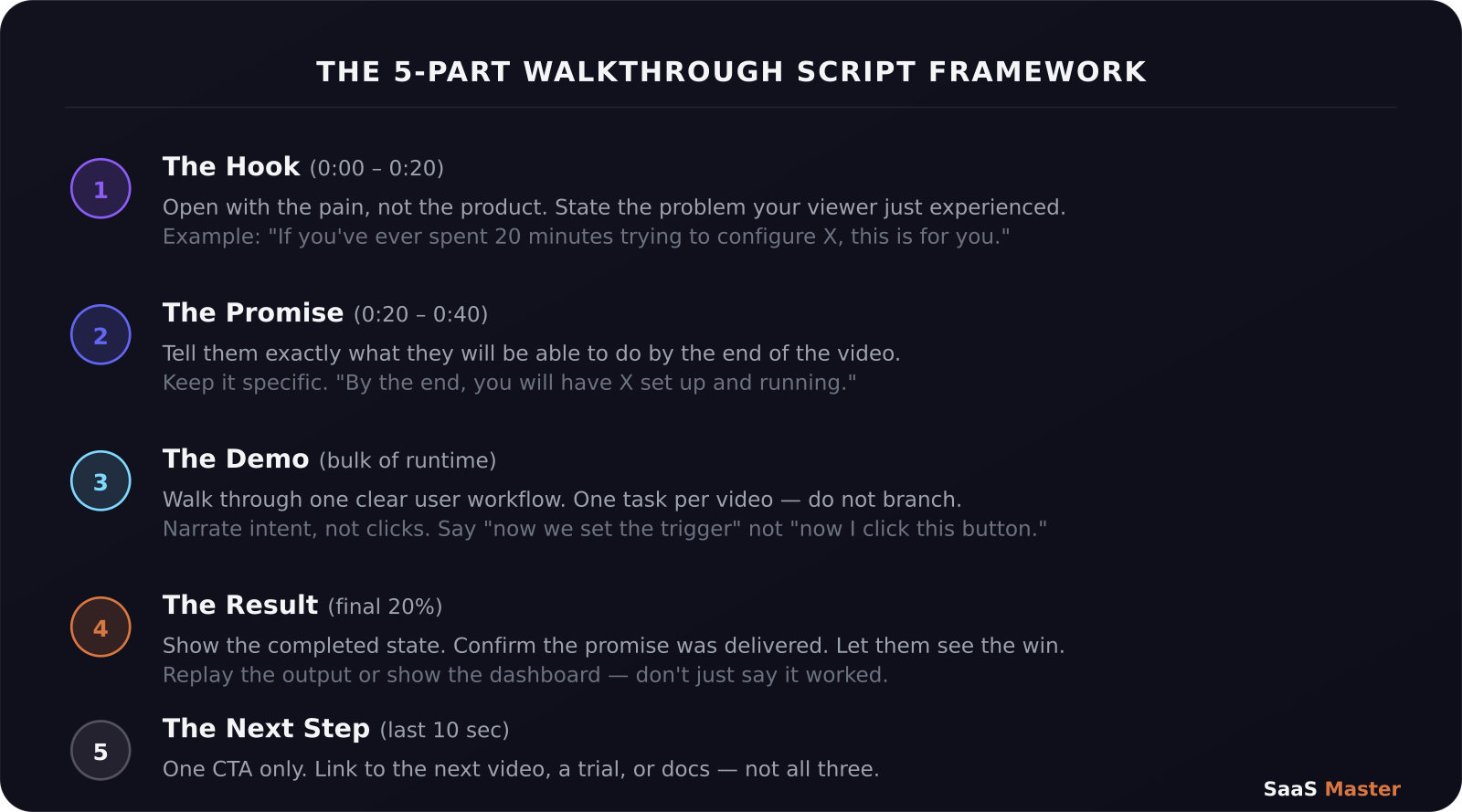
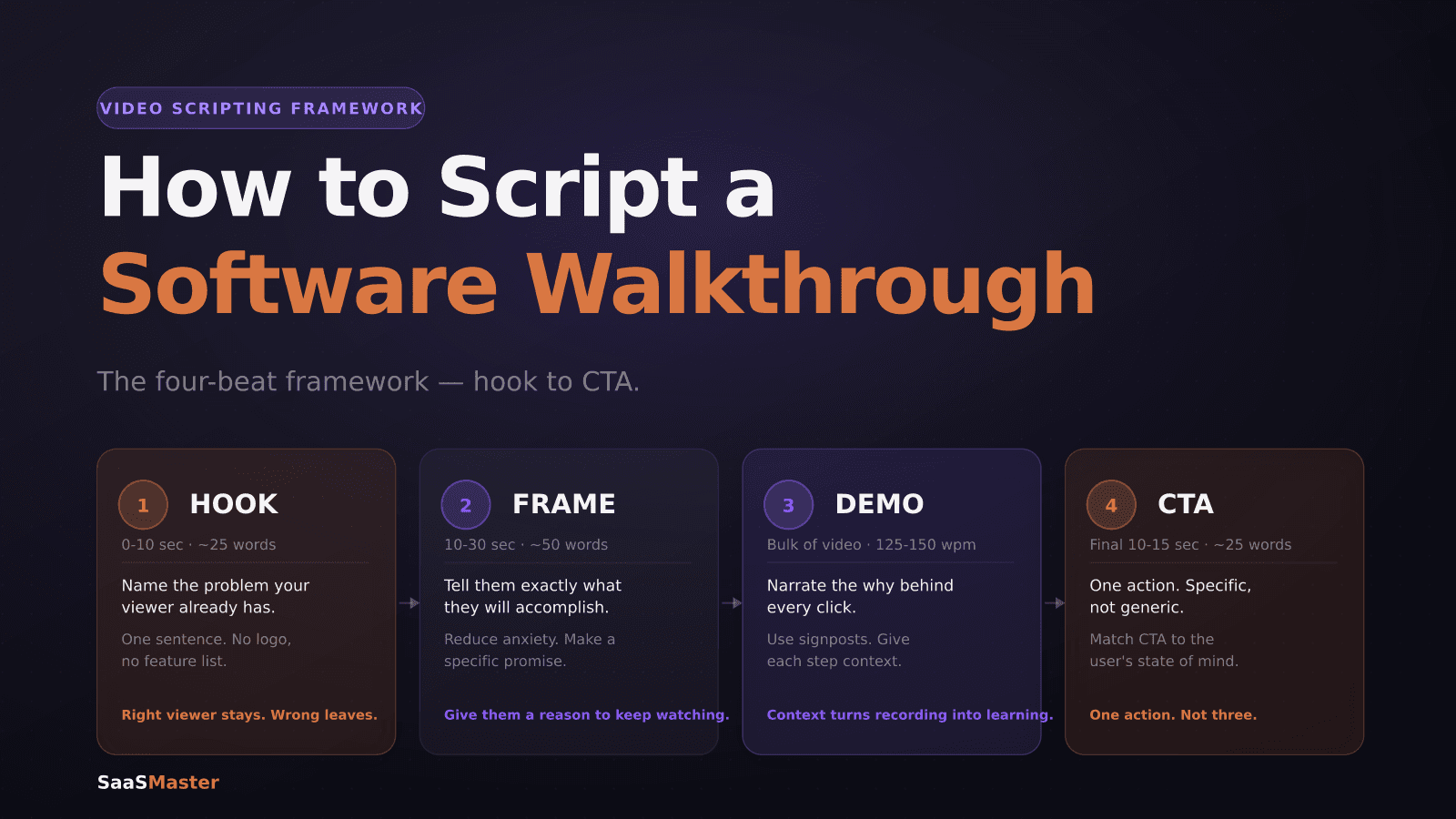
The 5-part framework for a walkthrough script that holds attention
Here is the structure I use for every software walkthrough video I work on:
**Part 1 — The Hook (first 20 seconds).** Open with the problem in plain language. Not "today we'll explore" — state the friction. "If you've spent 20 minutes trying to get your CRM to sync with your email tool, this is for you." That's it. Name the pain, then move.
**Part 2 — The Promise (seconds 20 to 40).** Tell the viewer exactly what they'll have by the end. Be specific: "By the end of this video, you'll have a fully automated lead notification set up and running." This sets expectation and gives them a reason to stay.
**Part 3 — The Demo (the bulk of your runtime).** Walk through the workflow in chronological order, but narrate intent, not mechanics. Say "now we tell the system which list to monitor" instead of "now we click the dropdown." The former explains why; the latter just describes what anyone watching the screen can already see. Stick to a single user workflow. If you find yourself wanting to show a second feature, end the video and start a new one.
**Part 4 — The Result (final 20% of runtime).** Show the completed state clearly. If you built an automation, trigger it and show the output. If you configured a report, show the finished report populated with data. Don't just say it worked — show the win. This confirms the promise from Part 2 and closes the loop for the viewer.
**Part 5 — The Next Step (last 10 seconds).** One call to action only. Link to the next video in the series, invite them to try the feature themselves, or point to related documentation. Do not end with "if you liked this, subscribe, like, share, comment, and check out our other videos" — that's five CTAs, which means none of them will work.
How long should your walkthrough script actually be?
This depends on the workflow you're covering. Simple tasks (setting up a single integration, adjusting a notification setting) should wrap in two to three minutes — that's roughly 300 to 450 words of script at normal speaking pace. Complex multi-step workflows (configuring a full pipeline, setting up a multi-step automation) can run five to eight minutes, but only if each minute is covering a genuinely distinct step the viewer needs to understand.
The test I use: after writing the script, read it aloud and pause your stopwatch anywhere you'd be tempted to skip as a viewer. If you find yourself pausing a lot, those sections need to be cut or moved to a separate video. A concise seven-minute walkthrough beats a padded ten-minute one every time — both for viewer retention and for your search ranking, since YouTube and Google surface videos with strong watch-time percentages, not just long runtimes.
Check out the complete SaaS video marketing strategy guide for how walkthroughs fit into a broader content system.
Narration style: the one rule that changes everything
Write your script the way you'd explain something to a smart colleague sitting next to you — not the way you'd write a user manual. User manuals describe interfaces. Good walkthrough narration explains thinking.
Here's the difference:
Manual style: "Click the New Workflow button in the top right corner of the Automation tab."
Walkthrough style: "Now we create a new workflow — this is where we'll define what triggers the automation and what happens next."
The second version tells the viewer what they're building, not just where to click. When a viewer understands the logic, they can adapt if your UI looks slightly different from theirs due to a plan tier, a regional setting, or a version difference. When they only know the clicks, any variation breaks their experience.
This is especially valuable if you're creating educational content for a SaaS client's users — the goal of a software demo video or tutorial series is to create confident, capable users, not click-followers. Confident users churn less and expand more.
Frequently asked questions
Should I write the full script before recording, or record first and edit?
Always write first for walkthroughs. Recording first leads to rambling narration and repeated sections. A written script lets you identify gaps in the workflow before you're mid-recording, and it makes re-recording specific sections much faster when the product UI changes.
How do I handle software updates that make my walkthrough outdated?
Build your scripts around workflows and outcomes, not specific UI locations. "Find the automation settings" ages better than "click the gear icon in the top-left sidebar." Also, produce each walkthrough as a standalone module so you can replace one video without rebuilding the entire series. Timestamp your scripts so you know when they were written relative to product versions.
Can I use AI to write my walkthrough scripts?
Yes, as a starting point — but not as the final output. AI tools are good at generating a logical step sequence once you give them a product overview and the specific workflow goal. What they miss is the viewer's emotional state, the specific pain points your audience actually feels, and the natural pacing of a spoken walkthrough. Use AI to draft the Demo section (Part 3), then write the Hook, Promise, and CTA yourself. Visit our product video hub for more scripting and production resources.
Was this article helpful?
Jorge Aguilar
Founder & Creator, SaaS Master
Producing SaaS and AI product videos since 2019 — 800+ videos for 200+ brands, covering tutorials, demos, walkthroughs, and explainers. Writing here about the tools, trends, and tactics that actually move the needle. LinkedIn · About · Work with me
Need a product demo, walkthrough, or SaaS explainer?
Client-owned videos that make your product easy to understand — demos, walkthroughs, onboarding, and explainers.
Explore SaaS video productionRelated guides
More Product Demos & Video Marketing →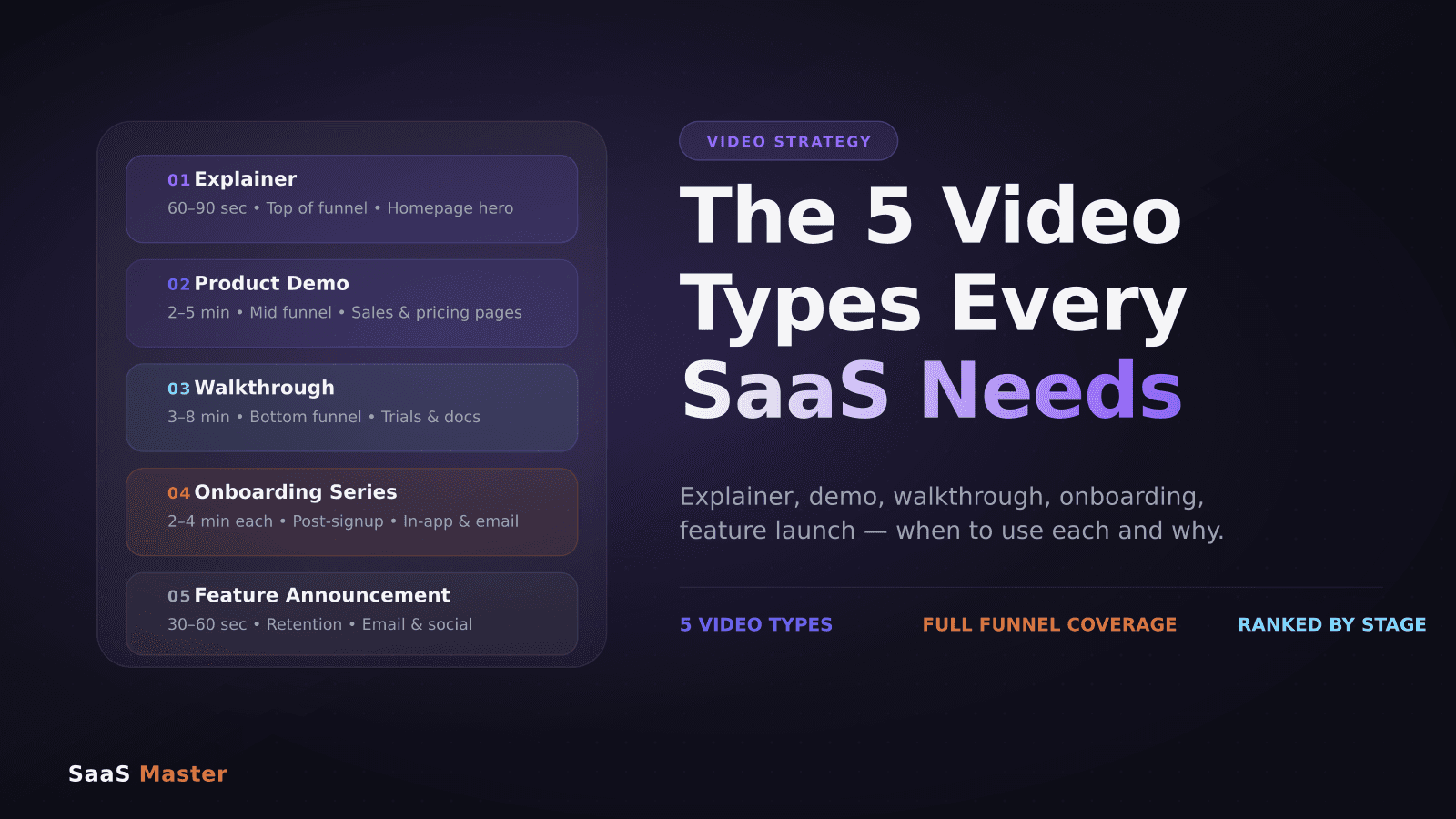
The 5 Video Types Every SaaS Company Needs (And When to Use Each)
How to Script a Software Walkthrough Video (A Step-by-Step Framework)
SaaS Onboarding Videos: What New Users Need to See First