How to Turn One Long Video Into 10 Viral Shorts With OpusClip in 2026
In short
OpusClip's ClipAnything model turns one podcast or demo into a dozen shorts. Here's the real 2026 workflow, pricing, and where it still needs you.
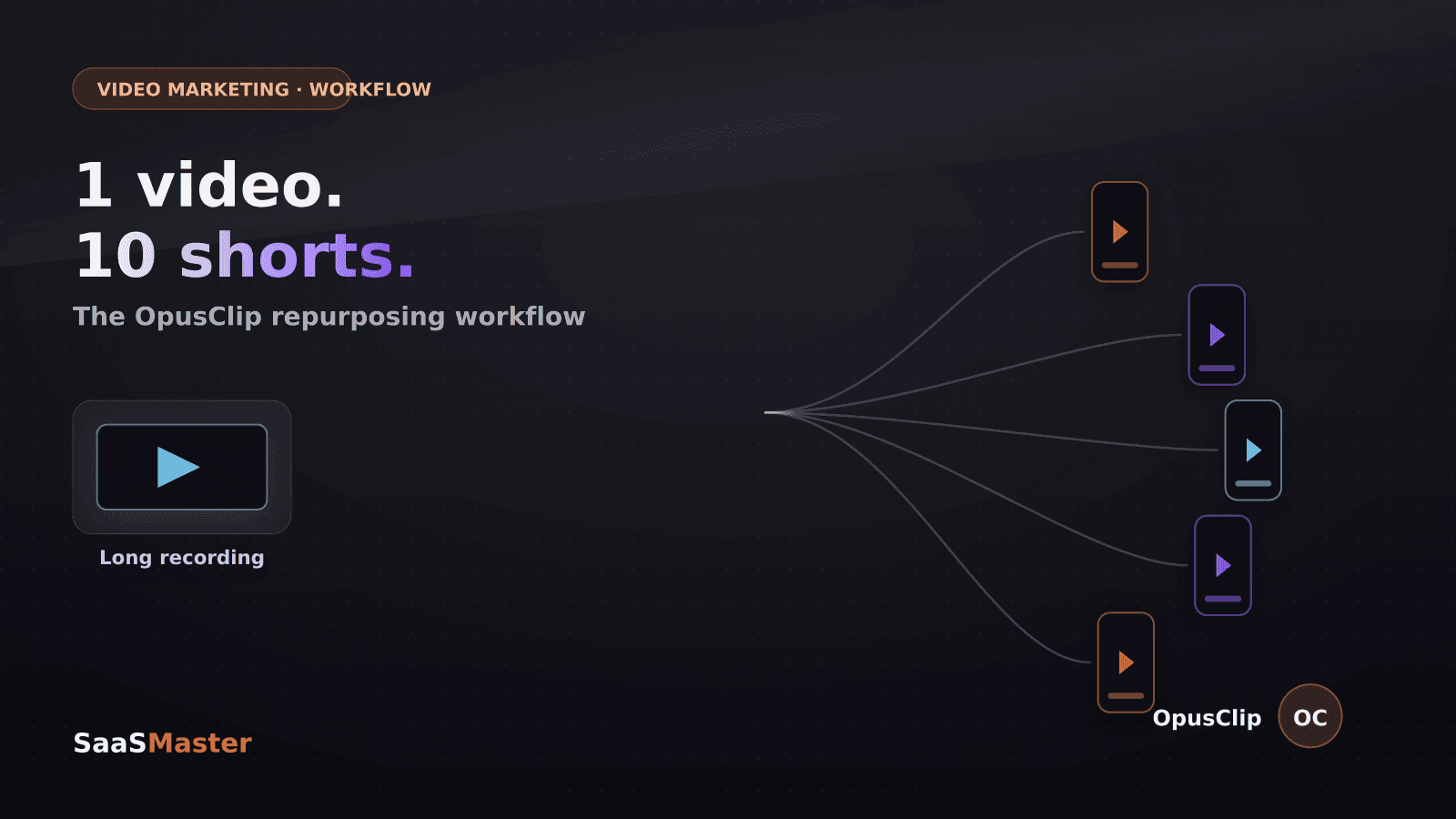
One 45-minute recording, ten platform-ready shorts, and none of it required me to open a timeline editor. That is the actual output of a single OpusClip run on a product walkthrough I filmed last week, and it is worth walking through exactly how the workflow holds up once you get past the demo video on their homepage.
I make video content for SaaS, AI, and WordPress companies for a living, which means repurposing is not optional — it is the difference between one long-form asset and a week of distribution. OpusClip has become one of the tools I actually recommend to clients who cannot justify a full-time editor, so here is what it does well, what it costs in 2026, and where you still need to step in.
Key takeaways
- OpusClip's ClipAnything model finds clip-worthy moments in almost any video genre — podcasts, webinars, product demos, gaming streams — and cuts them automatically.
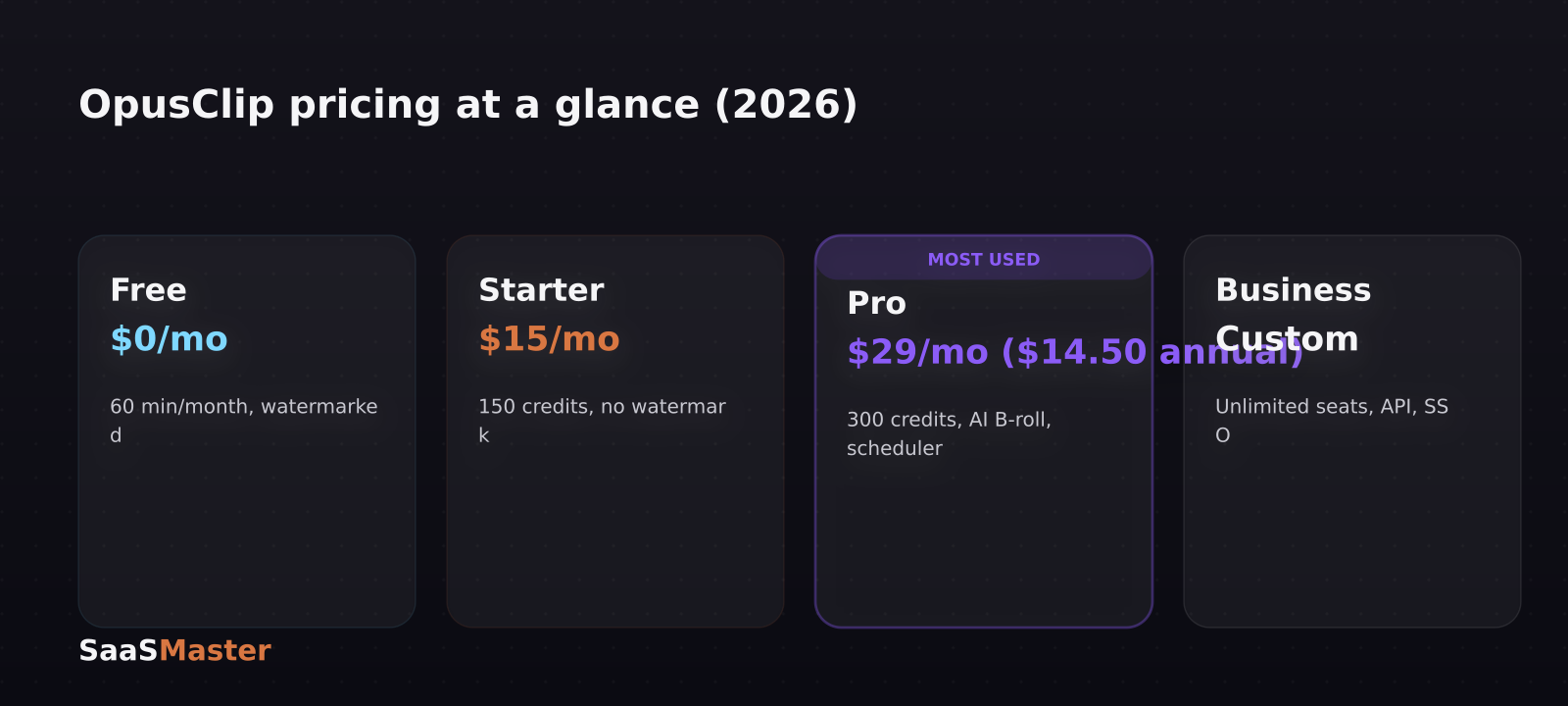
- Pricing runs Free (60 minutes/month, watermarked), Starter at $15/month (150 credits, no watermark), Pro at $29/month or $14.50/month billed annually (300 credits, AI B-roll, social scheduling), and custom Business pricing.
- The AI reframe model keeps a moving speaker centered when converting horizontal video to 9:16, which is the single biggest time-saver in the whole workflow.
- Pro tier and above includes a built-in social scheduler that posts directly to TikTok, Instagram Reels, YouTube Shorts, LinkedIn, Facebook, and X with auto-generated captions and hashtags.
- The free and Starter tiers are genuinely limited — if you plan to use this seriously, budget for Pro at $29/month ($14.50 annually).
What does OpusClip actually do with a raw video file?
You upload a long-form video — a webinar recording, a customer interview, a product demo, a podcast episode — and OpusClip's ClipAnything model scans the whole thing for moments it predicts will perform as standalone clips: a strong hook, a clear payoff, a moment of tension or surprise. It then cuts, reframes to vertical, adds burned-in captions, and scores each clip for predicted virality so you know which ones to prioritize posting.
The reframing step is the part that used to eat the most editor time. OpusClip's AI object tracking keeps a moving subject centered in the 9:16 frame automatically, which matters because native vertical format is what platform algorithms reward — a horizontally-cropped clip with black bars reads as repurposed content and gets suppressed in the feed.
Which OpusClip plan should you actually pay for?
The free plan gives you 60 processing minutes a month with a watermark and standard quality — fine for testing, not for real output. Starter, at $15/month, removes the watermark and gives you 150 credits plus animated captions in more than 20 languages, but you still cannot edit clips or use AI B-roll.
Pro is where the tool becomes genuinely useful for a working content calendar: $29/month (or $14.50/month billed annually) gets you 300 credits, full clip editing, AI B-roll, the social scheduler, two team seats, two brand templates, a Zapier integration, and XML export if you want to finish a clip in Premiere Pro. Business tier adds unlimited seats, API access, SSO, and a dedicated processing queue, and is priced individually for agencies and larger teams.
My honest read: do not bother with Starter. The gap between Starter and Pro is exactly the gap between "clips that need more work" and "clips you can actually schedule and forget." If you are serious about a repurposing workflow, go straight to Pro.
Is the AI virality score actually reliable?
It is directionally useful, not gospel. The scoring model is trained on patterns from clips that performed well historically — strong hooks in the first two seconds, a clear question or claim, a resolution before the clip ends — and it is a genuinely fast way to triage 20 candidate clips down to the 6 or 7 worth posting first.
But it does not know your specific audience, your posting history, or what your last five videos already covered. I still watch every clip OpusClip flags as high-scoring before it goes out, because I have seen it rank a technically well-structured clip highly even when the content itself was a topic my audience had already seen twice that month. Treat the score as a first-pass filter, not a publishing decision.
How does this fit into a real SaaS content workflow?
If you are a SaaS founder or marketer already producing one flagship piece of video content a week — a demo, a tutorial, a feature walkthrough — OpusClip is the tool that turns that single asset into a week of short-form distribution instead of a one-and-done post. Record the long-form version once, run it through OpusClip, get 8-12 candidate clips, review the top-scored ones, and schedule the winners across TikTok, Reels, and Shorts through the built-in scheduler.
This pairs naturally with how we think about video strategy at SaaS Master: a well-structured product demo video is not just a conversion asset on your site, it is raw material for a dozen more touchpoints once you repurpose it correctly. If you are still deciding what kind of video to produce in the first place, our guide on choosing between a demo, tutorial, explainer, and launch video is the right starting point before you get to the repurposing stage. And our full SaaS video marketing strategy guide covers where short-form clips fit across the whole buyer journey, not just as an afterthought.
The caution I would add: repurposing tools make it easy to over-post. Ten clips from one recording does not mean you should post ten times in one day. Spread them across a week or two, watch which angles actually land, and let that shape your next long-form recording rather than just producing volume for its own sake.
One more practical note from actually running this on client footage: OpusClip's clip quality is only as good as your source audio and framing. A recording with clean, isolated mic audio and a subject who stays roughly centered gives ClipAnything far more usable moments to choose from than a noisy screen-share with a tiny webcam bubble in the corner. If you are planning to repurpose aggressively, it is worth spending five extra minutes on mic placement and camera framing before you hit record — that upfront effort is what separates a batch of ten genuinely postable clips from a batch of three good ones and seven throwaways.
If your team is building a repurposing pipeline and wants clips shot specifically to cut well — clear hooks, contained ideas, clean audio — that is a production decision, not just a post-processing one, and it is exactly what we help clients plan through our short-form video production work. For more on where short-form and repurposing tools fit in a broader content system, browse our Product Demos & Video Marketing library.
Frequently asked questions
Do I need editing experience to use OpusClip?
No. The core workflow — upload, auto-clip, auto-reframe, auto-caption — requires no editing skill. Pro tier adds a manual clip editor if you want to trim or adjust AI B-roll, but it is optional, not required to get usable output.
What is the real monthly cost to run this seriously?
Budget $29/month for Pro if billed monthly, or $14.50/month if you commit annually. That tier is the practical minimum for a working repurposing workflow since Starter locks out clip editing, AI B-roll, and the social scheduler.
Does OpusClip replace a video editor entirely?
For short-form repurposing of existing long-form content, largely yes. For your primary flagship video — the demo or explainer that represents your product — you still want intentional editing, scripting, and pacing decisions a repurposing tool is not built to make.
Was this article helpful?
Jorge Aguilar
Founder & Creator, SaaS Master
Producing SaaS and AI product videos since 2019 — 800+ videos for 200+ brands, covering tutorials, demos, walkthroughs, and explainers. Writing here about the tools, trends, and tactics that actually move the needle. LinkedIn · About · Work with me
Need a product demo, walkthrough, or SaaS explainer?
Client-owned videos that make your product easy to understand — demos, walkthroughs, onboarding, and explainers.
Explore SaaS video productionRelated guides
More Product Demos & Video Marketing →
SaaS Product Video Brief Template for Marketing Teams
What Does SaaS Video Production Cost?

Where SaaS Companies Should Use Product Videos: Website, Sales, Onboarding, and Ads