The Best AI Tools for SaaS Teams: A Practical Selection Guide
In short
A practical, evergreen guide to choosing AI tools for SaaS teams — the categories that matter, how to evaluate them, and how to avoid an expensive pile of overlapping subscriptions.
The best AI tool for a SaaS team is the one that removes a real bottleneck — not the one with the most features or the loudest launch. Because the AI landscape changes weekly, the durable skill isn't memorizing this month's leaderboard; it's knowing which categories of AI tools actually move the needle for a software team and how to evaluate them so you don't end up paying for ten overlapping subscriptions. This guide is a practical, evergreen framework for exactly that.
Specific model rankings and prices shift constantly, so treat any 'top 10 in 2026' list — including news posts on this blog — as a snapshot. The framework below is what stays true.
Key takeaways
- Choose AI tools by the bottleneck they remove, not by hype or feature count.
- Think in categories: coding, support, content, research, workflow/automation, and data.
- Prefer tools that fit your existing stack over standalone tools you'll have to babysit.
- Evaluate on real tasks, output quality, control, and total cost — not demos.
- Consolidate overlapping tools; a smaller, well-used stack beats a big unused one.
Choose by bottleneck, not by hype
Before evaluating any tool, name the specific bottleneck you want gone: support response time, content throughput, engineering velocity, research hours, manual data entry. The right tool is the one that measurably shrinks that bottleneck for your team. A tool that's 'impressive' but doesn't touch a real constraint is a subscription, not a solution.
This framing also protects you from the endless upgrade treadmill. When a new model launches, the question isn't 'is it better?' — it's 'does it remove a bottleneck my current tool doesn't?'
The categories of AI tools SaaS teams actually use
Most useful AI tooling for a software company falls into a handful of categories. You rarely need all of them at once — start where the pain is:
- Coding & development: AI coding assistants and agents that speed up building and reviewing software.
- Customer support: AI that drafts replies, triages tickets, and answers documented questions so humans handle the hard ones.
- Content & marketing: tools for drafting, editing, repurposing, and researching content at higher throughput.
- Research & analysis: assistants that summarize, compare, and pull answers from large amounts of information.
- Workflow & automation: tools (and AI inside automation platforms) that connect apps and run multi-step processes.
- Data & reporting: AI that turns raw data into readable answers without building a report by hand.
How to evaluate an AI tool (beyond the demo)
Demos are designed to impress; your evaluation should be designed to expose reality. Run the tool on your own real tasks — your codebase, your tickets, your data — and judge it on a few concrete axes:
- Output quality on your actual work, not a canned example.
- Control and trust: can you review, correct, and constrain what it does?
- Fit with your stack: does it plug into what you already use, or create a new silo?
- Total cost: seat pricing, usage costs, and the human time to supervise it.
- Switching cost: how locked in are you if something better arrives next quarter?
Avoid the overlapping-subscription trap
The most common AI-tooling mistake in SaaS teams isn't picking the wrong tool — it's picking too many. Three tools that each do 60% of the same job cost more, fragment your workflow, and rarely get mastered. Periodically audit your stack: which tools are actually used weekly, which overlap, and which could be consolidated into one you already pay for?
A smaller stack that your team knows deeply almost always beats a sprawling one nobody has fully learned.
Where AI tools meet product education
If you build an AI product yourself, the same principle applies to your buyers: they're overwhelmed by choice and need to understand your tool fast. That's where clear product video does the heavy lifting — a focused demo or walkthrough that shows the bottleneck your tool removes, in plain language. The clearer the explanation, the shorter the path from 'another AI tool?' to 'this one earns its place.'
Frequently asked questions
How do I choose an AI tool when new models launch constantly?
Anchor on the bottleneck, not the benchmark. Pick the tool that measurably removes a real constraint for your team and fits your stack. When a new model launches, only switch if it removes a bottleneck your current tool doesn't — otherwise you're chasing novelty, not value.
How many AI tools does a SaaS team need?
Fewer than most teams accumulate. Start with one tool for your biggest bottleneck, master it, and add another only when a distinct, unmet need appears. Audit regularly and consolidate overlapping subscriptions — a small, well-used stack beats a large, underused one.
Are 'best AI tools in 2026' lists reliable?
Treat them as snapshots. Specific rankings, pricing, and benchmarks change quickly, so a list is useful for discovery but not as a permanent decision. Use the selection framework — bottleneck, category, fit, cost, control — to judge any tool for your specific situation.
Was this article helpful?
Jorge Aguilar
Founder & Creator, SaaS Master
Producing SaaS and AI product videos since 2019 — 800+ videos for 200+ brands, covering tutorials, demos, walkthroughs, and explainers. Writing here about the tools, trends, and tactics that actually move the needle. LinkedIn · About · Work with me
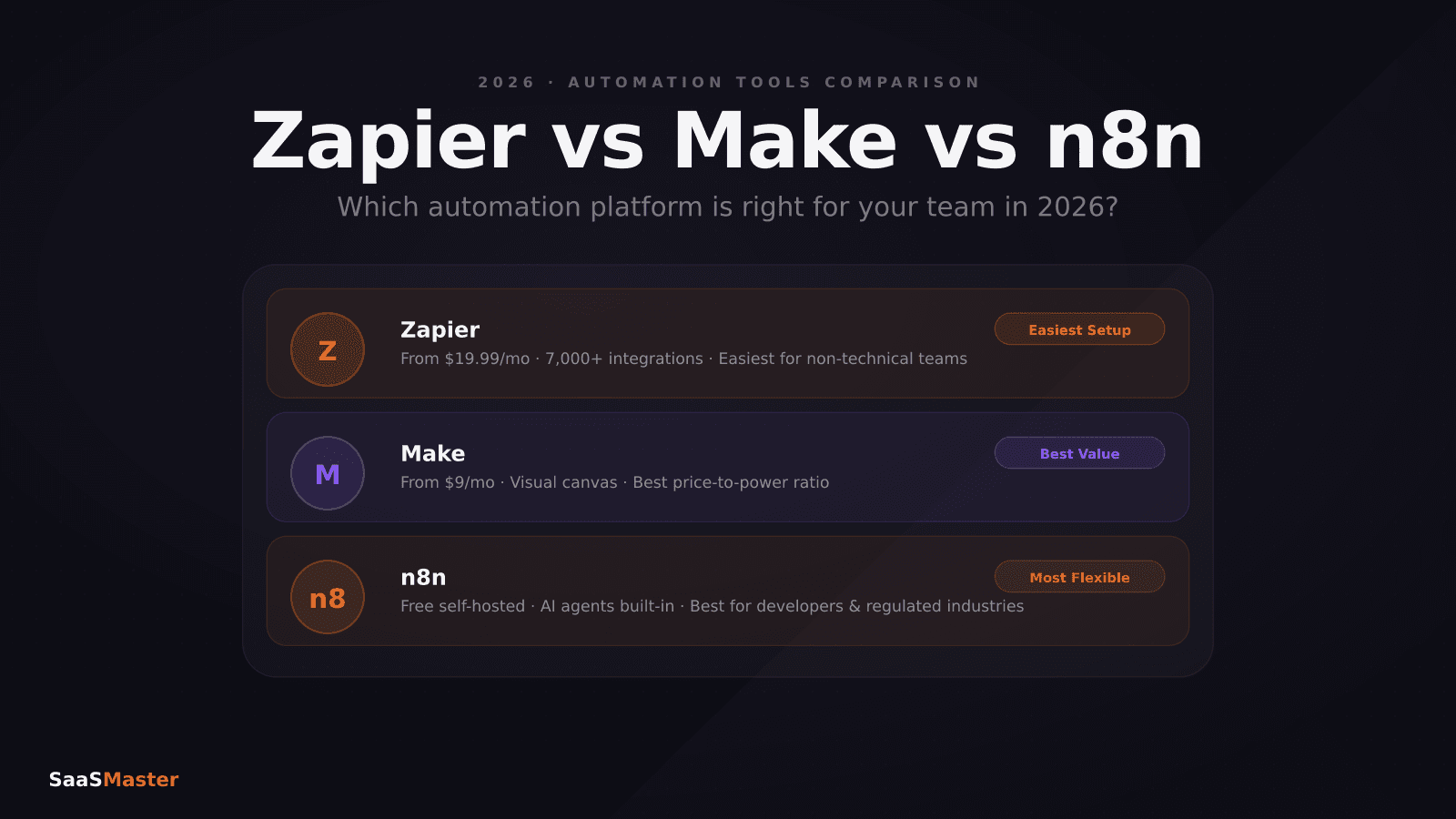
Need to show users how an automation workflow works in practice?
Client-owned videos that make your product easy to understand — demos, walkthroughs, onboarding, and explainers.
Explore product walkthrough video productionRelated guides
More Automation & No-Code →
How to Automate LinkedIn Outreach with Lemlist and Claude Without Sounding Like a Bot
Skywork 3.0 Review: Can One Agent Platform Replace Your Whole Workflow Stack?
How to Collect Donations and Sell Products Online Without a Website