I Turned a Boring PDF Into an Interactive Flipbook Using Flipsnack — Here's What I Found
In short
I tested Flipsnack to turn a static PDF into an interactive flipbook for content marketing. Honest review of pricing, features, and whether it's worth it in 2026.
The short answer: Flipsnack works exactly as advertised — it turns a PDF into a slick, page-flipping digital publication in minutes. Whether it's worth paying for depends entirely on how often you publish and how much you care about branding.
[[video:6pHq8BtOU08]]
What Is Flipsnack and Who Actually Needs It?
Flipsnack is a web-based tool that converts PDFs into interactive flipbooks — digital publications with realistic page-turning animations, embedded video, links, and lead capture forms. It's popular with marketing teams, agencies, and SaaS companies that publish case studies, catalogs, ebooks, or reports and want something that looks better than a plain PDF download.
If you've been sending clients a raw PDF and wondering why engagement is low, an interactive flipbook with read-time analytics and a branded domain could genuinely move the needle. That's the pitch.
Key Takeaways
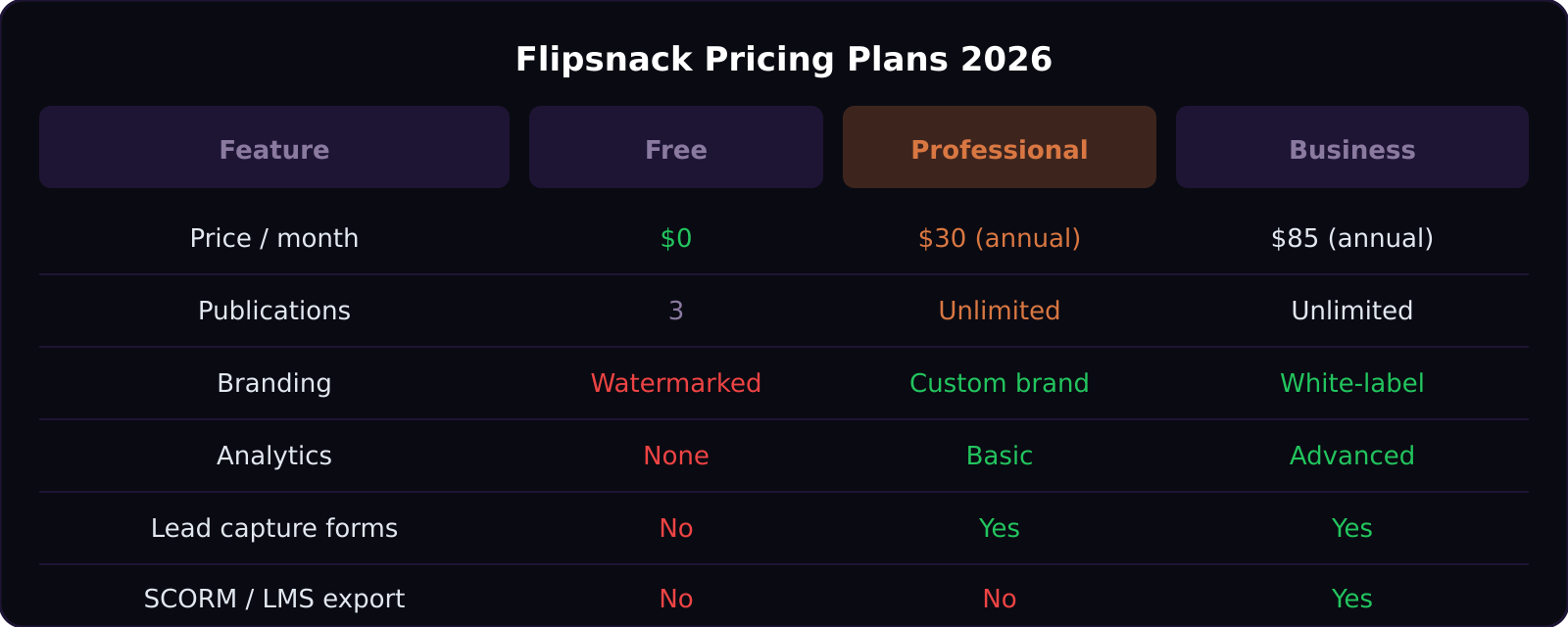
- Free plan lets you publish 3 flipbooks, but they carry Flipsnack branding (watermark)
- Professional plan ($30/month billed annually) removes branding and adds analytics and lead capture
- Business plan ($85/month billed annually) adds white-label, SCORM export, and team features
- Upload is dead simple — drag your PDF, configure, publish in under 10 minutes
- The viewer is mobile-responsive and loads fast even on older connections
How the Upload Process Actually Works
After creating a free account, the workflow is: drag your PDF, Flipsnack processes pages, customize the cover and viewer style, then publish or embed. The customization options are solid for paid plans — custom domain, cover image, background, auto-flip settings, and page-shadow intensity.
The built-in editor also lets you add hotspots, video embeds, and form fields directly on top of pages. This is where the real value is for B2B marketers: a lead capture form on page 3 of your ebook, triggered automatically, is something you simply can't do with a static PDF.
For SaaS video production teams, Flipsnack is a natural fit for turning video scripts, onboarding docs, or case studies into polished client-facing assets. Check out our complete SaaS video marketing strategy guide for more context on where this fits in a full content system.
Pricing Breakdown: Free vs Professional vs Business
The Free plan is genuinely useful for testing — three publications is enough to figure out whether your audience engages. But the Flipsnack watermark makes it look unprofessional for client-facing work.
The Professional plan at $30/month (annual) is the sweet spot for most small teams. You get unlimited publications, custom branding, basic analytics (views, reads, time on page), and lead capture forms. For a content marketer producing 5-10 assets per quarter, this pays for itself.
The Business plan at $85/month adds white-labeling (your domain, no Flipsnack branding anywhere), SCORM export for LMS platforms, and team collaboration. If you're an agency producing assets for multiple clients, this tier makes sense.
One caveat: pricing is annual-only for the best rates. Month-to-month is available but significantly higher.
The Analytics Are Surprisingly Good
Most document tools bolt on basic view counts. Flipsnack's analytics go deeper: you can see page-by-page engagement (which pages people spend time on, which they skip), geographic data, device breakdown, and whether readers reached specific pages.
For a SaaS company using a flipbook as a sales leave-behind, knowing that prospects consistently drop off on page 5 is actionable intelligence. This feature alone justifies the Professional tier for teams doing content with a sales purpose.
What Flipsnack Doesn't Do Well
The free plan's watermark positioning is aggressive — it's front and center, not subtle. There's no option to reduce it.
The editing interface, while functional, can be slow when working with large PDFs (50+ pages). Page processing is cloud-side, so large files take a few minutes to render. Not a dealbreaker, but worth knowing.
There's also no native AI content generation. Flipsnack is a publishing and presentation layer — it doesn't help you write the underlying content. If you're exploring AI tools for automating your content pipeline, see how n8n vs Zapier vs Make can connect the pieces.
How Does It Compare to Other Digital Publishing Tools?
Issuu is the most direct competitor. Flipsnack generally wins on UI clarity and lead capture features; Issuu has a larger distribution network if you want organic discovery. For enterprise teams, Adobe Acrobat's embed features handle basic interactive PDFs but without the analytics depth.
Canva has added flipbook features but they're shallow compared to Flipsnack's full platform. If your primary use case is a quick marketing asset, Canva may suffice. If you need tracking, lead capture, and SCORM — Flipsnack is the right tool.
For SaaS explainer video production teams looking to extend the life of video content, pairing a Flipsnack ebook with an embedded video is a high-ROI content strategy.
Is Flipsnack Worth It in 2026?
For B2B SaaS and content marketing teams: yes, at the Professional tier. The ROI calculation is simple — if one lead captured via a flipbook form converts, it pays for itself multiple times over.
For freelancers and solo creators: the Free plan is worth exploring, but the watermark makes it unsuitable for client-facing work. Evaluate whether 3 branded publications justifies the upgrade cost based on your publishing frequency.
Frequently Asked Questions
Can I embed a Flipsnack flipbook on my website?
Yes. Every publication generates an embed code for iframe insertion. Paid plans give you a responsive embed that fills the container width. Free plan embeds also work but include the watermark.
Does Flipsnack work on mobile?
The viewer is fully mobile-responsive. Readers on phones get a single-page scroll view rather than the two-page spread, which is the right call for readability.
Can I password-protect a flipbook?
Yes, password protection is available on Professional and Business plans. You can also set an expiration date — useful for time-limited proposals or event materials.
What file types can I upload?
PDF is the primary input. You can also upload images (JPG, PNG) that Flipsnack assembles into a document. For best results, export a print-quality PDF from your design tool before uploading.
Is there a limit on flipbook file size?
Free accounts are limited to 200 MB per upload. Paid plans increase this significantly. For most marketing documents, 200 MB is more than sufficient unless you're embedding high-resolution images throughout.
Curious about other tools for building out a SaaS content strategy? Read how we approach AI tool video production at SaaS Master.
Was this article helpful?
Jorge Aguilar
Founder & Creator, SaaS Master
Producing SaaS and AI product videos since 2019 — 800+ videos for 200+ brands, covering tutorials, demos, walkthroughs, and explainers. Writing here about the tools, trends, and tactics that actually move the needle. LinkedIn · About · Work with me
Building an AI product that needs a clearer onboarding flow?
Client-owned videos that make your product easy to understand — demos, walkthroughs, onboarding, and explainers.
Explore AI product video productionRelated guides
More AI Tools & AI Workflows →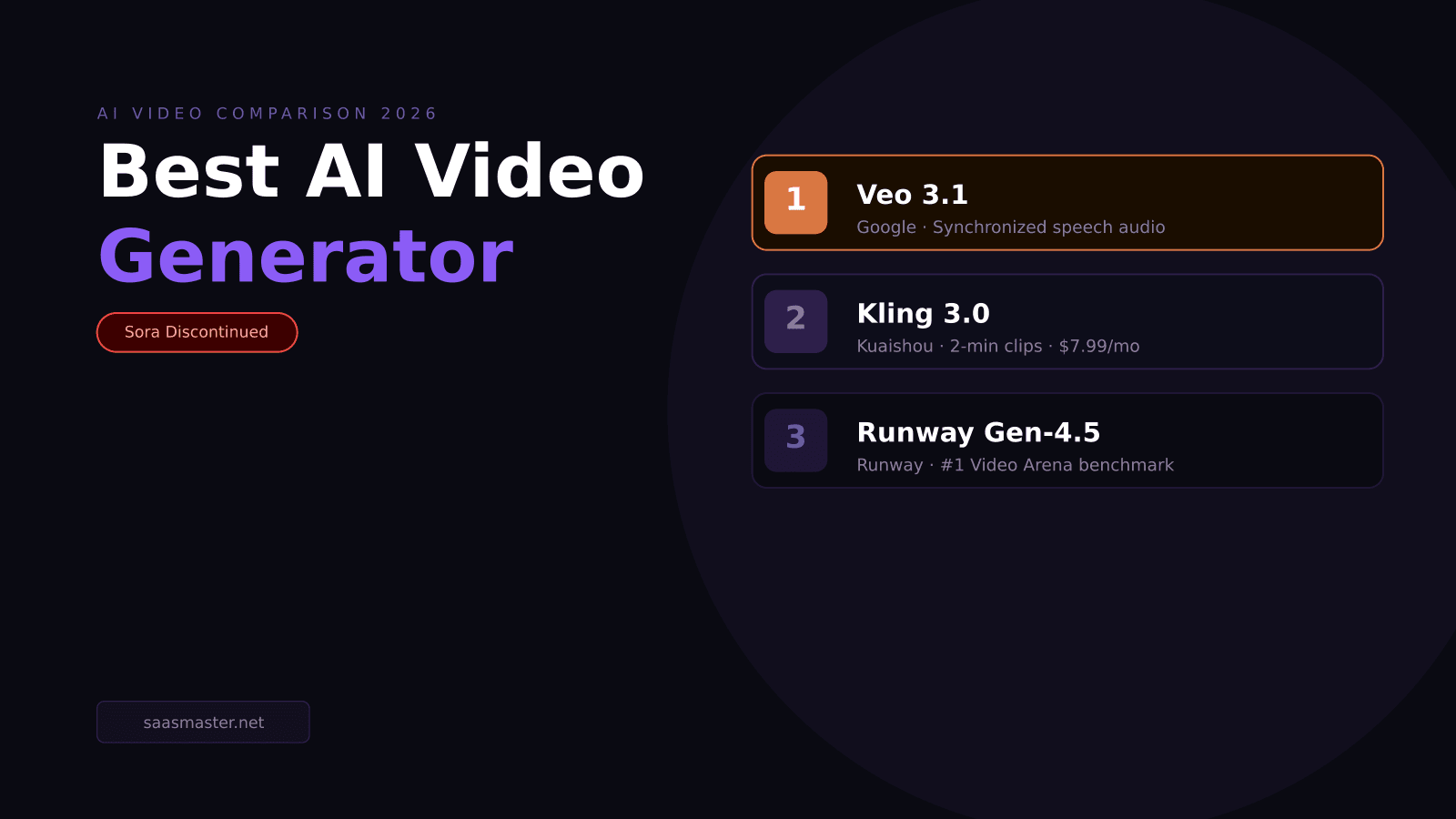
Veo 3.1 vs Kling 3.0 vs Runway Gen-4.5: Best AI Video Generator in 2026 (Sora Is Gone)
Claude Opus 4.8 vs GPT-5.5: Every Benchmark, Real Pricing, and Which to Use in 2026

How to Use MiniMax M3 with Claude Code for Free — AI Web Development That Actually Works