n8n AI Agents in 2026: The Complete Guide to Building AI Workflows
In short
n8n's AI Agent node lets you build autonomous workflows with Claude, GPT, and Gemini in 2026. Here's how it works, what it costs, and how to get started free.
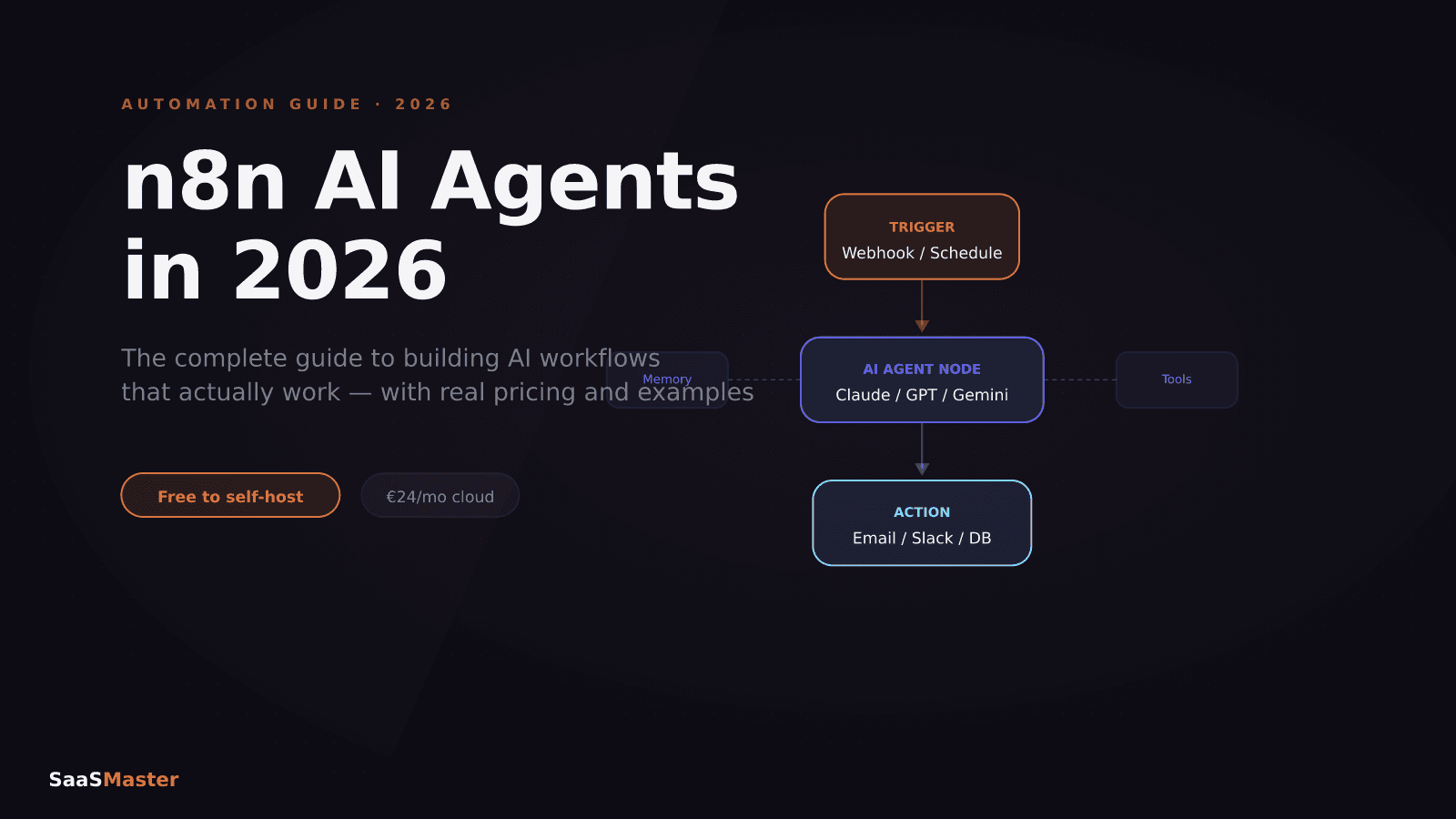
n8n's AI Agent node changed what automation actually means for SaaS teams. Instead of building linear trigger-action workflows, you can now create agents that call external tools, maintain memory across sessions, and complete multi-step tasks without you being in the loop. Here is what the AI agent capabilities look like in practice in 2026, what it costs to run them, and the fastest way to get your first agent workflow running.
Key takeaways
- n8n's AI Agent node runs LangChain tool agents natively — no external orchestration layer needed
- The agent supports OpenAI, Anthropic Claude, Google Gemini, and local models through Ollama
- 70+ LangChain-based nodes cover agents, memory, vector stores, and LLM calls in a single canvas
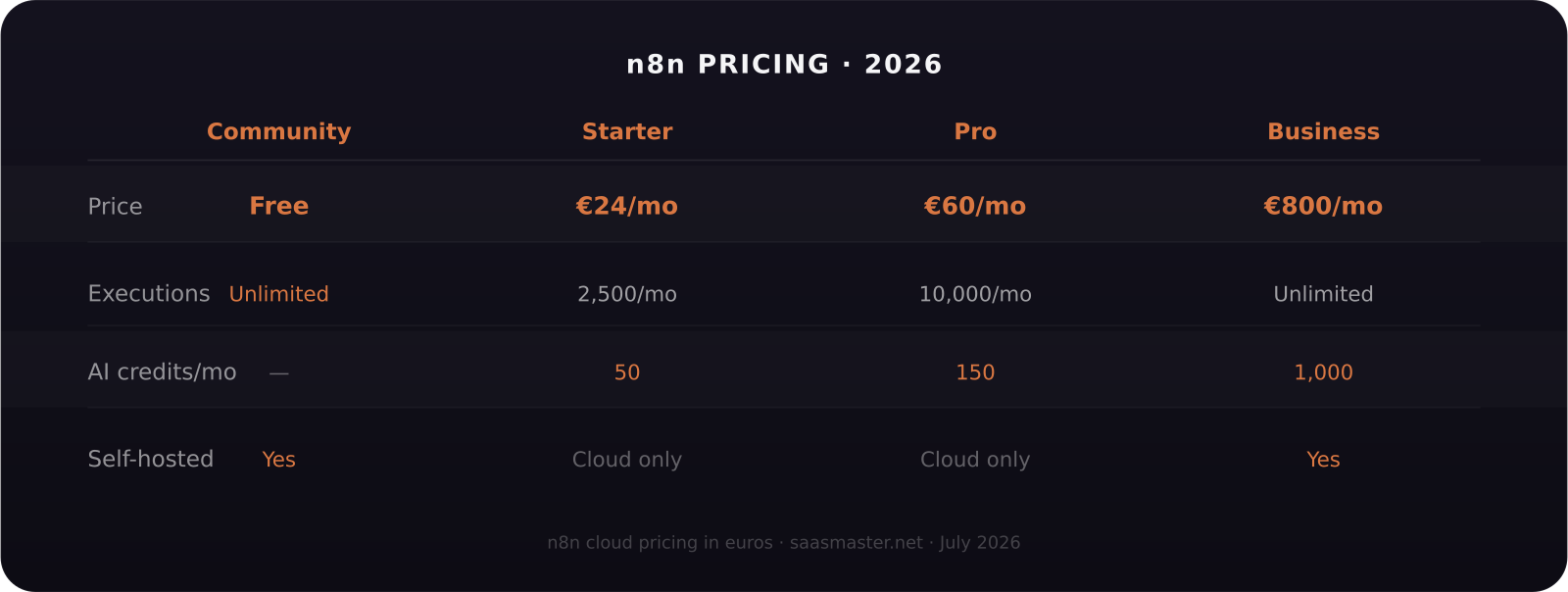
- Community Edition (self-hosted) is free with unlimited executions — cloud plans start at €24/month
- A self-hosted n8n instance on a basic $5–10/month VPS handles most small-to-medium agent workloads at near-zero infrastructure cost
What makes n8n different for AI agents in 2026?
Most automation tools add AI through an OpenAI step that calls a model and returns text. n8n's approach goes further. The AI Agent node uses LangChain's tool-calling agent architecture, which means the model can inspect a set of available tools, decide which one to call based on the task, execute it, review the result, and continue reasoning until it reaches a stopping condition.
In practical terms, you give the agent a goal and a set of tools (any other n8n node), and it figures out the sequence. A customer support agent, for example, might call a database lookup node to find the customer record, call an email node to read their history, then call a Slack node to notify the right team — all without a single line of code specifying the order.
This is meaningfully different from Zapier's AI steps or Make's OpenAI modules, which still require you to design the flow explicitly. n8n's agent decides the flow.
How n8n's AI Agent node works
The AI Agent node in n8n is built on LangChain's ReAct (Reasoning + Acting) agent architecture. Here is what you configure:
The language model is the brain. You connect it to OpenAI (GPT-4o, GPT-5.6), Anthropic (Claude Fable 5, Sonnet 5, Haiku), Google Gemini, or a local model via Ollama. The model you pick determines quality, speed, and cost per agent run.
The tools are the actions the agent can take. Each tool is another n8n node — an HTTP request, a database query, a Slack message, a Google Sheets read, a code execution, anything the n8n canvas supports. You define what each tool does and the agent decides when to use it.
Memory keeps context between agent turns. n8n's memory nodes support window buffer memory (last N messages), summary memory (compressed history), and vector store memory (semantic retrieval from past conversations). For most agent use cases, window buffer memory is sufficient.
The system prompt defines the agent's persona and constraints — what it knows, what it should not do, and how it should respond.
What can you actually build with n8n AI agents?
The clearest use cases in 2026 fall into four categories.
Customer support agents that route, classify, and respond to incoming tickets without human review for common issues. You connect the agent to your support inbox, a knowledge base (vector store), and a ticketing system. The agent reads the ticket, searches the knowledge base, drafts a response, and either sends it directly or queues it for review based on confidence.
Research and enrichment agents that take a list of company names or URLs and return structured data — tech stack, company size, recent funding, decision-maker contacts — by calling web scraping, LinkedIn, Clearbit, and database nodes in whatever sequence makes sense.
Internal process agents that handle repetitive back-office work: processing invoice data from PDFs, routing approval requests based on criteria, or updating records across multiple tools from a single trigger.
Content workflow agents that take a brief, conduct research via web search nodes, draft content, apply style rules, and output to a CMS or document — a workflow that would otherwise require Zapier, an AI writing tool, and manual stitching.
n8n pricing: what does it actually cost to run agent workflows?
For self-hosted Community Edition, your cost is the server: a $5–10/month VPS on DigitalOcean, Hetzner, or Vultr handles most small-to-medium agent workloads with room to spare. You pay nothing to n8n regardless of how many workflows run or how many steps they contain.
The cloud plans charge per execution — one execution per workflow run, regardless of steps. The Starter plan at €24/month (2,500 executions) works for low-volume agent workflows. Pro at €60/month (10,000 executions) covers most growing teams. Business at €800/month gives unlimited executions plus dedicated support.
The AI model API costs are separate and depend on which model you connect. Using Claude Sonnet 5 at $2/$10 per million tokens for a typical agent workflow that processes 500 tokens in and 200 out per run, 1,000 agent runs costs roughly $1.50 in model API fees. Fable 5 at $10/$50 would cost about $15 for the same 1,000 runs. Picking the right model tier for the complexity of the task is the main cost lever for AI agent workflows.
Getting started: the fastest path to your first n8n agent
The simplest way to start is n8n Cloud on the Starter plan. You get a hosted instance with the latest version, no server setup, and access to all AI nodes. Go to n8n.io, start a free trial, and open the canvas.
Add an AI Agent node. Connect a Chat Trigger (for interactive testing) or a Schedule Trigger (for automated runs). Pick a language model — OpenAI GPT-4o or Claude Haiku are good starting points for cost efficiency. Add one or two tool nodes — start with an HTTP Request node to call an API and a Set node to format the output.
Write a clear system prompt: what the agent is, what it has access to, and what it should return. Run it. The agent will call tools, reason through the task, and return a result in the execution log.
For regulated industries or teams with data residency requirements, self-hosting with Docker Compose is the right path. The n8n documentation has a Docker Compose quickstart that takes about 20 minutes to complete.
For teams building automation into SaaS products, explore the automation and no-code hub for more guides on n8n, Make, and Zapier — including a full Zapier vs Make vs n8n comparison for 2026.
If you are creating tutorial videos to teach your users how to use automation tools, our software walkthrough video service can help you show complex multi-step workflows in a way that actually makes them click.
Frequently asked questions
Can n8n run AI agents without a paid plan?
Yes. The Community Edition self-hosted option is completely free and includes all AI Agent nodes, LangChain integrations, and every n8n integration in the catalog. You run it on your own server. The only cost is your server (typically $5–25/month) and the LLM API fees from whichever model you connect (OpenAI, Anthropic, etc.). The cloud plans add hosting convenience and team management features but are not required to use the AI capabilities.
Which AI model should I use with n8n agents?
It depends on the task complexity. For high-accuracy agentic tasks where the agent needs to make correct tool-calling decisions reliably, Claude Sonnet 5 or Fable 5 are the strongest performers. For cost-sensitive high-volume tasks where the decisions are simpler, Claude Haiku or GPT-5.6 Luna bring the API cost down significantly. Start with Sonnet 5 for development and testing, then optimize the model selection based on the accuracy you actually observe.
How does n8n's AI Agent compare to Zapier's AI steps?
Zapier's AI steps call a model and return a result — the model receives input and produces output, but does not decide which other tools to call. n8n's AI Agent node gives the model a set of tools and lets it decide how to use them, in what order, and when to stop. This makes n8n's approach suitable for tasks where the sequence is not known in advance, while Zapier's AI steps work better for fixed linear workflows where you always want the same model processing step in the same place.
Was this article helpful?
Jorge Aguilar
Founder & Creator, SaaS Master
Producing SaaS and AI product videos since 2019 — 800+ videos for 200+ brands, covering tutorials, demos, walkthroughs, and explainers. Writing here about the tools, trends, and tactics that actually move the needle. LinkedIn · About · Work with me
Need to show users how an automation workflow works in practice?
Client-owned videos that make your product easy to understand — demos, walkthroughs, onboarding, and explainers.
Explore product walkthrough video productionRelated guides
More Automation & No-Code →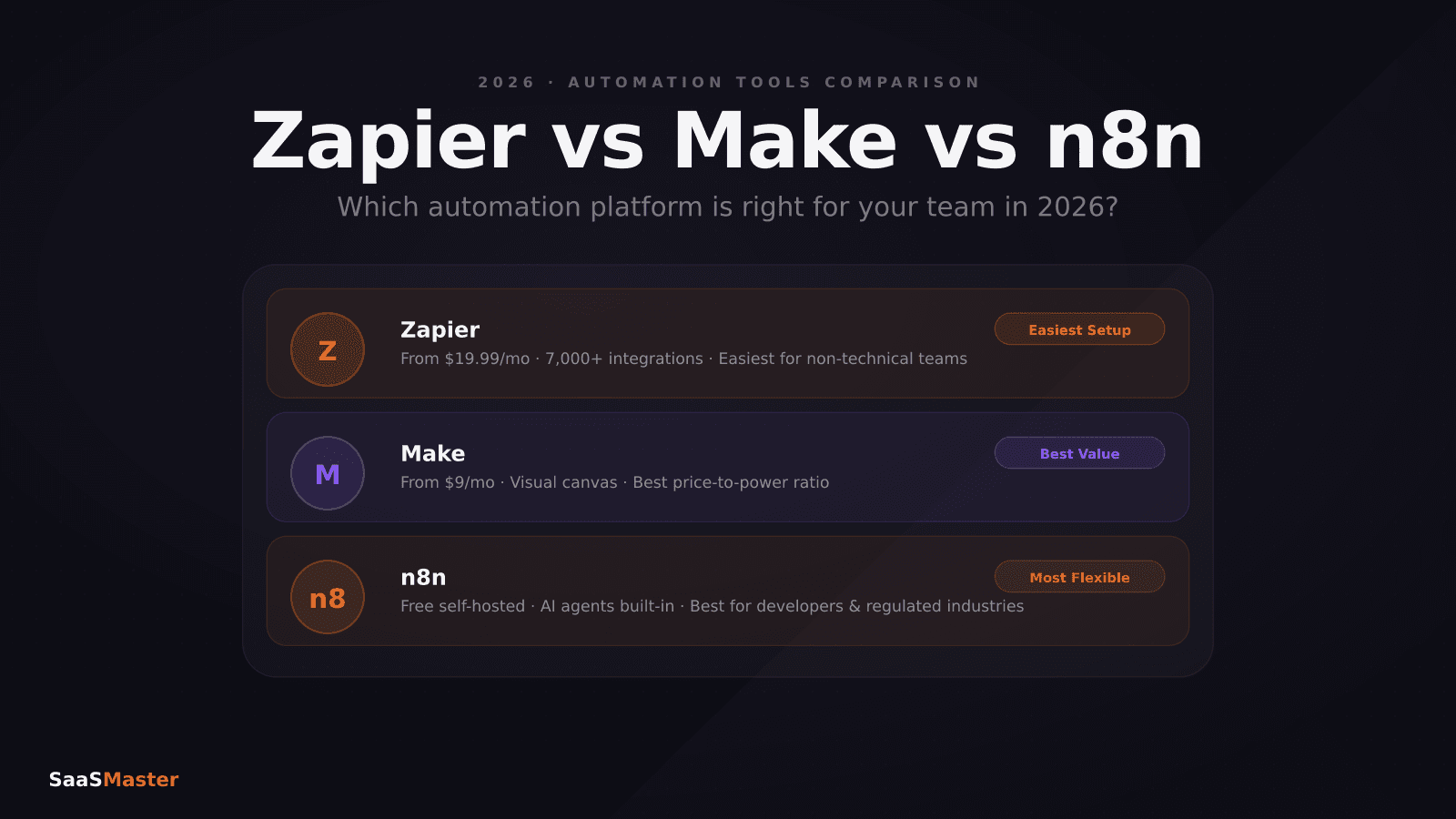
Zapier vs Make vs n8n in 2026: Which Automation Tool Saves You the Most?
Short-Form Video for SaaS: How to Make Reels and Shorts That Actually Convert
n8n vs Zapier vs Make in 2026: Real Pricing, AI Agents, and Which One Fits Your Stack