Taja AI Review 2026: Turn Your YouTube Videos Into a Full Content Machine
In short
Taja AI review 2026 — pricing, features, and whether the YouTube optimization tool saves 43 minutes per video. Plans from $19.99/month with free trial.
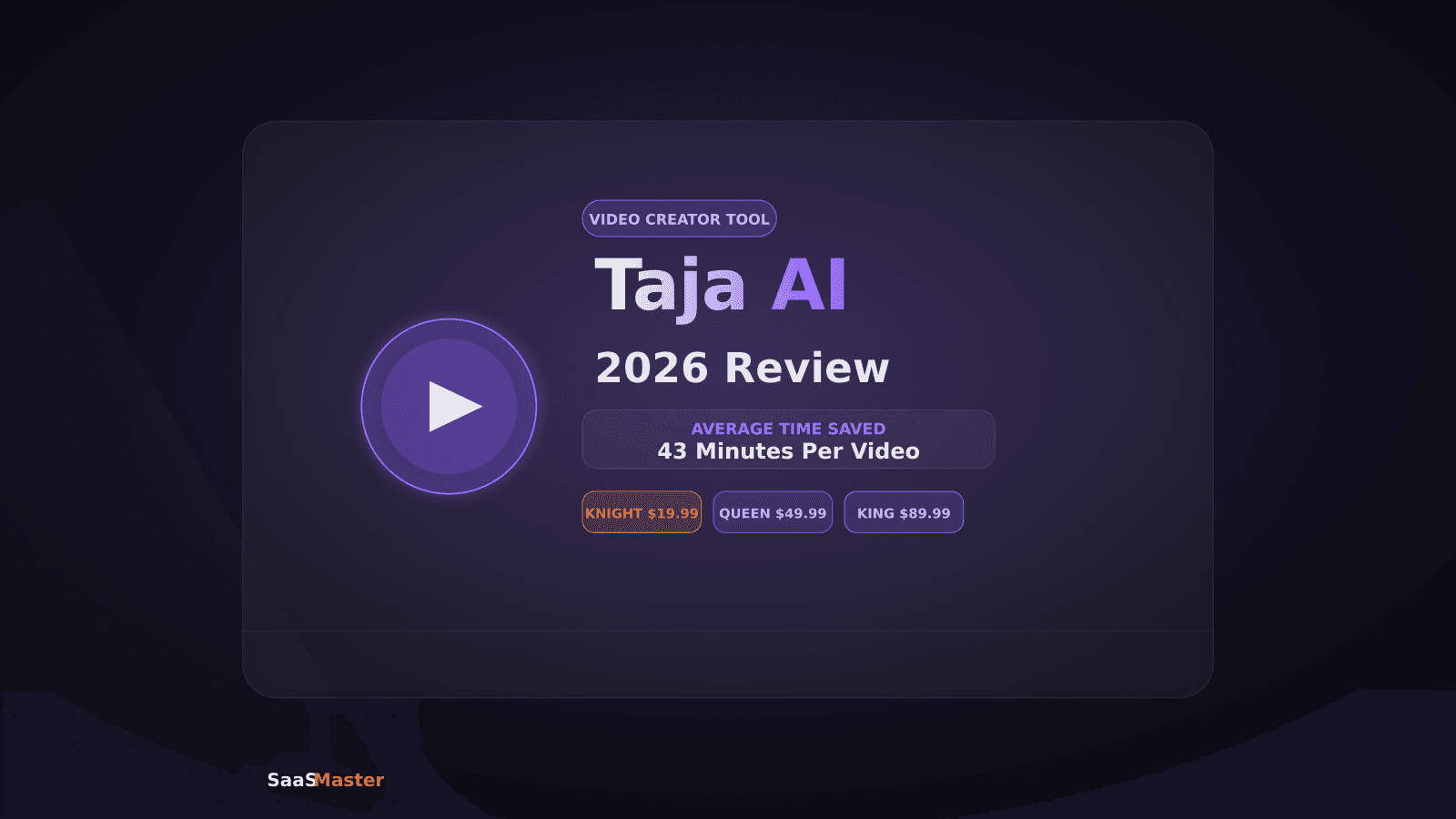
Taja AI takes a YouTube video you just uploaded and turns it into a fully-optimized post in under two minutes — title, description, tags, chapters, Shorts clips, a blog post draft, and social captions, all done automatically. If you publish more than four videos a month, the math on time saved is hard to ignore.
Key Takeaways
- Taja AI automates YouTube metadata generation: titles, descriptions, tags, and timestamps from your raw video
- Auto Kick-Off starts the pipeline the moment you upload — no manual trigger required
- Knight plan ($19.99/month) covers 6 videos, Queen ($49.99/month) covers 12, King ($89.99/month) is unlimited
- Backlog Boost lets you re-optimize older videos that underperformed in search
- Average time saved: 43 minutes per video according to Taja's published data
- 7-day free trial, no credit card required
[[video:1qEjOHW3AO0]]
What Taja AI Actually Does
Most YouTube creators spend more time on metadata and repurposing than on the video itself. Writing a keyword-rich description takes 20 minutes if you're being careful. Picking the right tags takes another 10. Cutting a Short from a 20-minute video can take an hour with manual editing. Taja AI compresses all of that into a single automated step that fires the moment your video finishes uploading.
The platform connects to your YouTube channel via the YouTube Data API, monitors your upload queue, and as soon as a new video appears it begins transcribing, analyzing, and generating output. By the time you've made a coffee, the draft is ready for review.
Here's what Taja generates for each video:
- An AI-drafted title set (usually 3-5 options ranked by click-through potential)
- A keyword-rich description built around what people actually search for in your niche
- Chapter markers pulled directly from your video's content structure
- Tags optimized for YouTube's suggestion algorithm
- Clips for YouTube Shorts, Instagram Reels, and TikTok
- A blog post draft formatted for SEO
- Social captions for LinkedIn, X, and Threads
Every output is editable before you post. Taja is an assistant, not an autopilot — you approve what goes live.
How Auto Kick-Off Changes Your Workflow
Before Auto Kick-Off, using any YouTube optimization tool meant remembering to open another tab after uploading. That friction caused a lot of creators to skip the tool on busy days, which defeats the purpose.
Auto Kick-Off watches your channel continuously. Upload a video, walk away. Taja has already started processing. By the time you're back to review, the full metadata suite is waiting in your dashboard. For creators running tight production schedules — especially those publishing twice a week or more — this removes the biggest obstacle to using AI assistance consistently.
Taja AI Pricing in 2026
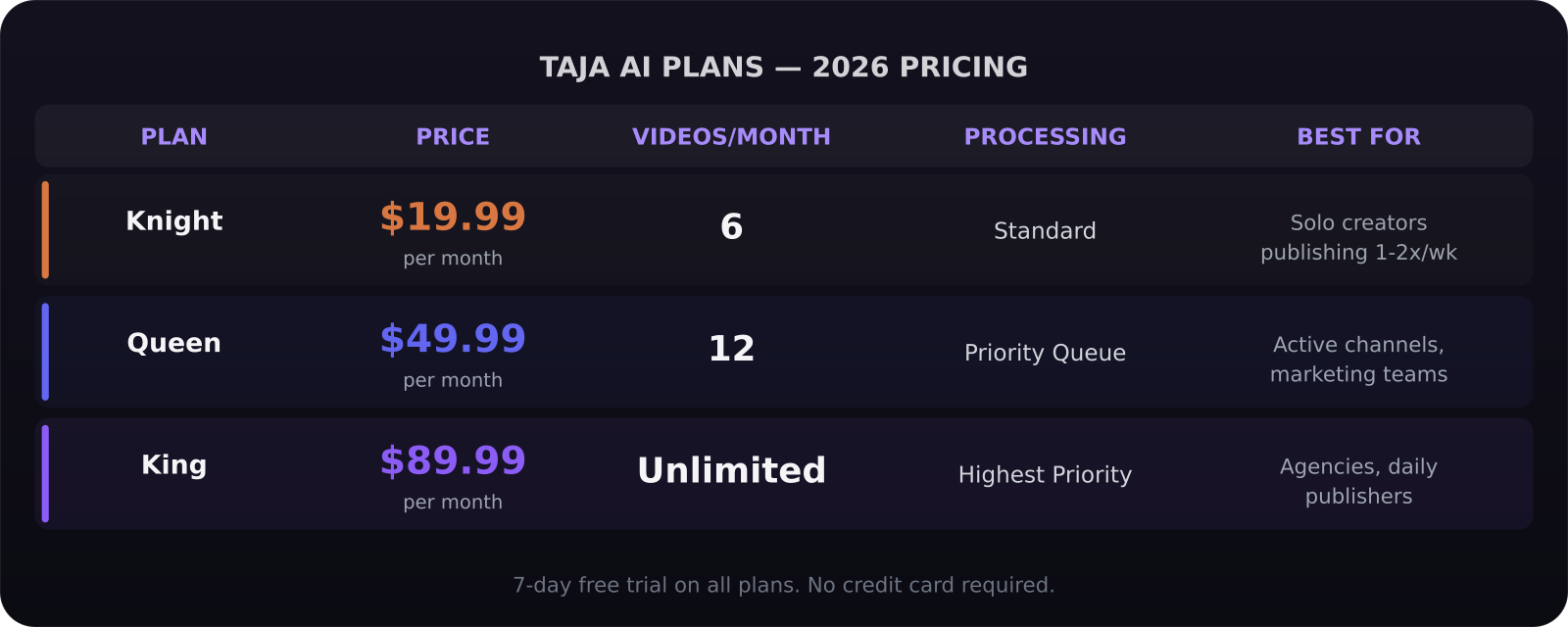
Taja runs on a video-volume subscription model, not a per-seat or token model. You pick the tier that matches how many videos you publish each month:
- Knight: $19.99/month — 6 videos/month, all core features
- Queen: $49.99/month — 12 videos/month, priority processing
- King: $89.99/month — unlimited videos, all features
There's also a 7-day free trial on every plan, no credit card required. If you publish fewer than 6 videos a month, Knight is the obvious entry point. Most individual creators land here. Agencies and channels publishing daily need King.
The math is straightforward: if Taja saves you 43 minutes per video and you publish 6 videos a month, that's over 4 hours reclaimed for $20. At the Queen level, it's 8+ hours reclaimed monthly.
Backlog Boost: The Feature Most People Miss
New users go straight to the live upload pipeline. But Taja's Backlog Boost is the feature that generates the fastest return for channels with existing libraries.
YouTube's algorithm deprioritizes videos with weak metadata even if the content is excellent. Backlog Boost lets you select older videos — ones that never hit their organic potential — and run them through Taja's full optimization engine. The result is updated titles, descriptions, and tags pushed to YouTube automatically.
Channels that have used Backlog Boost report measurable upticks in impressions within 2-4 weeks, because YouTube re-crawls updated metadata and adjusts distribution accordingly. For a channel with 50 to 200 videos sitting underoptimized, this can be a significant traffic unlock.
Taja AI vs VidIQ vs TubeBuddy
Taja is not the only AI in this space. VidIQ and TubeBuddy have both added AI features over the past two years. The practical difference is depth and automation.
VidIQ and TubeBuddy are primarily analytics dashboards with AI layers added on. They give you keyword data and suggestion tools, but they don't auto-generate complete metadata packages and they don't watch your upload queue automatically. You still have to open them and run the tools manually per video.
Taja was built automation-first. The pipeline triggers without human input, produces more content types (Shorts, blog post draft, social captions), and is specifically designed for the full post-production workflow rather than SEO research alone. Creators who want deep analytics tracking over time might still use VidIQ alongside Taja. Creators who want to eliminate post-production bottlenecks entirely should start with Taja.
What Taja Gets Right (and Where It's Still Learning)
Taja's strongest output is in tech, business, education, and SaaS niches where its language models have been trained on dense YouTube libraries. Titles and descriptions in these categories are consistently strong on the first pass. In more niche or visual-forward categories like cooking, travel, or arts and crafts, the metadata quality requires more editing before it's publish-ready.
The Shorts generation is also worth a caveat: Taja identifies the most clip-worthy moments based on speech patterns and topic density, not visual quality. If your best moments are visually driven — demonstrations, on-screen graphs, product reveals — review the auto-selected clips before publishing, as the AI may clip differently than you'd choose manually.
That said, even in categories where the first draft needs more editing, starting from Taja's output is almost always faster than starting from scratch.
Who Should Use Taja AI
Taja is most useful when you're publishing regularly and you need the gap between "video uploaded" and "metadata ready" to close automatically.
Strong fit: - Solo creators publishing 4-12 videos a month who handle everything themselves - SaaS and B2B companies using YouTube for product education and demos - Marketing teams that own a YouTube channel alongside other content channels - Agencies managing multiple creator accounts
Less useful if you publish once a month or less, if your niche requires extremely specific keyword research you'd want to audit manually every time, or if you don't repurpose video to other formats.
If your team produces the videos, tools like Taja handle the metadata layer. For professional SaaS video production that gives you content worth optimizing, both layers work best together. You can also explore our broader AI tools library for tools that pair well with a video workflow.
Verdict
Taja AI in 2026 is a genuine time-saver for video creators who publish consistently. The Auto Kick-Off feature alone justifies the Knight plan cost for anyone publishing more than twice a month. Backlog Boost adds a compelling reason to use it even before you upload another video. For a full strategy on building a system around your video content, see our guide on repurposing SaaS video content.
Frequently Asked Questions
Does Taja AI work with any YouTube channel size?
Yes. Taja connects to any YouTube channel via the YouTube Data API, regardless of subscriber count. You authenticate with your Google account, select the channel, and Taja begins monitoring new uploads. A 500-subscriber channel and a 500,000-subscriber channel go through the same process.
Can Taja AI publish directly to YouTube without my review?
Taja can push approved metadata — titles, descriptions, tags, chapters — directly to YouTube via the API. It does not upload video files. You upload the video to YouTube yourself; Taja handles the optimization layer. You can also set it to auto-publish approved output if you trust the output in your niche.
What's the difference between the Knight and Queen plans beyond video count?
Knight ($19.99/month) gives you 6 video processing slots per month with full feature access. Queen ($49.99/month) gives you 12 slots and priority processing queue, meaning your videos complete faster during high-traffic periods. King ($89.99/month) removes the video cap entirely and adds enterprise-level output customization and dedicated support.
Was this article helpful?
Jorge Aguilar
Founder & Creator, SaaS Master
Producing SaaS and AI product videos since 2019 — 800+ videos for 200+ brands, covering tutorials, demos, walkthroughs, and explainers. Writing here about the tools, trends, and tactics that actually move the needle. LinkedIn · About · Work with me
Building an AI product that needs a clearer onboarding flow?
Client-owned videos that make your product easy to understand — demos, walkthroughs, onboarding, and explainers.
Explore AI product video productionRelated guides
More AI Tools & AI Workflows →
How to Get Your SaaS Tool Recommended by AI Engines
ChatGPT Go vs Plus in 2026: The $12 Gap That Changes Everything
Cursor vs Claude Code vs GitHub Copilot in 2026: Which AI Coding Tool Is Worth Your Money?