Claude in Chrome vs. Perplexity Comet vs. ChatGPT Atlas: Which AI Browser Wins in 2026?
In short
Claude in Chrome, Perplexity Comet, and ChatGPT Atlas all browse the web for you. Here's the 2026 pricing, platform support, and which one to install first.
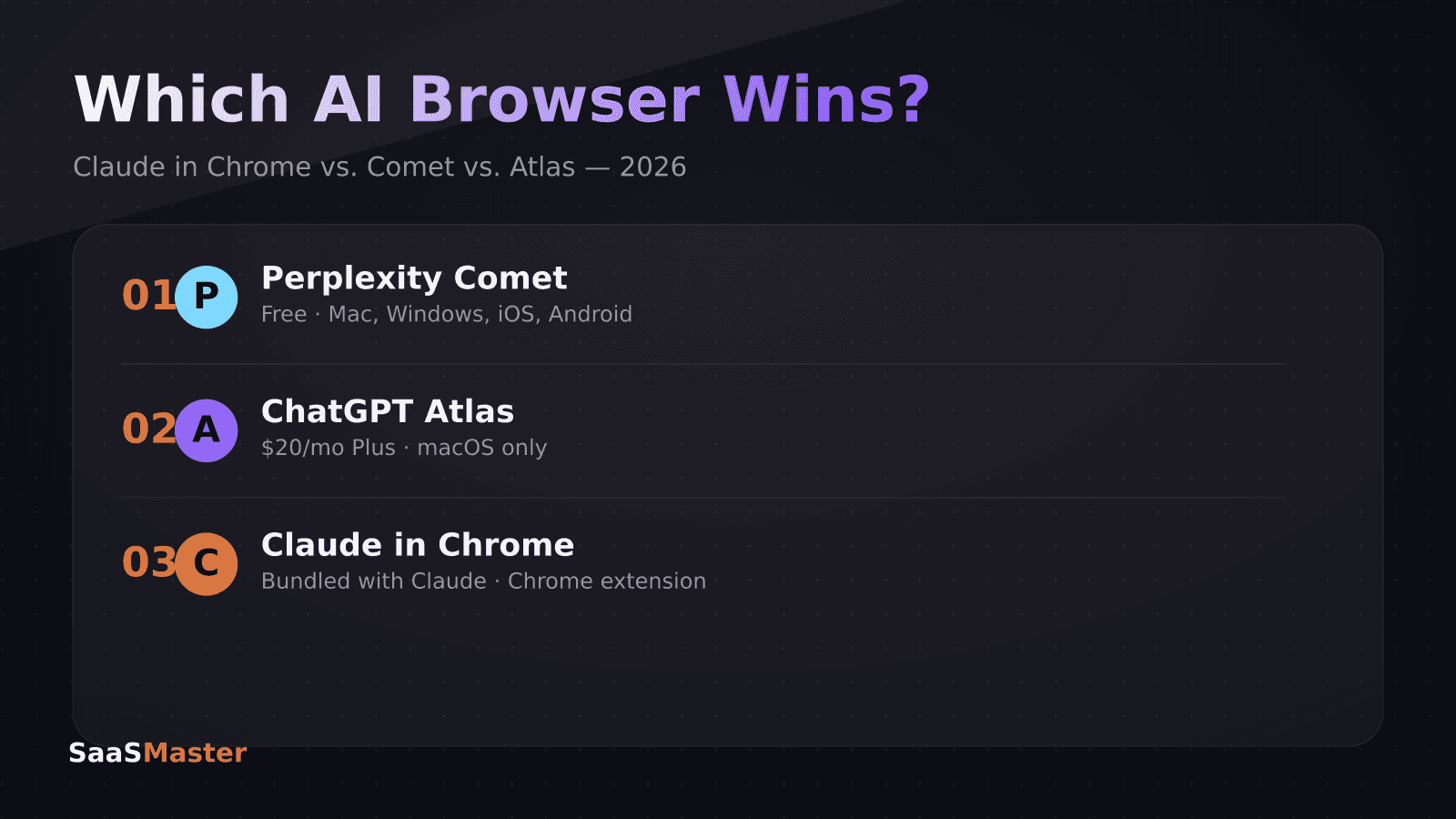
Perplexity Comet is free and runs on Mac, Windows, iOS, and Android. ChatGPT Atlas needs a $20-a-month ChatGPT Plus subscription and, as of mid-2026, only runs on macOS. Claude in Chrome rides on your existing Claude subscription as a browser extension, but it still can't remember what you did in a previous session. If you want an agent that fills out forms and compares prices across tabs today, start with Comet. If you want a browser that recalls what you read last week without you asking twice, Atlas does that better than either rival.
Key takeaways
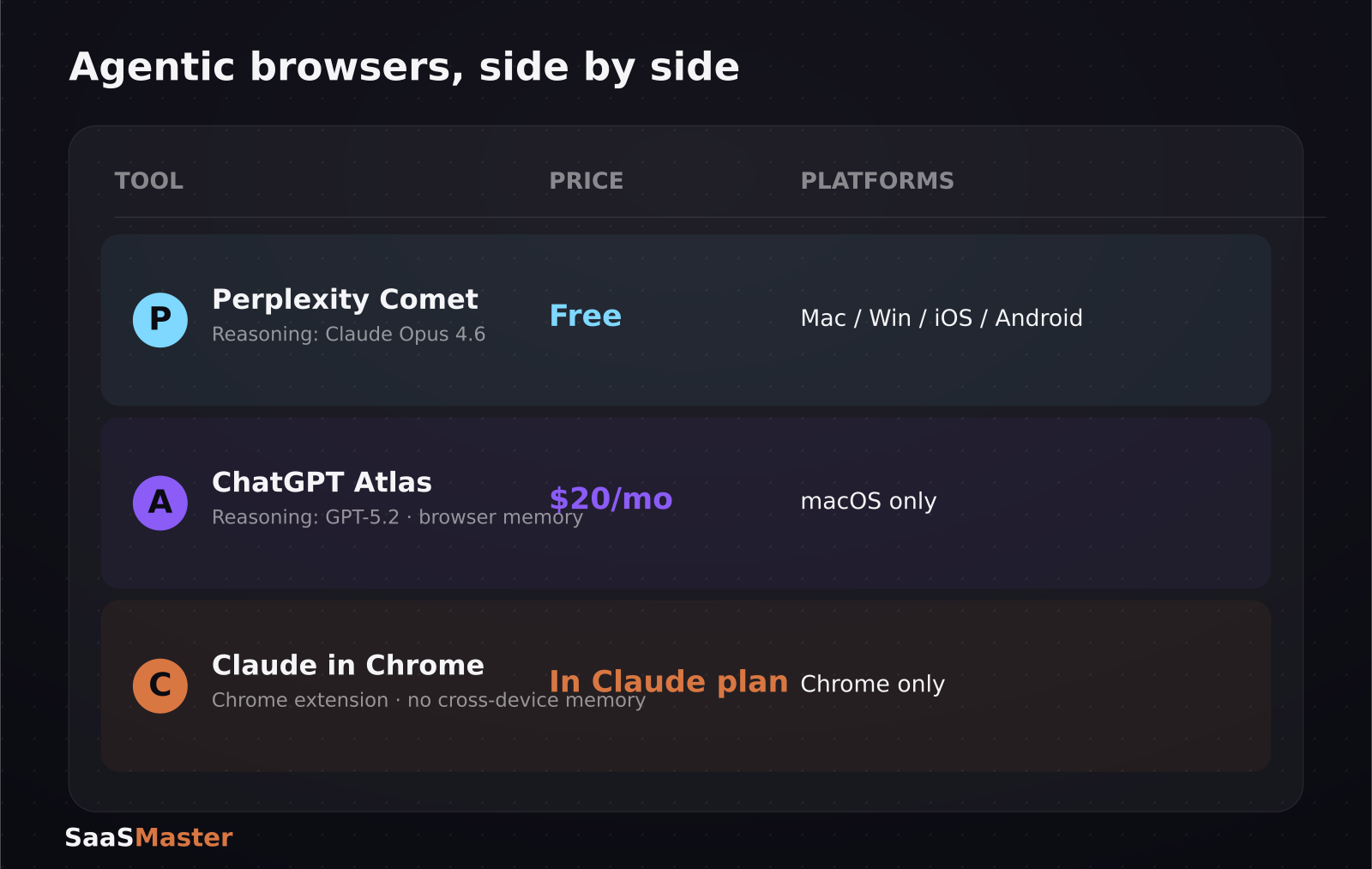
- Perplexity Comet is free and has the widest platform reach: Mac, Windows, iOS, and Android as of April 2026.
- ChatGPT Atlas requires ChatGPT Plus ($20/month) for Agent Mode and is currently macOS-only, with no confirmed date for Windows.
- Claude in Chrome is a Chrome extension bundled into an existing Claude subscription rather than a standalone browser, and it loses context when the tab closes.
- Comet's agent reasoning runs on Claude Opus 4.6 under the hood; Atlas runs on GPT-5.2 — the two browsers can give different answers to the same task.
- Atlas's headline feature is persistent browser memory across sessions; Comet's is fast, live lookups; Claude in Chrome's is deeper reasoning once it's already on a page.
What is an "agentic browser," and why is everyone building one?
An agentic browser doesn't just render pages — it can click, type, fill forms, and carry out multi-step tasks on your behalf, the way a human assistant would if you handed them your laptop. Agentic browser traffic is already a meaningful share of total web interactions in 2026, which is why Google, Microsoft, OpenAI, Perplexity, and Anthropic all now ship some version of this. The pitch is simple: instead of you tabbing between six sites to book a flight or compare software pricing, you describe the outcome and the browser does the clicking.
How much does each one actually cost?
Perplexity Comet is free, full stop, which is the single biggest reason it has the broadest install base of the three. ChatGPT Atlas is gated behind ChatGPT Plus at $20 a month — that's the tier that unlocks Agent Mode, not just chat. Claude in Chrome doesn't have its own separate price tag; it functions through whatever Claude subscription you already pay for, which means the marginal cost of trying it is zero if you're already a Claude user, but it's not something you can buy on its own.
What can Claude in Chrome actually do right now?
Claude in Chrome works as an extension that lets Claude see and act on the page you're viewing, which is genuinely useful for reading long documents, summarizing a dashboard, or drafting a reply inside Gmail without switching tools. The tradeoff is that its browser integration is the least mature of the three: close the tab and the context is gone, and there's no cross-device memory the way Atlas offers. For SaaS teams already living inside Claude Code and MiniMax M3 workflows, it's a natural add-on rather than a browser replacement.
Where does Perplexity Comet actually win?
Comet's strength is speed on live information: real-time lookups, side-by-side product comparisons, and basic transactions like filling out a checkout form. Because it's free and cross-platform, it's the easiest of the three to hand to an entire team without a procurement conversation. Under the hood, Comet's reasoning is powered by Claude Opus 4.6 at its Max tier, so the "brain" doing the comparison shopping is actually an Anthropic model wearing a Perplexity interface — worth knowing if you're trying to understand why its answers sometimes read like Claude's.
Where does ChatGPT Atlas actually win?
Atlas's standout feature is browser memory: it can optionally remember details from sites you've visited and recall them later, so you can ask it to summarize everything you read about a topic yesterday without re-opening those tabs. That's a genuinely different capability from "look something up right now," and it's the reason some teams keep Atlas around even though it's the most expensive and least available (macOS-only) option of the three. It's best suited to research-heavy, multi-page work rather than quick lookups.
Which one should you actually install first?
If your team is cost-sensitive or spread across Windows and mobile, start with Comet — it's free, it's everywhere, and it already handles the 80% case of comparing options and filling forms. If your work is research-heavy and you live on a Mac, Atlas's memory feature earns its $20 a month. If you're already paying for Claude for coding or writing work, turn on Claude in Chrome as a bonus rather than your primary browsing agent — it's the one still catching up on persistence and cross-device support. None of these fully replace a person doing careful due diligence on anything involving payment details or contracts.
What should you actually worry about with an AI browser watching your screen?
Every one of these three tools needs meaningful permission to read what's on your screen and, in agent mode, to act on it — that's the whole point, but it's also the reason security teams are starting to ask questions before rolling these out company-wide. Comet's free tier and wide platform reach make it the easiest to install without anyone noticing, which is exactly why IT admins should treat it like any other browser extension with broad page access: reviewed, scoped, and kept off machines that handle sensitive customer data until there's a clear policy. Atlas's memory feature is powerful specifically because it remembers across sessions, which also means anything sensitive you browse could resurface later in a summary you didn't ask for in that moment. None of the three vendors are hiding this — it's the tradeoff every agentic tool makes — but "does the model see my screen" and "where does that data go" are the two questions worth answering before a team standardizes on one.
How do these agents actually perform on a real multi-step task?
Early reviewers testing all three against the same task — say, comparing flight prices across four airline sites and picking the cheapest with matching dates — report that Comet and Atlas both complete it, but arrive at the answer through different reasoning because they're built on different underlying models (Claude Opus 4.6 for Comet, GPT-5.2 for Atlas). That means the "right" answer to an ambiguous task can genuinely differ between the two, and it's worth spot-checking an agent's output on anything with real financial stakes rather than trusting the first response. Claude in Chrome tends to do well on tasks confined to a single page — summarizing a long document or drafting a reply — precisely because it isn't trying to coordinate state across a multi-tab task the way Comet and Atlas are.
What this means if you sell software
If your product has any kind of web-based signup, checkout, or trial flow, agentic browsers are now a real secondary "user" hitting your pages — one that reads DOM structure rather than glossy screenshots. That's a good argument for keeping your SaaS onboarding and demo flows clean and well-labeled, since both human visitors and browsing agents parse the same markup. It's also another reason product teams are pairing tools like Krater.ai, ChatGPT Go, and Gemini AI Plus with agent-mode browsers rather than treating either as a one-off experiment.
For more comparisons like this one, see our full AI tools coverage, including our breakdown of Claude Fable 5's return after its export-control reversal.
Frequently asked questions
Is Perplexity Comet really free to use?
Yes. As of mid-2026, Comet has no subscription requirement for its core agentic browsing features, which is a major reason it has spread faster across platforms than Atlas or Claude in Chrome.
Does Claude in Chrome work on browsers other than Chrome?
No — it's built specifically as a Chrome extension, so it doesn't currently extend to Safari, Firefox, or Edge. If you're on a non-Chrome browser, Comet or Atlas (Mac only) are the available agentic options today.
Can any of these AI browsers actually complete a purchase for me?
Comet can fill forms and carry out basic transactions, and Atlas can do similar tasks within its agent mode, but both are best treated as assistants that prepare a purchase for your final review rather than tools you should leave unsupervised on anything involving payment or personal data.
Was this article helpful?
Jorge Aguilar
Founder & Creator, SaaS Master
Producing SaaS and AI product videos since 2019 — 800+ videos for 200+ brands, covering tutorials, demos, walkthroughs, and explainers. Writing here about the tools, trends, and tactics that actually move the needle. LinkedIn · About · Work with me
Need to show users how an automation workflow works in practice?
Client-owned videos that make your product easy to understand — demos, walkthroughs, onboarding, and explainers.
Explore product walkthrough video productionRelated guides
More Automation & No-Code →
How to Automate LinkedIn Outreach with Lemlist and Claude Without Sounding Like a Bot
Skywork 3.0 Review: Can One Agent Platform Replace Your Whole Workflow Stack?
How to Collect Donations and Sell Products Online Without a Website