Elementor AI vs. Divi AI: Which WordPress Builder's AI Is Actually Worth Using in 2026?
In short
Elementor's Angie and Divi's AI both promise to build WordPress pages for you. Here's how the agentic Angie really compares to Divi's Quick Sites in 2026.
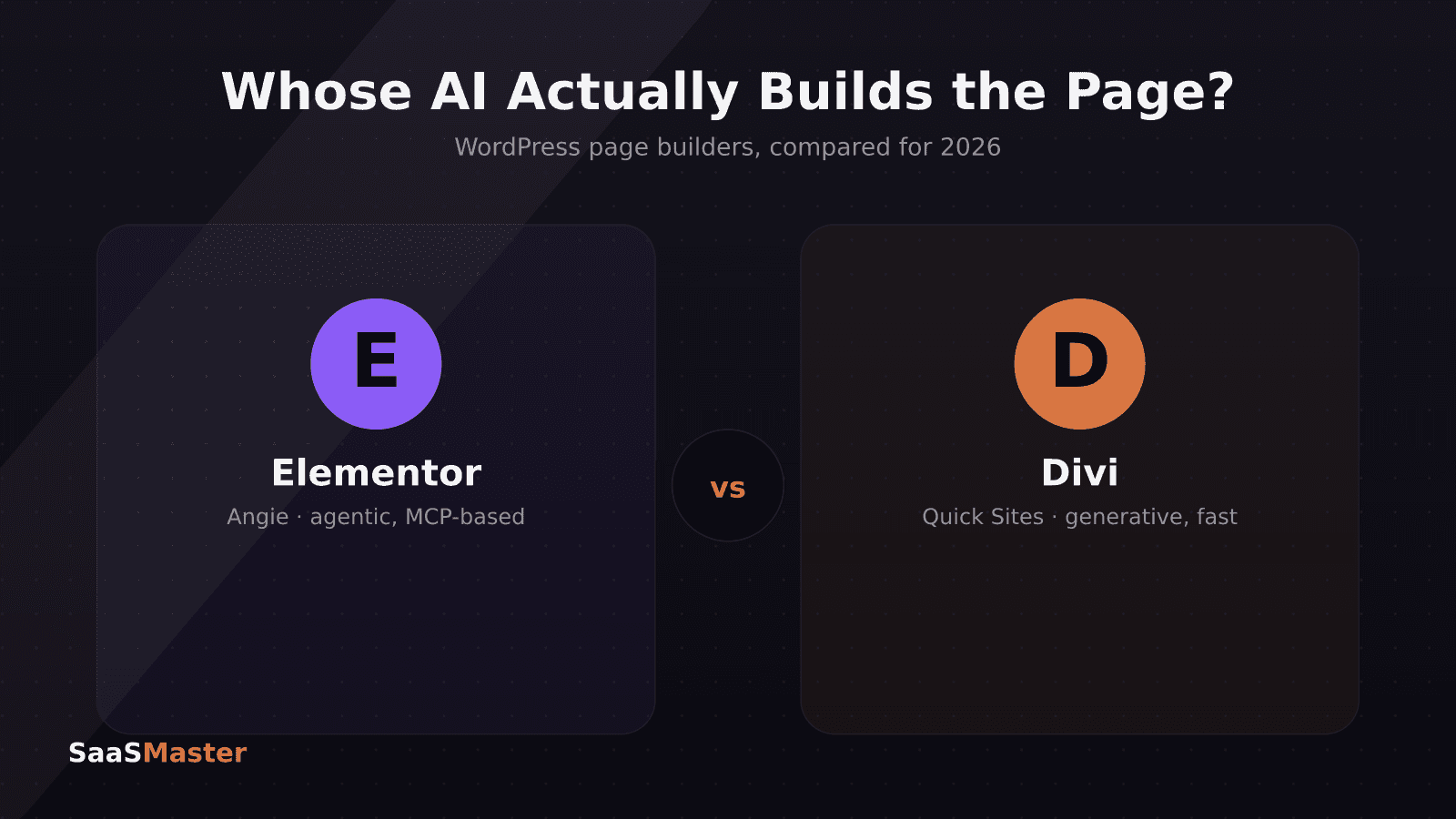
Elementor's AI, called Angie, is an agentic assistant built on the Model Context Protocol that can actually take action on your page — adding sections, suggesting layouts, and editing content — not just generate text. Divi AI leans the other way: it's a fast, tightly integrated content and image generator wired directly into Divi's visual builder, plus a "Quick Sites" feature that spins up a full multi-page site from a single prompt. Neither replaces the other's ecosystem, so the right pick depends on whether you want an assistant that acts on your page or one that generates a finished site to start from.
Key takeaways
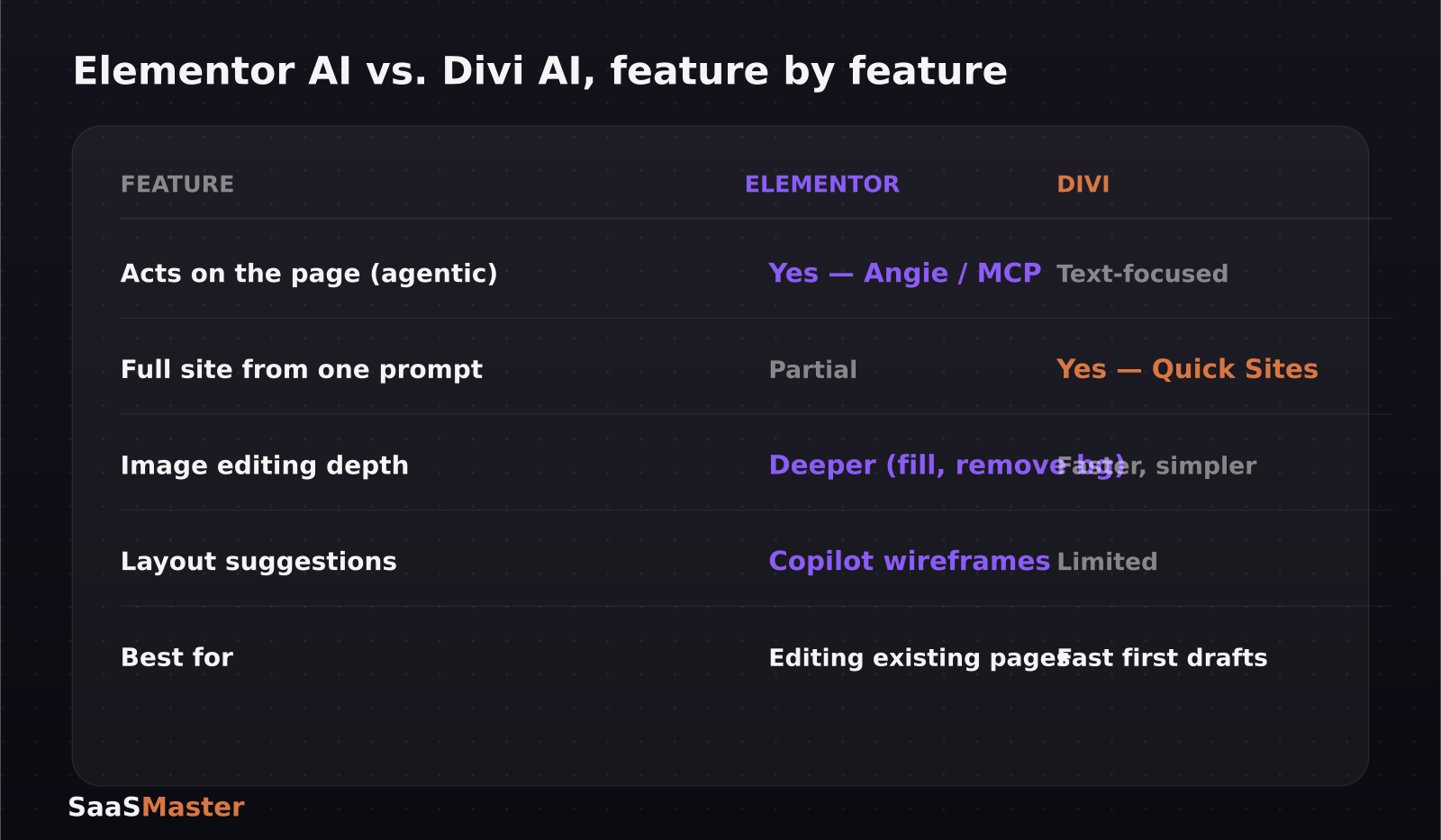
- Elementor's Angie operates on the Model Context Protocol (MCP) and can take real actions on a page, not just generate text — it's an agent, not a chatbot bolted onto a text field.
- Divi AI focuses on generative content and images inside Divi's text and image modules, functioning much like a ChatGPT wrapper tuned for page-building.
- Divi's standout feature is Quick Sites: describe a business and it generates a complete multi-page site, including a theme builder template, global styles, navigation, and WordPress settings.
- Elementor's Copilot feature suggests the next section or layout as you build, recommending wireframes based on what's already on the page.
- Elementor AI's image tools — background removal, resizing, and generative fill — go further than Divi's simpler, faster image generator.
What does "agentic" actually mean for a page builder?
Most AI features inside page builders in the past were really just a text box wired to a language model: you asked for a paragraph, it wrote one, and you pasted it in. Angie is built differently — because it runs on the Model Context Protocol, it can call actual Elementor functions, meaning it can add a section, restructure a layout, or adjust styling directly rather than just handing you text to paste. That distinction matters if you're trying to save real building time rather than just drafting time.
What is Divi's Quick Sites feature, and is it actually fast?
Quick Sites lets you type a description of your business, along with preferred fonts, logo, and color scheme, and Divi generates a full working site: multiple pages, Theme Builder templates, a global style system, a navigation menu, and pre-configured WordPress settings. It's the closest thing in this comparison to a genuine "describe it, get a website" experience, and it's aimed squarely at agencies and freelancers who need a client's first draft site in minutes rather than hours.
Which one has better AI image tools?
Elementor AI's image toolkit — background removal, resizing, and generative fill — is more capable than what Divi ships today, which leans toward speed over depth: Divi's image generator is quicker to use but offers fewer editing controls once an image exists. If your workflow depends on cleaning up product photos or generating on-brand hero images without leaving the builder, Elementor's deeper toolset is the more useful of the two.
Does Elementor's Copilot replace a designer's judgment?
Not entirely, but it narrows the blank-page problem. Copilot watches what you've already built and suggests the next section or layout, recommending wireframes you can drop straight onto the page. That's less about generating final content and more about reducing the number of decisions you have to make from scratch, especially useful if you're building pages solo without a design background.
So which page builder's AI should you actually use?
If you're already inside the Elementor ecosystem and want an assistant that can act on the page — rearranging sections, suggesting layouts, cleaning up images — Angie and Copilot are the more capable combination and worth the switch in habit. If you're starting from zero, especially for client work where speed to a presentable first draft matters most, Divi's Quick Sites is hard to beat: a prompt in, a multi-page site out. Both tools are strong in their own ecosystem, and neither is compelling enough on AI alone to justify migrating an established site between builders.
Does either AI feature slow down the sites it builds?
Page-builder AI has a reputation problem here: generated sections have historically meant extra CSS, unused modules, and bloated markup that hurts load times and, indirectly, SEO. Elementor's approach — an agent that acts through MCP calls rather than dumping raw generated markup — tends to produce cleaner structural changes because it's working within the builder's existing component system rather than inventing new markup from scratch. Divi's Quick Sites, because it's generating an entire site in one pass, is worth an immediate pass with a caching and image-optimization plugin afterward; a fast first draft is still a first draft, not a finished, performance-tuned page. Either way, treat AI-generated pages the way you'd treat a junior developer's first commit: useful, fast, and worth reviewing before it goes live.
Which one has the better support ecosystem if something breaks?
Both plugins have large, mature marketplaces of third-party add-ons, tutorials, and community forums, so neither AI feature is being layered onto a niche or unsupported product — that's part of why this comparison matters more than a typical "which AI tool is better" post. Elementor's larger overall install base means more third-party widgets and integrations built around Angie and Copilot as they mature, while Divi's smaller but tightly-knit ecosystem tends to move fast on documentation whenever Quick Sites gets an update. If you're picking a builder for a client-services business rather than a single site, factor in which community your own team already knows how to troubleshoot in, since that support experience will matter more day-to-day than either AI feature.
Where this fits if you're building a WordPress product
If you build WordPress plugins or themes and want people to actually understand what you shipped, the builder you choose to demo in matters less than showing the real workflow — which is the whole idea behind WordPress product video production: a two-minute walkthrough of Quick Sites or Angie in action tends to convert better than a features list. For more on the WordPress and no-code side of the AI tooling wave, visit our WordPress hub, and see how automation platforms compare in our Zapier vs. Make vs. n8n pricing breakdown, since many WordPress sites now lean on the same automation layer behind the scenes.
We've also covered the broader shift toward agentic tooling in our look at Krater.ai, ChatGPT Go, Gemini AI Plus, and Claude Pro pricing, which is worth a read if you're stacking AI subscriptions across your WordPress and marketing tools.
Frequently asked questions
Is Elementor's Angie free to use?
Angie is bundled into Elementor's existing AI features rather than sold as a fully separate product, so availability depends on your current Elementor plan; check your dashboard's AI usage allowance before assuming unlimited access.
Can Divi's Quick Sites build a full multi-page site from scratch?
Yes — Quick Sites generates a complete site from a single prompt, including multiple pages, a Theme Builder template, global styles, a navigation menu, and pre-configured WordPress settings, using your supplied fonts, logo, and color scheme.
Do I have to choose one AI ecosystem, or can I use both builders' AI features together?
Elementor and Divi are separate plugins with separate AI systems, so you'd need to run one as your primary builder per site; switching an established site between the two just to use a specific AI feature usually isn't worth the migration effort.
Which builder is easier for a non-developer to use day to day?
Both are built for non-developers first, which is the whole premise of a WordPress page builder, but Divi's Quick Sites gets a complete, presentable structure onto the screen faster for someone starting from a blank project, while Elementor's Copilot and Angie are more useful once a site already exists and you're refining rather than starting from nothing.
Was this article helpful?
Jorge Aguilar
Founder & Creator, SaaS Master
Producing SaaS and AI product videos since 2019 — 800+ videos for 200+ brands, covering tutorials, demos, walkthroughs, and explainers. Writing here about the tools, trends, and tactics that actually move the needle. LinkedIn · About · Work with me
Launching a plugin, theme, or WordPress product?
Client-owned videos that make your product easy to understand — demos, walkthroughs, onboarding, and explainers.
Explore WordPress video productionRelated guides
More WordPress & Website Tools →
How to Connect AI to Your WordPress Site with MCP (2026 Guide)
How to Use Angie, Elementor's Free Agentic AI Plugin for WordPress

How to Make a WordPress Plugin Demo Video That Drives Adoption