How to Make a WordPress Plugin Demo Video That Drives Adoption
In short
How to make a WordPress plugin demo video that drives installs: a five-part structure, ideal length, screen-recording specs, and where to place it to convert.
A WordPress plugin demo video should do one thing: show a prospective user going from problem to first win, fast. The strongest plugin demos are short, screen-recorded walkthroughs, usually under three minutes, that name a real pain, install the plugin, and reach a visible payoff before the viewer loses interest. Get that arc right and the video becomes your best conversion tool on the plugin page, in the WordPress.org listing, and inside the dashboard itself.
I make these for plugin and theme companies constantly, and the pattern that works is remarkably consistent. Here is how to structure a plugin demo that actually drives installs and activations, plus the production specifics that keep it clean and watchable.
Key takeaways
- A plugin demo's job is to get a viewer from a named problem to a visible first win, not to tour every setting.
- Keep it short. Most viewers drop off after two minutes, so a focused demo under three minutes beats a ten-minute feature tour.
- Record at 1080p with clean audio. Poor audio ends a demo faster than almost anything else.
- Follow a five-part arc: problem, install, first win, one key setting, clear call to action.
- Good onboarding and tutorial video correlates with roughly 35% fewer support tickets, so the demo pays off twice: more installs and lighter support.
Why does a plugin need a video at all?
Because the plugin directory is crowded and text does a bad job of showing software in motion. A shopper scanning listings cannot tell how your plugin feels to use from a screenshot and a feature list. Thirty seconds of watching someone actually use it removes the doubt. Video is also the format most people prefer for learning a new tool, which is why a demo on the listing page tends to lift install rates more than another paragraph of copy.
The second payoff comes after install. The same demo, or a short version of it, dropped into your onboarding flow turns confused new users into active ones. That is the quiet win: a clear walkthrough deflects the "how do I set this up" tickets that eat your support time. It is the same mechanism behind SaaS onboarding videos that reduce support and improve activation, applied to the WordPress world.
What structure should a plugin demo video follow?
Use a five-part arc. It maps to how a real user's confidence builds, and it keeps you from wandering into feature-tour territory.
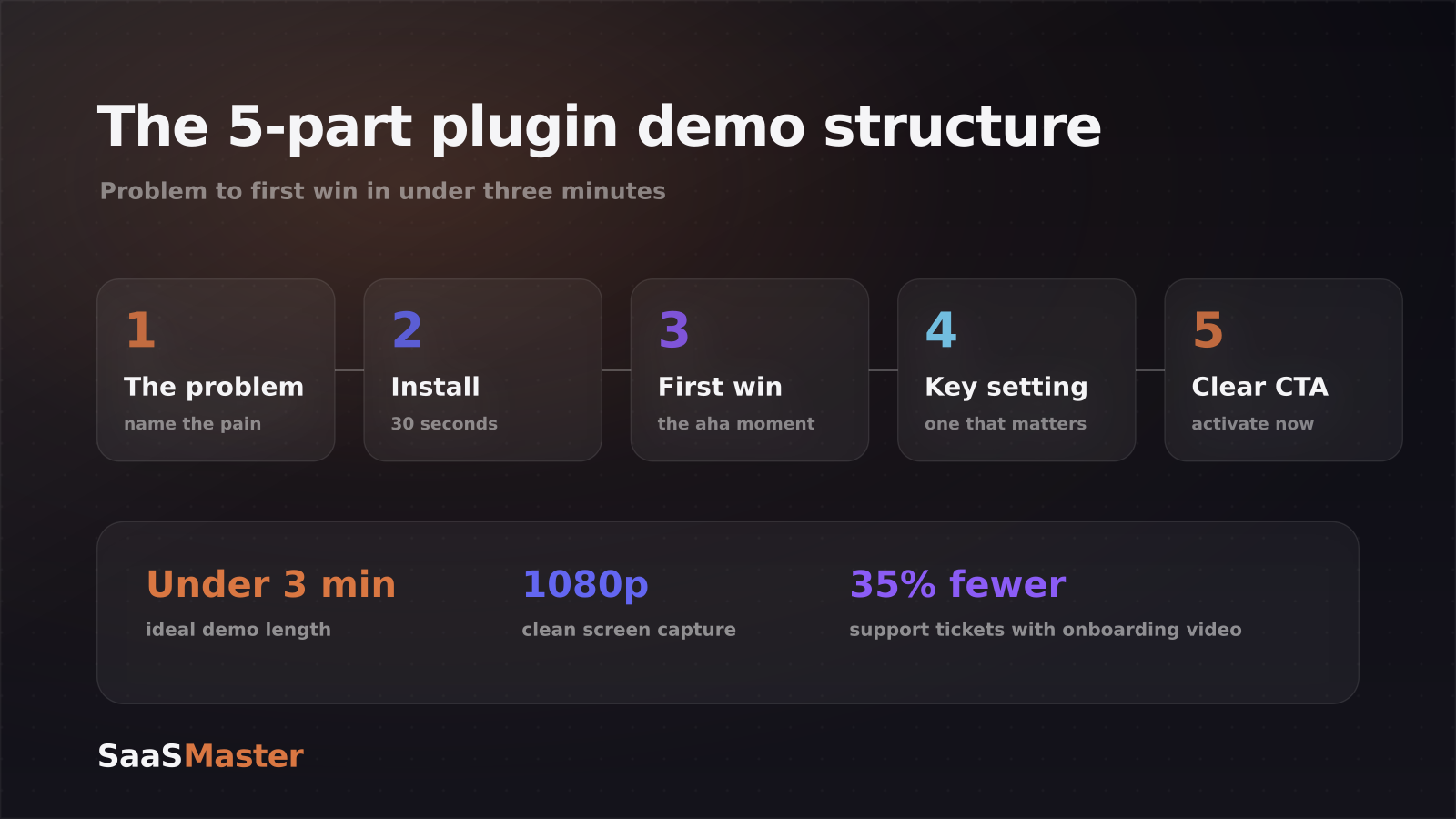
- The problem. Open on the pain in one sentence. "Contact forms that dump every message into one inbox are impossible to sort." Name it so the right person feels seen in the first five seconds.
- The install. Show it happening, search, install, activate, in about 30 seconds. This proves it is genuinely easy and sets the tone that the whole thing is low-effort.
- The first win. Get to the payoff fast, the one result that makes someone think "oh, that is exactly what I needed." This is the most important 20 seconds of the video; everything before it exists to earn it.
- One key setting. Show the single configuration that matters most, not all of them. Overloading this section is the number-one reason plugin demos feel exhausting.
- The call to action. End with one clear next step: install it, activate the feature, start the trial. One ask, not five.
If your plugin is genuinely complex, resist the urge to cram. It is better to make a tight three-minute demo plus a couple of focused follow-up clips than one sprawling video nobody finishes. The skill of paring a complex tool down to its essential arc is the same one covered in how to explain complex software without losing buyers.
How long should a WordPress plugin demo be?
Shorter than you think. Engagement studies consistently show most viewers drop off after the first two minutes, so aim to land the core demo in under three. A focused 90-second video on one feature will out-perform a ten-minute comprehensive overview almost every time, because the ten-minute version asks for a commitment nobody scanning a plugin listing is ready to make.
That does not mean you can only ever make short videos. It means the primary demo, the one on the listing and the homepage, should be tight. Save the deep configuration, edge cases, and advanced workflows for separate tutorial videos that users seek out after they have already installed. Breaking complex topics into digestible chunks respects the viewer's time and gives you more content to distribute.
What production quality does a plugin demo actually need?
You do not need a studio, but three things are non-negotiable.
Record your screen at a consistent 1080p (Full HD) or higher. It is the right balance of crisp interface detail and manageable file size, and it keeps the WordPress admin readable when the video is embedded at smaller sizes. Zoom or punch in on the specific button or field you are talking about so viewers on smaller screens can follow along; do not make them squint at a full-resolution admin screen.
Get the audio right. Clean, clear narration matters more than fancy visuals, if the audio is rough, people leave regardless of how good the plugin looks. A basic USB microphone in a quiet room is enough. Use jump cuts to trim dead air and hesitation, and add short zoom effects or highlights to guide the eye through each step.
Finally, add captions. Many people watch muted, especially in a work context, and captions also help non-native English speakers follow along, which matters for the global WordPress audience. These fundamentals carry across every format, from listing demos to the kind of content in the WordPress video marketing guide for plugin and theme companies.
Where should the demo actually live?
Put it everywhere a decision or a question happens. On the plugin's sales or landing page as the hero. In the WordPress.org listing if you host there. Embedded in the dashboard or a welcome screen so new users hit it right after activation. And on YouTube, where "how to set up [your plugin]" searches quietly bring in installs for years. One well-made demo, placed at each of these points, does more work than a dozen scattered clips. For teams that want this produced end to end, that is what WordPress video production is for, and you can find more tactical guides in the WordPress video library.
Frequently asked questions
How long should a WordPress plugin demo video be?
Keep the primary demo under three minutes, and ideally closer to 90 seconds if you are showcasing a single feature. Viewer drop-off climbs sharply after the two-minute mark. Move advanced configuration and edge cases into separate, searchable tutorial videos rather than stretching the main demo.
Do I need expensive equipment to record a plugin demo?
No. A clean 1080p screen recording, a basic USB microphone, and a quiet room cover the essentials. Clear audio and a focused script matter far more than production polish. Viewers forgive simple visuals; they do not forgive muddy audio or a demo that wanders.
Where should I put my plugin demo video?
On the plugin's landing page, in the WordPress.org listing, inside the dashboard or welcome flow after activation, and on YouTube for long-tail search. Placing the same demo at each decision and question point maximizes both installs and successful setups while cutting repetitive support requests.
Was this article helpful?
Jorge Aguilar
Founder & Creator, SaaS Master
Producing SaaS and AI product videos since 2019 — 800+ videos for 200+ brands, covering tutorials, demos, walkthroughs, and explainers. Writing here about the tools, trends, and tactics that actually move the needle. LinkedIn · About · Work with me
Launching a plugin, theme, or WordPress product?
Client-owned videos that make your product easy to understand — demos, walkthroughs, onboarding, and explainers.
Explore WordPress video productionRelated guides
More WordPress & Website Tools →
WooCommerce Product Video Setup Guide: Gallery Placement, Hosting, and What Converts
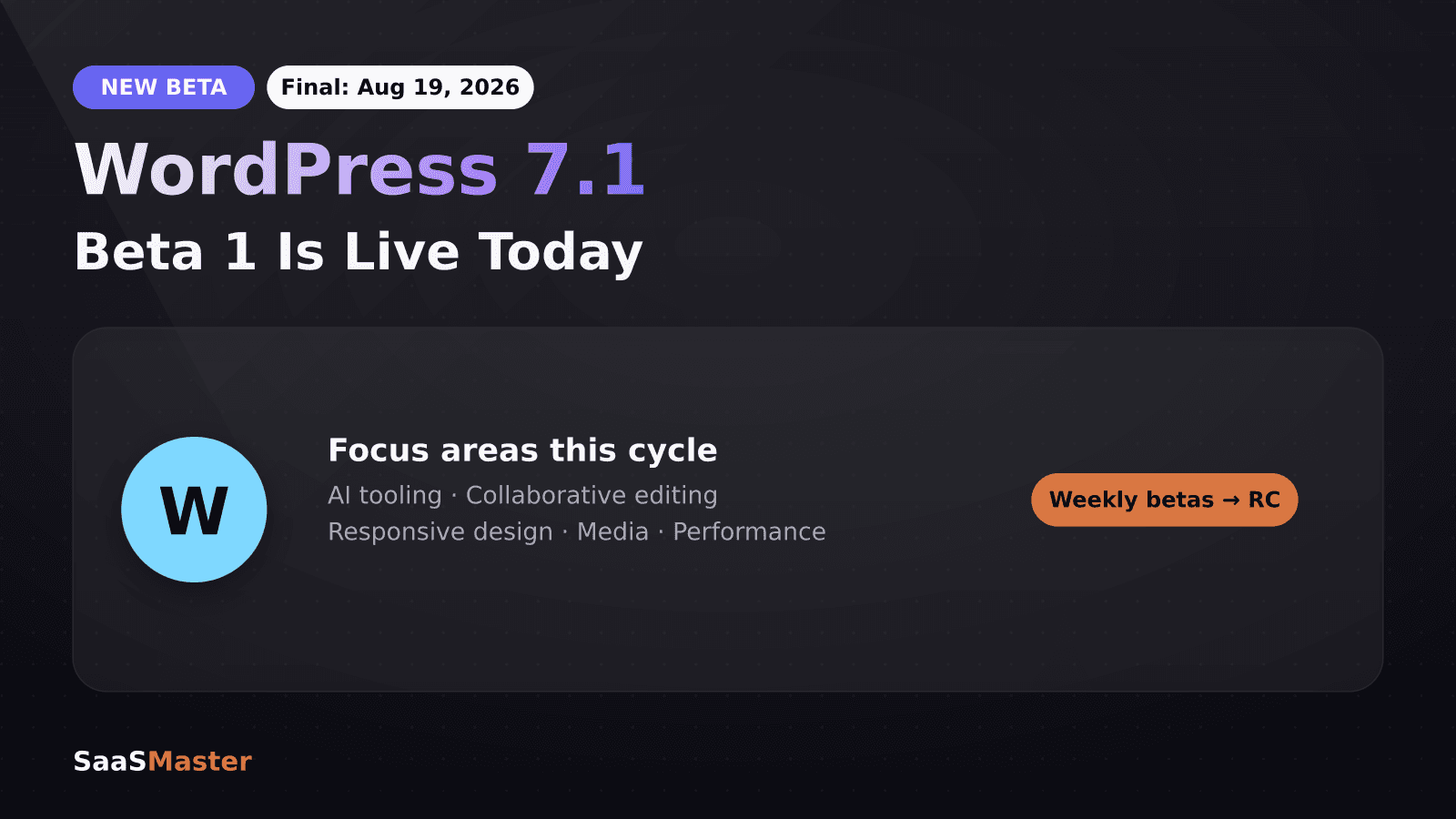
WordPress 7.1 Beta Is Live: What Site Owners and Plugin Developers Need to Know
Bunny.net for Video Hosting in 2026: Is It Finally Smarter Than Vimeo or Wistia?