How to Turn One Product Demo Video Into a Month of Content
In short
One well-made SaaS product demo video can fuel a full month of content across YouTube, LinkedIn, email, and social. Here's the exact repurposing framework.
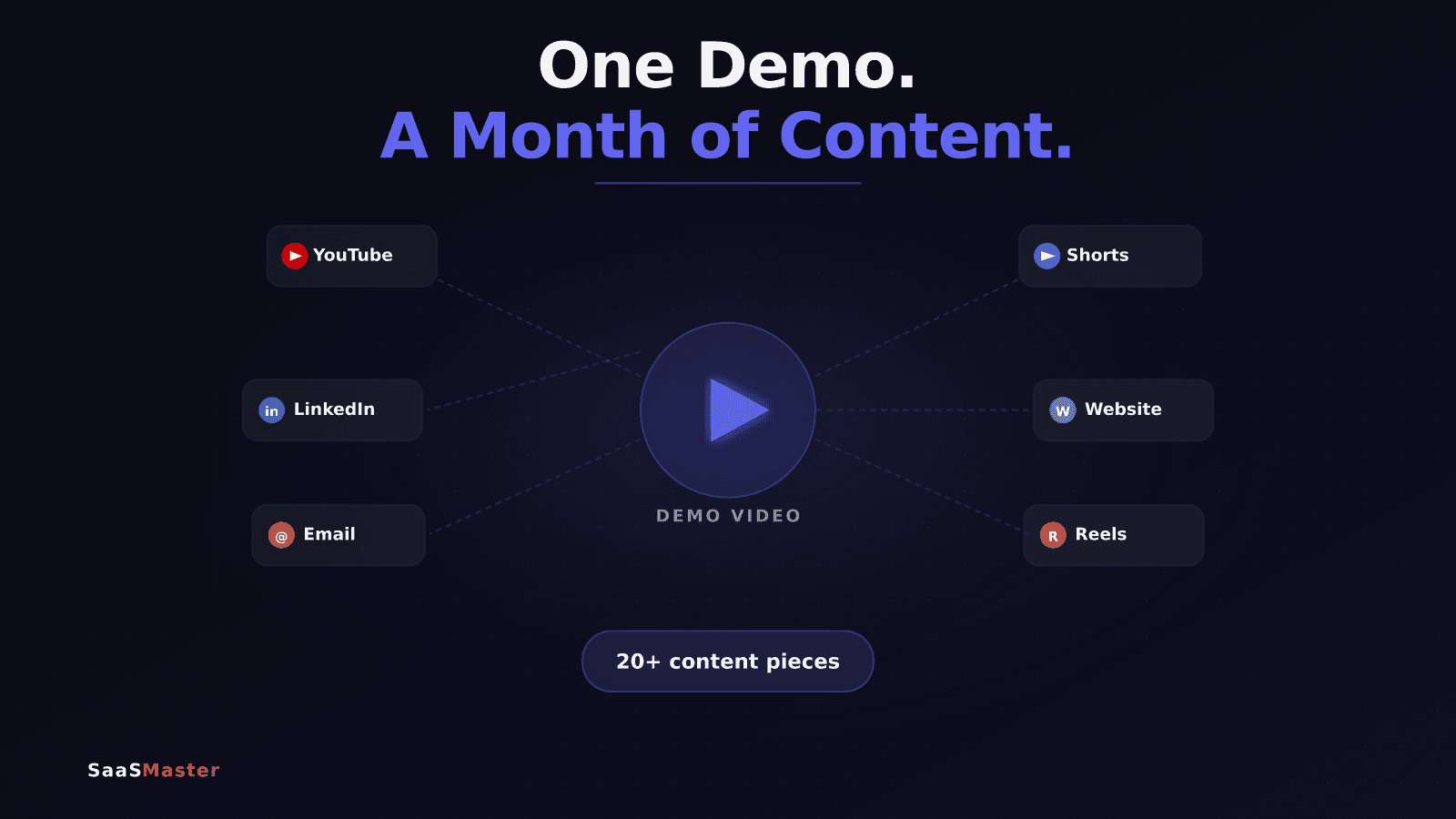
One well-made product demo video contains a month of content. Most SaaS teams don't see it that way because they treat the demo as a finished product instead of a source asset. Here is the framework I use to turn a single 3–5 minute demo into 15–20 pieces of content across LinkedIn, YouTube, email, and social — without recording anything new.
Key takeaways: - Plan the repurposing system before you record the demo, not after - The demo is the source; clips, posts, and emails are the derivatives - Each platform needs its own format — same message, different packaging - Evergreen demos outperform news-driven content because they work indefinitely - A single quality demo can fuel 20+ unique content pieces across 4 weeks
Why Most Demos Never Get Repurposed
Most product demos are recorded once, linked in an email or a Loom, watched by a handful of people, and then forgotten. The production investment — scripting, recording, editing — goes into a single asset that ages out of the pipeline in weeks.
The problem is framing. If you think of a demo as "a video," you'll use it once. If you think of it as "a content source," you'll use it all month.
Brands that repurpose consistently see 2–3x more reach from their content without increasing production volume. The unlock is a simple system: one source asset, multiple derivative formats, each matched to a channel.
Before You Record: Plan the Repurposing System
The best time to plan repurposing is before you hit record, not after. A demo built for repurposing is structured differently than a demo built to be watched once.
When I help SaaS teams build product demo videos with repurposing in mind, we plan for three layers from the start:
- Layer 1 — The full demo (3–5 min): the main asset, lives on your website and YouTube
- Layer 2 — Feature spotlights (60–90 sec): one segment per key feature, pulled clean
- Layer 3 — Social hooks (10–30 sec): the most attention-grabbing 15–20 seconds of the demo
Structure your demo so each major feature segment has a clean start and end. That makes extraction easy. A demo with four clean feature segments gives you four clips. A demo that rambles gives you nothing.
This is part of the larger SaaS video marketing strategy — building assets that compound over time rather than expire after one use.
The Repurposing Framework: 15+ Pieces From One Demo
Here is how I break down a single 4-minute demo into a full content calendar.
YouTube: 3–4 Pieces
Upload the full demo as a YouTube video with a descriptive title: "How [Product] Works — Full Demo." Then cut a 90-second YouTube Short showing the most compelling feature. Create a "before and after" short under 60 seconds: problem state, then product solves it. Optionally, add a "3 things I noticed" commentary-style video with your voiceover over screen clips.
YouTube rewards watch time on the long-form and discovery on Shorts. Both work from the same source material.
LinkedIn: 4–5 Pieces
Post the full demo natively — LinkedIn favors native video over links. Write a text post about the problem the product solves and embed the 90-second clip. Create a carousel post: "5 things this tool does that most people miss," with a screenshot per feature. Post a written teardown: "I watched 10 SaaS demos this week — here's what worked." Add one quote-card graphic from a testimonial or stat in the demo script.
LinkedIn text posts with native video consistently outperform link posts by 2–4x in organic reach.
Email Nurture: 3 Pieces
Week 1: embed the full demo with a thumbnail in your welcome or nurture sequence. Week 2: send a "did you catch this?" email featuring the 60-second feature spotlight. Week 4: send a plain-text email referencing one specific problem the demo addresses, with a link to the demo. Video thumbnails in email lift click-through rates by 20–35% when the image is a real frame from the video, not a stock photo.
Website and Landing Page: 2–3 Pieces
Embed the full demo above the fold on the product page. Embed the 90-second clip as a social proof section. Use a 10-second looping clip for a feature callout section. Landing pages with video above the fold see 80% more time-on-page on average, which improves conversion and SEO dwell time.
If you're building short-form videos for software into your landing pages, these clips are the fastest path to production without a second recording session.
Short-Form Social (Reels, TikTok, Shorts): 2–3 Pieces
Extract the hook — the first 10–15 seconds where you state the problem. Create a "wait, did you know [product] does this?" clip under 30 seconds. Use the "before: doing X manually / after: [product] does it in 3 clicks" format. Short-form clips need burnt-in captions (85% of mobile video plays with sound off) and a hook in the first 3 seconds. The demo footage is the raw material — format it, don't just upload it.
The Content Calendar
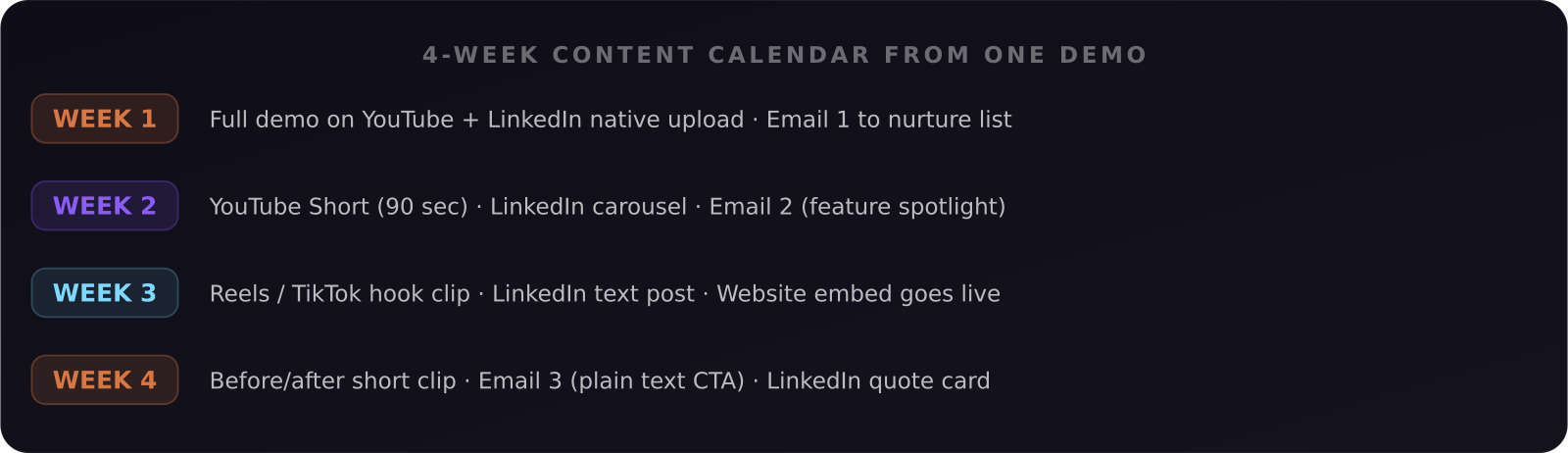
Here is how one demo becomes a 4-week schedule:
Week 1: Full demo on YouTube and LinkedIn native, Email 1 to nurture list.
Week 2: YouTube Short (90 sec), LinkedIn carousel post, Email 2 featuring a feature spotlight.
Week 3: Reels or TikTok clip (hook excerpt), LinkedIn text post (problem teardown), website embed goes live.
Week 4: Before/after short-form clip, Email 3 (plain text, direct CTA), LinkedIn quote card.
That's 12 scheduled pieces from a single recording session. Add a second pass for older demos already in your drive and you've extended the campaign further without any new production.
What to Do With Old Demos
If you already have recorded demos sitting in your Drive, they're not too old to repurpose — they're just waiting to be cut. Unless the interface has changed significantly, a demo of core functionality is still valid. Pull the best 60–90 seconds. Add captions. Post it.
The only demos that shouldn't be repurposed are ones where the UI has changed enough to confuse users. Everything else is fair game.
For the full picture of how demos fit into your video content system, the complete SaaS video marketing strategy guide is the place to start. And if you're ready to build a demo designed for repurposing from day one, I work with SaaS teams on software demo video production built to this exact framework.
Frequently asked questions
How long should a SaaS product demo video be for repurposing?
Three to five minutes is the sweet spot for a source demo. Long enough to cover the key features in depth, short enough that you can extract 60–90 second clips without losing context. Demos longer than 8 minutes are hard to repurpose without significant re-editing.
Do I need editing software to repurpose a demo video?
No. Tools like Descript, CapCut, and Opus Clip let you cut clips, add captions, and resize aspect ratios without video editing experience. Descript in particular is designed for screen recording content — you edit the transcript and the video follows. Most clips can be ready in 20–30 minutes per piece.
How do I know which clip will perform best on social?
Start with the moment in your demo where you show the most dramatic result — the output that makes someone say "wait, it does that?" That 10–30 seconds is almost always the best hook for short-form social. Post two or three clips and check which gets the most saves and shares within the first 48 hours.
Was this article helpful?
Jorge Aguilar
Founder & Creator, SaaS Master
Producing SaaS and AI product videos since 2019 — 800+ videos for 200+ brands, covering tutorials, demos, walkthroughs, and explainers. Writing here about the tools, trends, and tactics that actually move the needle. LinkedIn · About · Work with me
Need a product demo, walkthrough, or SaaS explainer?
Client-owned videos that make your product easy to understand — demos, walkthroughs, onboarding, and explainers.
Explore SaaS video production